Components
Toggle group
Toggle group groups related options. The component consists of a group of buttons that are connected, where only one button can be selected at a time.
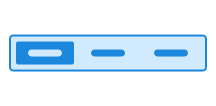
Unable to parse html
const PreviewEn = () => {
  return (
    <ToggleGroup aria-label='Filter' defaultValue='inbox'>
      <ToggleGroup.Item value='inbox'>Inbox</ToggleGroup.Item>
      <ToggleGroup.Item value='drafts'>Drafts</ToggleGroup.Item>
      <ToggleGroup.Item value='archive'>Archive</ToggleGroup.Item>
      <ToggleGroup.Item value='sent'>Sent</ToggleGroup.Item>
    </ToggleGroup>
  );
};

render(<PreviewEn />)
Usage
If you are using @digdir/designsystemet-web, you can implement toggle group by using the focusgroup="radiogroup" and aria-label attributes.
Note that focusgroup is a upcoming W3C standard, currently only supported in Chrome. The design system automatically adds a polyfill to provide support in all browsers.
Old way with <button>
With this approach, you need to handle keyboard navigation and ARIA roles yourself.
You can read about what you need to do to implement this in the accessibility documentation.
Each button in the group is a <button> with class name ds-button and aria-checked which indicates whether the button is selected or not.
CSS variables and data attributes
Sizes are controlled with data-size and colors with data-color. The component will inherit from the closest parent where these are set.
| Name | Value |
|---|---|
| --dsc-button-background | transparent |
| --dsc-button-background--active | var(--ds-color-surface-active) |
| --dsc-button-background--hover | var(--ds-color-surface-hover) |
| --dsc-button-border-color | var(--ds-color-border-default) |
| --dsc-button-color | inherit |
| --dsc-button-color--active | var(--dsc-button-color) |
| --dsc-button-color--hover | var(--ds-color-text-default) |
| --dsc-togglegroup-background | var(--ds-color-surface-default) |
| --dsc-togglegroup-border-color | var(--ds-color-border-default) |
| --dsc-togglegroup-border-radius | var(--ds-border-radius-default) |
| --dsc-togglegroup-border-style | solid |
| --dsc-togglegroup-border-width | var(--ds-border-width-default) |
| --dsc-togglegroup-button-size | var(--ds-size-12) |
| --dsc-togglegroup-color | var(--ds-color-text-default) |
| --dsc-togglegroup-label | "" |
| --dsc-togglegroup-spacing | 0 |
| Name | Value |
|---|---|
| data-icon | |
| data-variant | secondary, tertiary |
React
Controlled example
Unable to parse html
const ControlledEn = () => {
  const [value, setValue] = useState<string>('drafts');
  return (
    <>
      <ToggleGroup aria-label='Filter' value={value} onChange={setValue}>
        <ToggleGroup.Item value='inbox'>
          <EnvelopeClosedIcon aria-hidden />
          Inbox
        </ToggleGroup.Item>
        <ToggleGroup.Item value='drafts'>
          <DocPencilIcon aria-hidden />
          Drafts
        </ToggleGroup.Item>
        <ToggleGroup.Item value='archive'>
          <ArchiveIcon aria-hidden />
          Archive
        </ToggleGroup.Item>
        <ToggleGroup.Item value='sent'>
          <PaperplaneIcon aria-hidden />
          Sent
        </ToggleGroup.Item>
      </ToggleGroup>
      <Divider />
      <Paragraph>You have selected: {value}</Paragraph>
      <Button data-size='sm' onClick={() => setValue('archive')}>
        Select Archive
      </Button>
    </>
  );
};

render(<ControlledEn />)
ToggleGroup
- variant
- Description
Specify which variant to use
- Type
"primary" | "secondary"- Default
'primary'
- value
- Description
Controlled state for `ToggleGroup` component.
- Type
string
- defaultValue
- Description
Default value.
- Type
string
- onChange
- Description
Callback with selected `ToggleGroupItem` `value`
- Type
((value: string) => void)
- name
- Description
Form element name
- Type
string
- data-toggle-group
- Description
Toggle group label for accessibility @deprecated Use aria-label or aria-labelledby instead.
- Type
string
- aria-label
- Type
string
- aria-labelledby
- Type
string
| Name | Type | Default | Description |
|---|---|---|---|
| variant | "primary" | "secondary" | 'primary' | Specify which variant to use |
| value | string | - | Controlled state for `ToggleGroup` component. |
| defaultValue | string | - | Default value. |
| onChange | ((value: string) => void) | - | Callback with selected `ToggleGroupItem` `value` |
| name | string | - | Form element name |
| data-toggle-group | string | - | Toggle group label for accessibility @deprecated Use aria-label or aria-labelledby instead. |
| aria-label | string | - | - |
| aria-labelledby | string | - | - |
ToggleGroupItem
- value
- Description
The value of the ToggleGroupItem. Generates a random value if not set.
- Type
string | (string & readonly string[])
- icon
- Description
@deprecated Icon prop is deprecated
- Type
boolean
| Name | Type | Default | Description |
|---|---|---|---|
| value | string | (string & readonly string[]) | - | The value of the ToggleGroupItem. Generates a random value if not set. |
| icon | boolean | - | @deprecated Icon prop is deprecated |