Components
Switch
Switch allows users to choose between two options by turning something on or off.
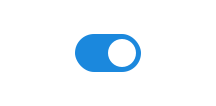
Unable to parse html
const Preview = () => {
  return <Switch label='Switch' />;
};

render(<Preview />)
Usage
Use the classname ds-input on <input> along with type="checkbox" and role="switch".
For a valid form element, we recommend using <ds-field> together with a <label>.
CSS variables and data attributes
Sizes are controlled with data-size and colors with data-color. The component will inherit from the closest parent where these are set.
Switch is ds-input with type="checkbox", so variables and data attributes that apply to input also apply to switch.
| Name | Value |
|---|---|
| --dsc-input-accent-color | var(--ds-color-base-default) |
| --dsc-input-accent-color--invalid | var(--ds-color-danger-text-subtle) |
| --dsc-input-background | var(--ds-color-neutral-surface-default) |
| --dsc-input-background--readonly | var(--ds-color-neutral-surface-tinted) |
| --dsc-input-border-color | var(--ds-color-neutral-border-default) |
| --dsc-input-border-color--readonly | var(--ds-color-neutral-border-subtle) |
| --dsc-input-border-radius | var(--ds-border-radius-md) |
| --dsc-input-border-style | solid |
| --dsc-input-border-width | var(--ds-border-width-default) |
| --dsc-input-border-width--toggle | max(var(--ds-border-width-default), .5 * var(--ds-size-1)) |
| --dsc-input-color | var(--ds-color-neutral-text-default) |
| --dsc-input-color--readonly | var(--ds-color-neutral-text-default) |
| --dsc-input-color-placeholder | color-mix(in srgb, var(--dsc-input-color), transparent 30%) |
| --dsc-input-font-size | max(1rem, 1em) |
| --dsc-input-line-height | var(--ds-line-height-md) |
| --dsc-input-outline-color--hover | var(--ds-color-neutral-border-default) |
| --dsc-input-outline-color--toggle--hover | var(--dsc-input-accent-color) |
| --dsc-input-outline-style--hover | solid |
| --dsc-input-outline-width--hover | var(--ds-border-width-default) |
| --dsc-input-padding | var(--dsc-input-padding-block) var(--dsc-input-padding-inline) |
| --dsc-input-padding-block | var(--ds-size-2) |
| --dsc-input-padding-inline | var(--ds-size-3) |
| --dsc-input-size | var(--ds-size-12) |
| --dsc-input-size--toggle | var(--ds-size-6) |
| --dsc-input-stroke-color | var(--ds-color-base-contrast-default) |
| --dsc-input-stroke-color--invalid | var(--ds-color-danger-base-contrast-default) |
| --dsc-input-stroke-width | 0.05em |
| Name | Value |
|---|---|
| data-width | auto |
Right-aligned
To right-align the switch, add data-position="end" to <ds-field>.
Unable to parse html
const RightAlignedEn = () => {
  return <Switch label='Flight mode' position='end' defaultChecked />;
};

render(<RightAlignedEn />)
Outline
data-variant="outline" adds extra padding and a border around the selection to create a larger clickable area.
Unable to parse html
const OutlineEn = () => {
  return (
    <Fieldset>
      <Fieldset.Legend>Enable notifications</Fieldset.Legend>
      <Switch variant='outline' label='Service messages' checked />
      <Switch variant='outline' label='Reminders' />
      <Switch variant='outline' label='News updates' />
      <Switch
        label='SMS alerts'
        description='Missing a valid phone number in your profile'
        variant='outline'
        readOnly
      />
    </Fieldset>
  );
};

render(<OutlineEn />)
ReadOnly
type="checkbox" is always :read-only and does not support this in the same way as input types you can type into.
If you set readonly on a switch, we ensure that it behaves as if it has read-only access by stopping onClick and onChange.
The user will still be able to focus on the element.
Unable to parse html
const ReadOnly = () => (
  <Switch
    label='Flymodus'
    description='Får ikke kontakt med flymodusenheten'
    readOnly
    defaultChecked
  />
);

render(<ReadOnly />)
React
In React, building a switch is easier because we have a ready-made component that handles most of the logic and state management for us.
Switch is a composite component that uses field, label, and input to create a switch.
Switch
- aria-label
- Description
Optional aria-label
- Type
string
- label
- Description
Switch label
- Type
ReactNode
- description
- Description
Description for field
- Type
ReactNode
- value
- Description
Value of the `input` element
- Type
string | number | readonly string[]
- position
- Description
Position of switch
- Type
"start" | "end"- Default
start
- variant
- Description
If outline, the switch will have a border.
- Type
"outline"
- aria-labelledby
- Type
string
| Name | Type | Default | Description |
|---|---|---|---|
| aria-label | string | - | Optional aria-label |
| label | ReactNode | - | Switch label |
| description | ReactNode | - | Description for field |
| value | string | number | readonly string[] | - | Value of the `input` element |
| position | "start" | "end" | start | Position of switch |
| variant | "outline" | - | If outline, the switch will have a border. |
| aria-labelledby | string | - | - |