Components
Dialog
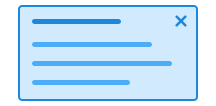
There are two types of dialogs: modal and non-modal. A modal dialog requires users to take action before they can continue using the page. A non-modal dialog allows users to continue using the page, even while the dialog is open.
Unable to parse html
const Preview = () => {
  return (
    <>
      <Button command='show-modal' commandfor='my-dialog-preview'>
        Open Dialog
      </Button>
      <Dialog id='my-dialog-preview'>
        <Heading style={{ marginBottom: 'var(--ds-size-2)' }}>
          Dialog header
        </Heading>
        <Paragraph style={{ marginBottom: 'var(--ds-size-2)' }}>
          Lorem ipsum dolor sit, amet consectetur adipisicing elit. Blanditiis
          doloremque obcaecati assumenda odio ducimus sunt et.
        </Paragraph>
      </Dialog>
    </>
  );
};

render(<Preview />)
Usage
Dialog has two class names you can use.
ds-dialog: The main class to use on the<dialog>element.ds-dialog__block: The class used for each section in the dialog.
Open and close the dialog
Use command and commandfor to connect the <dialog> element to a trigger.
Use the values command="show-modal" or command="--show-non-modal" for a modal with or without background dimming and commandfor="DIALOG-ID" to connect the trigger to the dialog.
The attribute aria-haspopup="dialog" should be added to the element that opens the dialog to make it clear to screen reader users that it will open a dialog. We do this automatically for you when you use @digdir/designsystemet-web or @digdir/designsystemet-react.
Polyfill
Dialog depends on the attributes command and commandfor (mozilla.org) which are a relatively new part of the web platform that allow button to perform actions on other elements declaratively. We automatically add invokers-polyfill (npmjs.com) to support older browsers if needed.
We also add a polyfill for closedby="any" to support older Safari, which does not support this natively.
CSS variables and data attributes
Sizes are controlled with data-size and colors with data-color. The component will inherit from the closest parent where these are set.
All CSS variables used by ds-dialog__block are set on ds-dialog.
| Name | Value |
|---|---|
| --dsc-dialog-backdrop-background | rgba(0,0,0,.5) |
| --dsc-dialog-background | var(--ds-color-neutral-surface-default) |
| --dsc-dialog-border-color | var(--ds-color-neutral-border-subtle) |
| --dsc-dialog-border-style | solid |
| --dsc-dialog-border-width | var(--ds-border-width-default) |
| --dsc-dialog-color | var(--ds-color-neutral-text-default) |
| --dsc-dialog-divider-border-color | var(--ds-color-neutral-border-subtle) |
| --dsc-dialog-divider-border-style | solid |
| --dsc-dialog-divider-border-width | var(--ds-border-width-default) |
| --dsc-dialog-icon-size | var(--ds-icon-size) |
| --dsc-dialog-icon-spacing | var(--ds-size-3) |
| --dsc-dialog-icon-url | url("data:image/svg+xml;charset=utf-8,%3Csvg%20xmlns%3D%22http%3A%2F%2Fwww.w3.org%2F2000%2Fsvg%22%20width%3D%221em%22%20height%3D%221em%22%20fill%3D%22none%22%20viewBox%3D%220%200%2024%2024%22%3E%3Cpath%20fill%3D%22currentColor%22%20d%3D%22M6.53%205.47a.75.75%200%200%200-1.06%201.06L10.94%2012l-5.47%205.47a.75.75%200%201%200%201.06%201.06L12%2013.06l5.47%205.47a.75.75%200%201%200%201.06-1.06L13.06%2012l5.47-5.47a.75.75%200%200%200-1.06-1.06L12%2010.94z%22%2F%3E%3C%2Fsvg%3E") |
| --dsc-dialog-max-height | 80vh |
| --dsc-dialog-max-width | 40rem |
| --dsc-dialog-placement-block-max-width | 100% |
| --dsc-dialog-placement-inline-max-width | 40rem |
| --dsc-dialog-spacing | var(--ds-size-6) |
| --dsc-dialog-transition-duration | 300ms |
| Name | Value |
|---|---|
| data-command | close |
| data-placement | bottom, top, left, right, center |
Examples
With form and focus
If you want a field in a form inside the dialog to get focus when the dialog opens, you can use the native autofocus attribute on the input element.
When using this with React, you must write it in lowercase as autofocus, not autoFocus.
This prop does not exist in React's type definitions, so we have ignored the error with an @ts-expect-error comment in the example below.
Unable to parse html
const WithForm = () => {
  const [input, setInput] = useState('');

  return (
    <>
      <Button command='show-modal' commandfor='my-dialog-form'>
        Open Dialog with command
      </Button>
      <Dialog onClose={() => setInput('')} closedby='any' id='my-dialog-form'>
        <Heading style={{ marginBottom: 'var(--ds-size-2)' }}>
          Dialog med skjema
        </Heading>
        <Textfield
          label='Navn'
          value={input}
          onChange={(e) => setInput(e.target.value)}
          // @ts-expect-error We want the native "autofocus" and Reacts onMount smartness (see https://react.dev/reference/react-dom/components/input#input)
          autofocus='true'
        />
        <div
          style={{
            display: 'flex',
            gap: 'var(--ds-size-4)',
            marginTop: 'var(--ds-size-4)',
          }}
        >
          <Button
            command='close'
            commandfor='my-dialog-form'
            onClick={() => alert(`Du har sendt inn skjema med navn: ${input}`)}
          >
            Send inn skjema
          </Button>
          <Button
            variant='secondary'
            data-color='danger'
            command='close'
            commandfor='my-dialog-form'
          >
            Avbryt
          </Button>
        </div>
      </Dialog>
    </>
  );
};

render(<WithForm />)
With blocks
Use multiple ds-dialog__block if you want to divide the dialog with dividers into, for example, a top and bottom area.
Note that content cannot be placed directly in dialog if you use ds-dialog__block; then all content should be inside one of the dialog's ds-dialog__block sections.
Unable to parse html
const WithBlocks = () => (
  <>
    <Button command='show-modal' commandfor='my-dialog-blocks'>
      Open Dialog with command
    </Button>
    <Dialog id='my-dialog-blocks'>
      <Dialog.Block>
        <Paragraph data-size='sm'>Dialog subtitle</Paragraph>
        <Heading>Dialog with dividers</Heading>
      </Dialog.Block>
      <Dialog.Block>
        <Paragraph>
          Lorem ipsum dolor sit amet, consectetur adipiscing elit. Curabitur
          sodales eros justo.
        </Paragraph>
      </Dialog.Block>
      <Dialog.Block>
        <Button
          variant='secondary'
          command='close'
          commandfor='my-dialog-blocks'
        >
          Lukk
        </Button>
      </Dialog.Block>
    </Dialog>
  </>
);

render(<WithBlocks />)
Close on click outside
Use closedby="any" to close the dialog when the user clicks outside.
We add polyfill so closedby="any" also works in older Safari.
Unable to parse html
const CloseWithClickOutside = () => (
  <>
    <Button command='show-modal' commandfor='my-dialog-close-outside'>
      Open Dialog with command
    </Button>
    <Dialog id='my-dialog-close-outside' closedby='any'>
      <Heading>Click outside to close</Heading>
    </Dialog>
  </>
);

render(<CloseWithClickOutside />)
Close with button
To add your own close button, you can either use command="close" commandfor="DIALOG-ID" or ref and Dialog.close() on a button you create yourself.
If the button is empty it will get an icon.
If the button is a direct child of the dialog and the first element, it will float to the top right.
React
TriggerContext
Use Dialog.TriggerContext and Dialog.Trigger together, so Dialog can communicate without having to use id and commandfor.
Unable to parse html
const TriggerContext = () => {
  return (
    <Dialog.TriggerContext>
      <Dialog.Trigger>Open Dialog</Dialog.Trigger>
      <Dialog>
        <Heading style={{ marginBottom: 'var(--ds-size-2)' }}>
          Dialog header
        </Heading>
        <Paragraph style={{ marginBottom: 'var(--ds-size-2)' }}>
          Lorem ipsum dolor sit, amet consectetur adipisicing elit. Blanditiis
          doloremque obcaecati assumenda odio ducimus sunt et.
        </Paragraph>
        <Paragraph data-size='sm'>Dialog footer</Paragraph>
      </Dialog>
    </Dialog.TriggerContext>
  );
};

render(<TriggerContext />)
With ref and without context
If you don't want to use Dialog.TriggerContext, you can use ref to open the dialog from an external trigger.
You then use native methods on the <dialog> element, such as showModal() or show().
Unable to parse html
const WithRef = () => {
  const dialogRef = useRef<HTMLDialogElement>(null);

  return (
    <>
      <Button
        aria-haspopup='dialog'
        onClick={() => dialogRef.current?.showModal()}
      >
        Open Dialog with ref
      </Button>
      <Dialog ref={dialogRef}>
        <Heading style={{ marginBottom: 'var(--ds-size-2)' }}>
          Dialog header
        </Heading>
        <Paragraph style={{ marginBottom: 'var(--ds-size-2)' }}>
          Lorem ipsum dolor sit, amet consectetur adipisicing elit. Blanditiis
          doloremque obcaecati assumenda odio ducimus sunt et.
        </Paragraph>
      </Dialog>
    </>
  );
};

render(<WithRef />)
Props
Dialog
Dialog
- closeButton
- Description
Screen reader label of close button. Set false to hide the close button.
- Type
string | false- Default
Lukk dialogvindu
- closedby
- Description
Light dismiss behavior, allowing to close on backdrop click by setting `closedby="any"`. @see [mdn closedBy](https://developer.mozilla.org/en-US/docs/Web/API/HTMLDialogElement/closedBy)
- Type
"none" | "closerequest" | "any"- Default
'closerequest'
- placement
- Description
When not center, displays dialog as a "drawer" from the specified side.
- Type
"center" | "left" | "right" | "top" | "bottom"- Default
center
- modal
- Description
Toogle modal and non-modal dialog. @see [mdn modal dialog](https://developer.mozilla.org/en-US/docs/Web/HTML/Element/dialog#creating_a_modal_dialog)
- Type
boolean- Default
true
- open
- Description
@note Unlike standard html, where the open attribute always opens a non-modal dialog, Dialog's open prop uses the `modal` prop to determine whether the Dialog is modal or non-modal
- Type
boolean
- onClose
- Description
Callback that is called when the dialog is closed.
- Type
((event: Event) => void)
- asChild
- Description
Change the default rendered element for the one passed as a child, merging their props and behavior. @deprecated Will be removed in the next major version. Should always be a `<dialog>` element
- Type
boolean- Default
false
| Name | Type | Default | Description |
|---|---|---|---|
| closeButton | string | false | Lukk dialogvindu | Screen reader label of close button. Set false to hide the close button. |
| closedby | "none" | "closerequest" | "any" | 'closerequest' | Light dismiss behavior, allowing to close on backdrop click by setting `closedby="any"`. @see [mdn closedBy](https://developer.mozilla.org/en-US/docs/Web/API/HTMLDialogElement/closedBy) |
| placement | "center" | "left" | "right" | "top" | "bottom" | center | When not center, displays dialog as a "drawer" from the specified side. |
| modal | boolean | true | Toogle modal and non-modal dialog. @see [mdn modal dialog](https://developer.mozilla.org/en-US/docs/Web/HTML/Element/dialog#creating_a_modal_dialog) |
| open | boolean | - | @note Unlike standard html, where the open attribute always opens a non-modal dialog, Dialog's open prop uses the `modal` prop to determine whether the Dialog is modal or non-modal |
| onClose | ((event: Event) => void) | - | Callback that is called when the dialog is closed. |
| asChild | boolean | false | Change the default rendered element for the one passed as a child, merging their props and behavior. @deprecated Will be removed in the next major version. Should always be a `<dialog>` element |
DialogBlock
- asChild
- Description
Change the default rendered element for the one passed as a child, merging their props and behavior.
- Type
boolean- Default
false
| Name | Type | Default | Description |
|---|---|---|---|
| asChild | boolean | false | Change the default rendered element for the one passed as a child, merging their props and behavior. |
DialogTrigger
- type
- Description
Specify the type of button. Unset when `asChild` is true
- Type
"submit" | "reset" | "button"- Default
'button'
- variant
- Description
Specify which variant to use
- Type
"primary" | "secondary" | "tertiary"- Default
'primary'
- icon
- Description
Toggle icon only styling, pass icon as children When combined with loading, the loading-icon will be shown instead of the icon.
- Type
boolean- Default
false
- loading
- Description
Toggle loading state. Pass an element if you want to display a custom loader.
- Type
ReactNode- Default
false
- asChild
- Description
Change the default rendered element for the one passed as a child, merging their props and behavior.
- Type
boolean- Default
false
| Name | Type | Default | Description |
|---|---|---|---|
| type | "submit" | "reset" | "button" | 'button' | Specify the type of button. Unset when `asChild` is true |
| variant | "primary" | "secondary" | "tertiary" | 'primary' | Specify which variant to use |
| icon | boolean | false | Toggle icon only styling, pass icon as children When combined with loading, the loading-icon will be shown instead of the icon. |
| loading | ReactNode | false | Toggle loading state. Pass an element if you want to display a custom loader. |
| asChild | boolean | false | Change the default rendered element for the one passed as a child, merging their props and behavior. |