Components
Toggle group
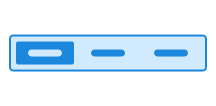
Toggle group groups related options. The component consists of a group of buttons that are connected, where only one button can be selected at a time.
What you need to check
Each button in ToggleGroup must have an accessible name.
If a button only shows an icon, the name must describe what the option means. Example: “List view” or “Grid view”.
ToggleGroup must be used in a way that keeps all options visible and usable on small screens.
ToggleGroup does not wrap onto multiple lines. Too many options or long labels may cause parts of the component to extend outside the visible viewport.
Check that all options remain visible and usable at a narrow viewport or high zoom without horizontal scrolling.
WCAG: 1.4.10 Reflow (W3C)
Test with a Keyboard
Verify that you can
- reach the toggle group using Tab
- identify which option is selected and active
- navigate between options using the arrow keys
- select an option using either Space or Enter
- move to the next interactive element using Tab