Components
Tabs
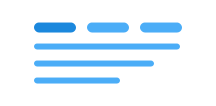
Tabs allow users to navigate between related sections of content, with only one section visible at a time. This is an effective way to organize and present related content on the same page.
Unable to parse html
const Preview = () => {
  return (
    <Tabs defaultValue='value1'>
      <Tabs.List>
        <Tabs.Tab value='value1'>Tab 1</Tabs.Tab>
        <Tabs.Tab value='value2'>Tab 2</Tabs.Tab>
        <Tabs.Tab value='value3'>Tab 3</Tabs.Tab>
      </Tabs.List>
      <Tabs.Panel value='value1'>content 1</Tabs.Panel>
      <Tabs.Panel value='value2'>content 2</Tabs.Panel>
      <Tabs.Panel value='value3'>content 3</Tabs.Panel>
    </Tabs>
  );
};

render(<Preview />)
Usage
We extend u-tabs (u-elements.github.io), which is a web component that implements tabs.
Add the class name ds-tabs on the <ds-tabs> element to get Designsystemet styling.
We recommend using <ds-tabs>, and not building your own tabs from scratch, to ensure good accessibility and functionality.
CSS variables and data attributes
Sizes are controlled with data-size and colors with data-color. The component will inherit from the closest parent where these are set.
| Name | Value |
|---|---|
| --dsc-tabs-content-padding | var(--ds-size-4) var(--ds-size-5) |
| --dsc-tabs-list-border-bottom-style | solid |
| --dsc-tabs-list-border-bottom-width | var(--ds-border-width-default) |
| --dsc-tabs-list-border-color | var(--ds-color-neutral-border-subtle) |
| --dsc-tabs-tab-color | var(--ds-color-neutral-text-subtle) |
| --dsc-tabs-tab-color--hover | var(--ds-color-neutral-text-default) |
| --dsc-tabs-tab-color--selected | var(--ds-color-text-subtle) |
| --dsc-tabs-tab-padding | var(--ds-size-3) var(--ds-size-5) |
No relevant data attributes found.
React
Example of controlled
Unable to parse html
const Controlled = () => {
  const [value, setValue] = useState('value1');

  return (
    <Tabs value={value} onChange={(newValue) => setValue(newValue)}>
      <Tabs.List>
        <Tabs.Tab value='value1'>Tab 1</Tabs.Tab>
        <Tabs.Tab value='value2'>Tab 2</Tabs.Tab>
        <Tabs.Tab value='value3'>Tab 3</Tabs.Tab>
      </Tabs.List>
      <Tabs.Panel value='value1'>content 1</Tabs.Panel>
      <Tabs.Panel value='value2'>content 2</Tabs.Panel>
      <Tabs.Panel value='value3'>content 3</Tabs.Panel>
    </Tabs>
  );
};

render(<Controlled />)
Example of panel reuse
To speed up your application, you can reuse a single tabpanel and instead swap the content inside:
Unable to parse html
const PanelReuseEn = () => {
  const [selectedTab, setSelectedTab] = useState('About');
  const tabs = [
    ['About', <div key='about'>About</div>],
    ['Timetable', <div key='timetable'>Timetable</div>],
    ['Exam', <div key='exam'>Exam</div>],
  ] as const;

  return (
    <Tabs defaultValue={selectedTab} onChange={setSelectedTab}>
      <Tabs.List>
        {tabs.map(([label]) => (
          <Tabs.Tab
            key={label}
            value={label}
            aria-selected={`${selectedTab === label}`}
          >
            {label}
          </Tabs.Tab>
        ))}
      </Tabs.List>
      {tabs.map(([label, content]) => (
        <Tabs.Panel key={label} value={label} hidden={selectedTab !== label}>
          {content}
        </Tabs.Panel>
      ))}
    </Tabs>
  );
};

render(<PanelReuseEn />)
Tabs
- value
- Description
Controlled state for `Tabs` component
- Type
string- Default
undefined
- defaultValue
- Description
Default selected tab value
- Type
string- Default
undefined
- onChange
- Description
Callback with selected `TabItem` `value`
- Type
((value: string) => void)- Default
undefined
| Name | Type | Default | Description |
|---|---|---|---|
| value | string | undefined | Controlled state for `Tabs` component |
| defaultValue | string | undefined | Default selected tab value |
| onChange | ((value: string) => void) | undefined | Callback with selected `TabItem` `value` |
TabsPanel
- value
- Description
When this value is selected as the current state, render this `TabsPanel` component. Must match the `value` of a `Tabs.Tab` component.
- Type
string
| Name | Type | Default | Description |
|---|---|---|---|
| value | string | - | When this value is selected as the current state, render this `TabsPanel` component. Must match the `value` of a `Tabs.Tab` component. |
TabsTab
- value
- Description
Unique value that will be set in the `Tabs` components state when the tab is activated
- Type
string
| Name | Type | Default | Description |
|---|---|---|---|
| value | string | - | Unique value that will be set in the `Tabs` components state when the tab is activated |