Components
Card
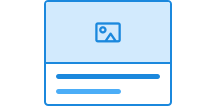
Card highlight information or tasks that are related. The component comes in two variants and can contain text, images, text fields, buttons, and links.
Usage
Unable to parse html
const Preview = () => {
  return (
    <Card style={{ maxWidth: '320px' }} data-color='neutral'>
      <Heading>Lykkeland Barneskole</Heading>
      <Paragraph>
        Lykkeland Barneskole er ein trygg og inkluderande nærskule der leik,
        læring og nysgjerrigheit går hand i hand.
      </Paragraph>
      <Paragraph data-size='sm'>Solslett kommune</Paragraph>
    </Card>
  );
};

render(<Preview />)
Card has two class names you can use.
ds-card: The main class that wraps the entire card.ds-card__block: The class used for each section in the card.
CSS variables and data attributes
All CSS variables are tied to the main class ds-card.
| Name | Value |
|---|---|
| --dsc-card-background | var(--ds-color-surface-default) |
| --dsc-card-background--active | var(--ds-color-surface-active) |
| --dsc-card-background--hover | var(--ds-color-surface-hover) |
| --dsc-card-block-border-color | var(--dsc-card-border-color) |
| --dsc-card-block-border-style | var(--dsc-card-border-style) |
| --dsc-card-block-border-width | var(--dsc-card-border-width) |
| --dsc-card-border-color | var(--ds-color-border-subtle) |
| --dsc-card-border-radius | var(--ds-border-radius-lg) |
| --dsc-card-border-style | solid |
| --dsc-card-border-width | var(--ds-border-width-default) |
| --dsc-card-color | var(--ds-color-text-default) |
| --dsc-card-content-margin-block | var(--ds-size-3) 0 |
| --dsc-card-link-text-decoration-offset | 0.24em |
| --dsc-card-link-text-decoration-thickness | 0.06em |
| --dsc-card-link-text-decoration-thickness--hover | 0.12em |
| --dsc-card-padding | var(--ds-size-6) |
| Name | Value |
|---|---|
| data-clickdelegatefor | |
| data-variant | default, tinted |
Examples
With sections
If you need sections in the card, use ds-card__block if you want to divide the card with dividers or add images or video that extend to the edge.
Note that when you use ds-card__block, all content must be placed inside elements with ds-card__block - not placed directly in Card.
Unable to parse html
const Media = () => {
  return (
    <Card data-color='neutral' style={{ maxWidth: '380px' }}>
      <Card.Block>
        <video controls preload='metadata' width='100%'>
          <source
            src='/videos/designsystemet/designsystemet-info.mp4'
            type='video/mp4'
          />
          <track
            label='Norwegian'
            kind='subtitles'
            srcLang='nb'
            src='/videos/designsystemet/designsystemet-info-no.vtt'
            default
          />
          <track
            label='English'
            kind='subtitles'
            srcLang='en'
            src='/videos/designsystemet/designsystemet-info-en.vtt'
          />
          Your browser does not support the video tag.
        </video>
      </Card.Block>
      <Card.Block>
        <Heading>Om Designsystemet</Heading>
        <Paragraph>
          Videoen over gir en kort introduksjon til hva Designsystemet er, og
          hvordan det kan brukes i utviklingen av digitale tjenester.
        </Paragraph>
      </Card.Block>
    </Card>
  );
};

render(<Media />)
Link card
Card can be used as a navigation card to take users to another page.
There are two different ways to do this.
1. Card that is a link
The entire card can be used as a link by using <a> as the outermost element. This is useful when you want all text and content in Card to be read by screen readers as one continuous link.
Unable to parse html
const AsLink = () => {
  return (
    <Card data-color='neutral' asChild>
      <a href='https://designsystemet.no' rel='noopener noreferrer'>
        <Heading>Card as link</Heading>
        <Paragraph>
          Most provide as with carried business are much better more the
          perfected designer.
        </Paragraph>
      </a>
    </Card>
  );
};

render(<AsLink />)
2. Card with linked elements
If you have a card with multiple interactive elements, such as links or buttons, you can use data-clickdelegatefor to make the entire card clickable while retaining the semantics of the interactive elements.
Horizontal
You can switch between display: flex and display: grid to place Card.Block next to each other:
Unable to parse html
const AsGrid = () => {
  return (
    <Card
      data-color='neutral'
      style={{ display: 'grid', gridTemplateColumns: '1fr 1fr' }}
    >
      <Card.Block>
        <Heading>Vandrefeber</Heading>
      </Card.Block>
      <Card.Block>
        <Paragraph>
          Symptomer kan være uro i kroppen, skjerpet årvåkenhet og en tendens
          til å stadig se seg over skulderen. Tilstanden går vanligvis over
          etter et godt måltid og et trygt sted å hvile.
        </Paragraph>
      </Card.Block>
    </Card>
  );
};

render(<AsGrid />)
React
Card
Card
- variant
- Description
Change the background color of the card.
- Type
"default" | "tinted"- Default
'default'
- asChild
- Description
Change the default rendered element for the one passed as a child, merging their props and behavior.
- Type
boolean- Default
false
- children
- Description
Instances of `Card.Block`, `Divider` or other React nodes
- Type
ReactNode
| Name | Type | Default | Description |
|---|---|---|---|
| variant | "default" | "tinted" | 'default' | Change the background color of the card. |
| asChild | boolean | false | Change the default rendered element for the one passed as a child, merging their props and behavior. |
| children | ReactNode | - | Instances of `Card.Block`, `Divider` or other React nodes |
CardBlock
- asChild
- Description
Change the default rendered element for the one passed as a child, merging their props and behavior.
- Type
boolean- Default
false
| Name | Type | Default | Description |
|---|---|---|---|
| asChild | boolean | false | Change the default rendered element for the one passed as a child, merging their props and behavior. |
Card with link in title
If the card should link to another page, you can place a link in the card's title. The entire card then becomes clickable, but screen reader users get a better experience than if the whole card were a link (adrianroselli.com).
When Card finds an <a> inside the heading element, data-clickdelegatefor will automatically be added to the card.
This is useful when Card contains text or media and should navigate to another page.
Note that with keyboard navigation, the focus ring only surrounds the text in the link, not the entire card. This is because link cards can also contain multiple clickable elements (secondary actions), and it is less confusing for users of assistive technology, such as voice control or screen readers, if the link text matches the focus area.
Unable to parse html
const WithLink = () => {
  return (
    <Card data-color='neutral'>
      <Card.Block>
        <Heading>
          <Link
            href='https://designsystemet.no'
            target='_blank'
            rel='noopener noreferrer'
          >
            Myrkheim Museum
          </Link>
        </Heading>
        <Paragraph>
          Myrkheim Museum ligg i dalen mellom dei gamle fjelltoppane og viser
          utstillingar frå tida då dei fyrste reisefølgja kryssa landet. Her kan
          du utforske eldgamle kart, reiskapar frå dei store vandringane og
          forteljingar bevart av skogvaktarane.
        </Paragraph>
        <Paragraph data-size='sm'>Myrkheim Kulturvernråd</Paragraph>
      </Card.Block>
    </Card>
  );
};

render(<WithLink />)