Components
Alert
Alert provides users with information that is especially important for them to see and understand. The component is designed to capture users' attention. The text in the alert should be short and clear.
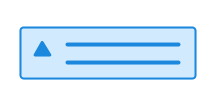
Press Enter to start editing
Unable to parse html
const PreviewEn = () => {
  return (
    <Alert role='alert'>A message that is important for the user to see</Alert>
  );
};

render(<PreviewEn />)
Usage
Use the attribute data-color="info | success | warning | danger" to change the type of alert.
Use role="alert" for critical messages that require immediate attention.
Use role="status" for less critical messages.
CSS variables and data attributes
| Name | Value |
|---|---|
| --dsc-alert-background | var(--ds-color-info-surface-tinted) |
| --dsc-alert-border-color | var(--ds-color-info-border-default) |
| --dsc-alert-border-radius | var(--ds-border-radius-lg) |
| --dsc-alert-border-style | solid |
| --dsc-alert-border-width | var(--ds-border-width-default) |
| --dsc-alert-color | var(--ds-color-info-text-default) |
| --dsc-alert-icon-color | var(--ds-color-info-text-subtle) |
| --dsc-alert-icon-size | var(--ds-icon-size) |
| --dsc-alert-icon-url | url("data:image/svg+xml;charset=utf-8,%3Csvg%20xmlns%3D%22http%3A%2F%2Fwww.w3.org%2F2000%2Fsvg%22%20viewBox%3D%220%200%2024%2024%22%3E%3Cpath%20fill-rule%3D%22evenodd%22%20d%3D%22M3.25%204A.75.75%200%200%201%204%203.25h16a.75.75%200%200%201%20.75.75v16a.75.75%200%200%201-.75.75H4a.75.75%200%200%201-.75-.75zM11%207.75a1%201%200%201%201%202%200%201%201%200%200%201-2%200m-1.25%203a.75.75%200%200%201%20.75-.75H12a.75.75%200%200%201%20.75.75v4.75h.75a.75.75%200%200%201%200%201.5h-3a.75.75%200%200%201%200-1.5h.75v-4h-.75a.75.75%200%200%201-.75-.75%22%2F%3E%3C%2Fsvg%3E") |
| --dsc-alert-padding-block | var(--ds-size-6) |
| --dsc-alert-padding-inline-end | var(--ds-size-6) |
| --dsc-alert-spacing | var(--ds-size-2) |
No relevant data attributes found.