Components
Select
Select allows users to choose an option from a list.
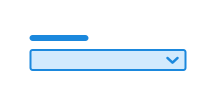
Unable to parse html
const PreviewEn = () => { return ( <Field> <Label>Select a mountain</Label> <Select defaultValue=''> <Select.Option value='' disabled> Select a mountain … </Select.Option> <Select.Option value='everest'>Mount Everest</Select.Option> <Select.Option value='aconcagua'>Aconcagua</Select.Option> <Select.Option value='denali'>Denali</Select.Option> <Select.Option value='kilimanjaro'>Kilimanjaro</Select.Option> <Select.Option value='elbrus'>Elbrus</Select.Option> <Select.Option value='vinson'>Mount Vinson</Select.Option> <Select.Option value='puncakjaya'>Puncak Jaya</Select.Option> <Select.Option value='kosciuszko'>Mount Kosciuszko</Select.Option> </Select> </Field> ); }; render(<PreviewEn />)
Usage
Append the class name ds-input to <select>.
If you want readonly on a select, you must stop onKeyDown and onMouseDown yourself to prevent changing the state.
CSS variables and data attributes
Sizes are controlled with data-size and colors with data-color. The component will inherit from the closest parent where these are set.
The ds-input class can also be used to style input and textarea.
| Name | Value |
|---|---|
| --dsc-input-accent-color | var(--ds-color-base-default) |
| --dsc-input-accent-color--invalid | var(--ds-color-danger-text-subtle) |
| --dsc-input-background | var(--ds-color-neutral-surface-default) |
| --dsc-input-background--readonly | var(--ds-color-neutral-surface-tinted) |
| --dsc-input-border-color | var(--ds-color-neutral-border-default) |
| --dsc-input-border-color--readonly | var(--ds-color-neutral-border-subtle) |
| --dsc-input-border-radius | var(--ds-border-radius-md) |
| --dsc-input-border-style | solid |
| --dsc-input-border-width | var(--ds-border-width-default) |
| --dsc-input-border-width--toggle | max(var(--ds-border-width-default), .5 * var(--ds-size-1)) |
| --dsc-input-color | var(--ds-color-neutral-text-default) |
| --dsc-input-color--readonly | var(--ds-color-neutral-text-default) |
| --dsc-input-color-placeholder | color-mix(in srgb, var(--dsc-input-color), transparent 30%) |
| --dsc-input-font-size | max(1rem, 1em) |
| --dsc-input-line-height | var(--ds-line-height-md) |
| --dsc-input-outline-color--hover | var(--ds-color-neutral-border-default) |
| --dsc-input-outline-color--toggle--hover | var(--dsc-input-accent-color) |
| --dsc-input-outline-style--hover | solid |
| --dsc-input-outline-width--hover | var(--ds-border-width-default) |
| --dsc-input-padding | var(--dsc-input-padding-block) var(--dsc-input-padding-inline) |
| --dsc-input-padding-block | var(--ds-size-2) |
| --dsc-input-padding-inline | var(--ds-size-3) |
| --dsc-input-size | var(--ds-size-12) |
| --dsc-input-size--toggle | var(--ds-size-6) |
| --dsc-input-stroke-color | var(--ds-color-base-contrast-default) |
| --dsc-input-stroke-color--invalid | var(--ds-color-danger-base-contrast-default) |
| --dsc-input-stroke-width | 0.05em |
| Name | Value |
|---|---|
| data-width | auto |
Example
Grouping
You can use <optgroup> to group options into categories, making long lists more manageable and easier to navigate.
Unable to parse html
const WithOptgroupEn = () => {
  return (
    <Field>
      <Label>Select a park</Label>
      <Select>
        <Select.Optgroup label='Grünerløkka'>
          <Select.Option value='sofienbergparken'>
            Sofienberg Park
          </Select.Option>
          <Select.Option value='birkelunden'>Birkelunden</Select.Option>
          <Select.Option value='olafryesplass'>Olaf Ryes Plass</Select.Option>
        </Select.Optgroup>
        <Select.Optgroup label='City centre'>
          <Select.Option value='slottsparken'>The Palace Park</Select.Option>
          <Select.Option value='studenterlunden'>Studenterlunden</Select.Option>
        </Select.Optgroup>
        <Select.Optgroup label='Old Oslo'>
          <Select.Option value='botsparken'>Botsparken</Select.Option>
          <Select.Option value='klosterenga'>Klosterenga Park</Select.Option>
        </Select.Optgroup>
      </Select>
    </Field>
  );
};

render(<WithOptgroupEn />)
ReadOnly
<select> is always :read-only, and does not support this in the same way as input types you can type into.
If you set aria-readonly on a <select>, we ensure that it behaves as if it has read-only access, by preventing onKeyDown and onMouseDown.
The user will still be able to focus on the element.
Unable to parse html
const ReadOnlyEn = () => {
  return (
    <Field>
      <Label>Select a mountain</Label>
      <Select aria-readonly value='everest'>
        <Select.Option value='everest'>Mount Everest</Select.Option>
      </Select>
    </Field>
  );
};

render(<ReadOnlyEn />)
React
Select
- readOnly
- Description
Defines if the select is readOnly @deprecated Use `aria-readonly` instead.
- Type
boolean- Default
false
- width
- Description
Defines the width of Select, where "auto" matches the content width.
- Type
"full" | "auto"- Default
full
| Name | Type | Default | Description |
|---|---|---|---|
| readOnly | boolean | false | Defines if the select is readOnly @deprecated Use `aria-readonly` instead. |
| width | "full" | "auto" | full | Defines the width of Select, where "auto" matches the content width. |
SelectOptgroup
- asChild
- Description
Change the default rendered element for the one passed as a child, merging their props and behavior.
- Type
boolean- Default
false
| Name | Type | Default | Description |
|---|---|---|---|
| asChild | boolean | false | Change the default rendered element for the one passed as a child, merging their props and behavior. |
SelectOption
- asChild
- Description
Change the default rendered element for the one passed as a child, merging their props and behavior.
- Type
boolean- Default
false
| Name | Type | Default | Description |
|---|---|---|---|
| asChild | boolean | false | Change the default rendered element for the one passed as a child, merging their props and behavior. |