Components
List
List is used to present content in a clear and structured way, for example to summarize main points or show the user which steps must be followed in a specific order.
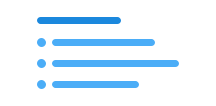
Unable to parse html
const Preview = () => {
  return (
    <List.Unordered>
      <List.Item>Bøyabreen</List.Item>
      <List.Item>Briksdalsbreen</List.Item>
      <List.Item>Nigardsbreen</List.Item>
    </List.Unordered>
  );
};

render(<Preview />)
Usage
You use either <ul> or <ol> with the class name ds-list.
<li> is used for each list item, and does not need a class name.
CSS variables and data attributes
Sizes are controlled with data-size. The component will inherit the closest parent where this is set.
| Name | Value |
|---|---|
| --dsc-list-margin-top | var(--ds-size-3) |
| --dsc-list-margin-top-nested | var(--ds-size-2) |
| --dsc-list-padding-inline | var(--ds-size-6) 0 |
No relevant data attributes found.
Example
Unordered list
Unable to parse html
const UnorderedEn = () => {
  return (
    <>
      <Heading
        level={2}
        data-size='xs'
        style={{ marginBottom: 'var(--ds-size-2)' }}
      >
        The association is required to have an auditor if it has
      </Heading>

      <List.Unordered>
        <List.Item>
          an average number of employees equivalent to ten full-time positions
          or more
        </List.Item>
        <List.Item>
          a balance sheet total of 27 million kroner or more
        </List.Item>
        <List.Item>operating income of 35 million kroner or more</List.Item>
      </List.Unordered>
    </>
  );
};

render(<UnorderedEn />)
Ordered list
Unable to parse html
const OrderedEn = () => {
  return (
    <>
      <Heading
        level={2}
        data-size='xs'
        style={{ marginBottom: 'var(--ds-size-2)' }}
      >
        How to do it:
      </Heading>

      <List.Ordered>
        <List.Item>
          Pat the chicken breasts dry before seasoning and frying
        </List.Item>
        <List.Item>Add salt and pepper to the breasts</List.Item>
        <List.Item>
          Fry the breasts on high heat for two minutes on each side
        </List.Item>
      </List.Ordered>
    </>
  );
};

render(<OrderedEn />)
React
ListItem
- asChild
- Description
Change the default rendered element for the one passed as a child, merging their props and behavior.
- Type
boolean- Default
false
| Name | Type | Default | Description |
|---|---|---|---|
| asChild | boolean | false | Change the default rendered element for the one passed as a child, merging their props and behavior. |
ListUnordered
- asChild
- Description
Change the default rendered element for the one passed as a child, merging their props and behavior.
- Type
boolean- Default
false
| Name | Type | Default | Description |
|---|---|---|---|
| asChild | boolean | false | Change the default rendered element for the one passed as a child, merging their props and behavior. |
ListOrdered
- asChild
- Description
Change the default rendered element for the one passed as a child, merging their props and behavior.
- Type
boolean- Default
false
| Name | Type | Default | Description |
|---|---|---|---|
| asChild | boolean | false | Change the default rendered element for the one passed as a child, merging their props and behavior. |