Components
Chip
Chip are small, interactive components that allow users to control how they want to see content. For example, they can be used to filter categories in a search result and show which filters are active.
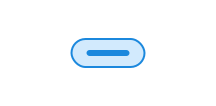
Unable to parse html
const PreviewEn = () => {
  return (
    <>
      <Chip.Radio name='my-radio' value='english' defaultChecked>
        English
      </Chip.Radio>
      <Chip.Radio name='my-radio' value='norwegian'>
        Norwegian
      </Chip.Radio>
    </>
  );
};

render(<PreviewEn />)
Usage
Chip uses two different HTML structures, but both have the class name ds-chip.
As radio or checkbox
Notice that we put <input> inside <label>, this means you don't need to connect them with for and id.
As removable or button
A removable chip uses a <button> element, but data-removable="true" has been added to indicate that it is a removable chip.
Then a cross will appear to the right of the chip, this is drawn with CSS.
With text wrapping
Chips by default force text on a single line, and truncate text with an ellipsis if it overflows.
Use data-wrap="wrap" to allow multi-line text inside the chip.
Unable to parse html
const Wrap = () => {
  return (
    <div style={{ maxWidth: 340 }}>
      <Chip.Button data-wrap='wrap'>
        Lorem ipsum dolor sit amet, consectetur adipiscing elit.
      </Chip.Button>
    </div>
  );
};

render(<Wrap />)
CSS variables and data attributes
Chip also uses ds-input internally when it is a radio or checkbox.
Sizes are controlled with data-size and colors with data-color. The component will inherit from the closest parent where these are set.
| Name | Value |
|---|---|
| --dsc-chip-background | var(--ds-color-surface-tinted) |
| --dsc-chip-background--active | var(--ds-color-surface-active) |
| --dsc-chip-background--checked | var(--ds-color-base-default) |
| --dsc-chip-background--checked--active | var(--ds-color-base-active) |
| --dsc-chip-background--checked--hover | var(--ds-color-base-hover) |
| --dsc-chip-background--hover | var(--ds-color-surface-hover) |
| --dsc-chip-border-color | var(--ds-color-border-subtle) |
| --dsc-chip-border-color--checked | transparent |
| --dsc-chip-border-radius | calc(.5 * var(--dsc-chip-height)) |
| --dsc-chip-border-radius--checkbox | var(--ds-border-radius-md) |
| --dsc-chip-border-radius--checkbox-input | var(--ds-border-radius-sm) |
| --dsc-chip-border-style | solid |
| --dsc-chip-border-width | var(--ds-border-width-default) |
| --dsc-chip-color | var(--ds-color-text-default) |
| --dsc-chip-height | var(--ds-size-8) |
| --dsc-chip-icon-size | var(--ds-icon-size) |
| --dsc-chip-icon-url | url("data:image/svg+xml;charset=utf-8,%3Csvg%20xmlns%3D%22http%3A%2F%2Fwww.w3.org%2F2000%2Fsvg%22%20width%3D%221em%22%20height%3D%221em%22%20fill%3D%22none%22%20viewBox%3D%220%200%2024%2024%22%3E%3Cpath%20fill%3D%22currentColor%22%20d%3D%22M6.53%205.47a.75.75%200%200%200-1.06%201.06L10.94%2012l-5.47%205.47a.75.75%200%201%200%201.06%201.06L12%2013.06l5.47%205.47a.75.75%200%201%200%201.06-1.06L13.06%2012l5.47-5.47a.75.75%200%200%200-1.06-1.06L12%2010.94z%22%2F%3E%3C%2Fsvg%3E") |
| --dsc-chip-input-accent-color | var(--ds-color-base-contrast-default) |
| --dsc-chip-input-color | var(--ds-color-text-subtle) |
| --dsc-chip-input-size | var(--ds-size-5) |
| --dsc-chip-input-stroke-color | var(--ds-color-base-default) |
| --dsc-chip-padding-inline | var(--ds-size-3) |
| --dsc-chip-removable-label | "Trykk for å fjerne" |
| --dsc-chip-spacing | initial |
| --dsc-input-accent-color | var(--dsc-chip-input-accent-color) |
| --dsc-input-background | transparent |
| --dsc-input-border-color | var(--dsc-chip-input-color) |
| --dsc-input-outline-width--hover | 0 |
| --dsc-input-size--toggle | var(--dsc-chip-input-size) |
| --dsc-input-stroke-color | var(--dsc-chip-input-stroke-color) |
| Name | Value |
|---|---|
| data-removable | |
| data-wrap | wrap |
React
ChipButton
- asChild
- Description
Change the default rendered element for the one passed as a child, merging their props and behavior.
- Type
boolean- Default
false
- data-wrap
- Description
Change the text wrapping behavior of the chip. Use `wrap` to allow the chip to wrap text, and `nowrap` to prevent it from wrapping.
- Type
"nowrap" | "wrap"- Default
'nowrap'
| Name | Type | Default | Description |
|---|---|---|---|
| asChild | boolean | false | Change the default rendered element for the one passed as a child, merging their props and behavior. |
| data-wrap | "nowrap" | "wrap" | 'nowrap' | Change the text wrapping behavior of the chip. Use `wrap` to allow the chip to wrap text, and `nowrap` to prevent it from wrapping. |
ChipRemovable
- asChild
- Description
Change the default rendered element for the one passed as a child, merging their props and behavior.
- Type
boolean- Default
false
- data-wrap
- Description
Change the text wrapping behavior of the chip. Use `wrap` to allow the chip to wrap text, and `nowrap` to prevent it from wrapping.
- Type
"nowrap" | "wrap"- Default
'nowrap'
| Name | Type | Default | Description |
|---|---|---|---|
| asChild | boolean | false | Change the default rendered element for the one passed as a child, merging their props and behavior. |
| data-wrap | "nowrap" | "wrap" | 'nowrap' | Change the text wrapping behavior of the chip. Use `wrap` to allow the chip to wrap text, and `nowrap` to prevent it from wrapping. |
ChipCheckbox
- asChild
- Description
Change the default rendered element for the one passed as a child, merging their props and behavior.
- Type
boolean- Default
false
- data-wrap
- Description
Change the text wrapping behavior of the chip. Use `wrap` to allow the chip to wrap text, and `nowrap` to prevent it from wrapping.
- Type
"nowrap" | "wrap"- Default
'nowrap'
| Name | Type | Default | Description |
|---|---|---|---|
| asChild | boolean | false | Change the default rendered element for the one passed as a child, merging their props and behavior. |
| data-wrap | "nowrap" | "wrap" | 'nowrap' | Change the text wrapping behavior of the chip. Use `wrap` to allow the chip to wrap text, and `nowrap` to prevent it from wrapping. |
ChipRadio
- asChild
- Description
Change the default rendered element for the one passed as a child, merging their props and behavior.
- Type
boolean- Default
false
- data-wrap
- Description
Change the text wrapping behavior of the chip. Use `wrap` to allow the chip to wrap text, and `nowrap` to prevent it from wrapping.
- Type
"nowrap" | "wrap"- Default
'nowrap'
| Name | Type | Default | Description |
|---|---|---|---|
| asChild | boolean | false | Change the default rendered element for the one passed as a child, merging their props and behavior. |
| data-wrap | "nowrap" | "wrap" | 'nowrap' | Change the text wrapping behavior of the chip. Use `wrap` to allow the chip to wrap text, and `nowrap` to prevent it from wrapping. |