Components
Textfield
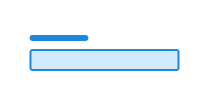
Textfield allows users to enter free text or numbers.
Unable to parse html
const Preview = () => {
  return <Textfield label='Label' description='Description' />;
};

render(<Preview />)
Usage
This is a composite component, which uses field, input or textarea and label under the hood.
Since this component is built from multiple components, we recommend reading the documentation for the underlying components to get a full overview of the HTML structure.
Examples
Multiline
You can switch to a textarea by setting multiline to true. This allows users to write longer text.
Unable to parse html
const WithRows = () => {
  return <Textfield label='Label' multiline rows={4} />;
};

render(<WithRows />)
Type
Since textfield is based on native input, you can use most of the type values that input supports, but we have chosen to remove some of them from our exported type. You can see the valid type values in the select menu below.
Unable to parse html
const InputType = () => {
  const [type, setType] = useState<TextfieldProps['type']>('text');

  return (
    <div
      style={{
        display: 'flex',
        gap: 'var(--ds-size-4)',
        alignItems: 'end',
        flexWrap: 'wrap',
      }}
    >
      <Field>
        <Label>
          <span data-lang='no'>Velg</span>
          <span data-lang='en'>Choose</span> type
        </Label>
        <Select
          defaultValue='text'
          lang='en'
          onChange={(e) => setType(e.target.value as TextfieldProps['type'])}
        >
          <Select.Option value='text'>text</Select.Option>
          <Select.Option value='color'>color</Select.Option>
          <Select.Option value='date'>date</Select.Option>
          <Select.Option value='datetime-local'>datetime-local</Select.Option>
          <Select.Option value='email'>email</Select.Option>
          <Select.Option value='file'>file</Select.Option>
          <Select.Option value='month'>month</Select.Option>
          <Select.Option value='hidden'>hidden</Select.Option>
          <Select.Option value='number'>number</Select.Option>
          <Select.Option value='password'>password</Select.Option>
          <Select.Option value='search'>search</Select.Option>
          <Select.Option value='tel'>tel</Select.Option>
          <Select.Option value='time'>time</Select.Option>
          <Select.Option value='url'>url</Select.Option>
          <Select.Option value='week'>week</Select.Option>
        </Select>
      </Field>
      <ArrowRightIcon aria-hidden width='3rem' height='3rem' />
      <Textfield label={`type="${type}"`} type={type} />
    </div>
  );
};

render(<InputType />)
Required and optional fields
When placing a tag inside a <label>, we recommend using margin-inline-start: var(--ds-size-2) to add space between the text and the tag.
Unable to parse html
const RequiredEn = () => (
  <Textfield
    label={
      <>
        Where do you live?
        <Tag
          data-color='warning'
          style={{ marginInlineStart: 'var(--ds-size-2)' }}
        >
          Required
        </Tag>
      </>
    }
    required
  />
);

render(<RequiredEn />)
CSS variables and data attributes
Textfield is a composite component, with field, input or textarea and label.
Here we only show ds-input's variables and data attributes.
Sizes are controlled with data-size and colors with data-color. The component will inherit from the closest parent where these are set.
| Name | Value |
|---|---|
| --dsc-input-accent-color | var(--ds-color-base-default) |
| --dsc-input-accent-color--invalid | var(--ds-color-danger-text-subtle) |
| --dsc-input-background | var(--ds-color-neutral-surface-default) |
| --dsc-input-background--readonly | var(--ds-color-neutral-surface-tinted) |
| --dsc-input-border-color | var(--ds-color-neutral-border-default) |
| --dsc-input-border-color--readonly | var(--ds-color-neutral-border-subtle) |
| --dsc-input-border-radius | var(--ds-border-radius-md) |
| --dsc-input-border-style | solid |
| --dsc-input-border-width | var(--ds-border-width-default) |
| --dsc-input-border-width--toggle | max(var(--ds-border-width-default), .5 * var(--ds-size-1)) |
| --dsc-input-color | var(--ds-color-neutral-text-default) |
| --dsc-input-color--readonly | var(--ds-color-neutral-text-default) |
| --dsc-input-color-placeholder | color-mix(in srgb, var(--dsc-input-color), transparent 30%) |
| --dsc-input-font-size | max(1rem, 1em) |
| --dsc-input-line-height | var(--ds-line-height-md) |
| --dsc-input-outline-color--hover | var(--ds-color-neutral-border-default) |
| --dsc-input-outline-color--toggle--hover | var(--dsc-input-accent-color) |
| --dsc-input-outline-style--hover | solid |
| --dsc-input-outline-width--hover | var(--ds-border-width-default) |
| --dsc-input-padding | var(--dsc-input-padding-block) var(--dsc-input-padding-inline) |
| --dsc-input-padding-block | var(--ds-size-2) |
| --dsc-input-padding-inline | var(--ds-size-3) |
| --dsc-input-size | var(--ds-size-12) |
| --dsc-input-size--toggle | var(--ds-size-6) |
| --dsc-input-stroke-color | var(--ds-color-base-contrast-default) |
| --dsc-input-stroke-color--invalid | var(--ds-color-danger-base-contrast-default) |
| --dsc-input-stroke-width | 0.05em |
| Name | Value |
|---|---|
| data-width | auto |
React
Textfield
- className
- Description
Classname on the wrapper element `Field`
- Type
string
- style
- Description
Style on the wrapper element `Field`
- Type
CSSProperties- Default
undefined
- label
- Description
Label
- Type
ReactNode
- description
- Description
Description
- Type
ReactNode
- prefix
- Description
Prefix
- Type
string
- suffix
- Description
Suffix
- Type
string
- error
- Description
Error message for field
- Type
ReactNode
- counter
- Description
Uses `Field.Counter` to display a character counter Pass a number to set a limit, or an object to configure the counter
- Type
number | FieldCounterProps
- aria-label
- Description
Defines a string value that labels the current element. @see aria-labelledby.
- Type
string
- aria-labelledby
- Description
Identifies the element (or elements) that labels the current element. @see aria-describedby.
- Type
string
- multiline
- Description
Use to render a `Textarea` instead of `Input` for multiline support
- Type
boolean
- type
- Description
Supported `input` types
- Type
"number" | "hidden" | "color" | "date" | "datetime-local" | "email" | "file" | "month" | "password" | "search" | "tel" | "text" | "time" | "url" | "week"- Default
'text'
- size
- Description
Defines the width of `Input` in count of characters.
- Type
number
- data-indeterminate
- Description
Indeterminate state for checkbox inputs Only works when used inside `Field` component
- Type
boolean- Default
false
| Name | Type | Default | Description |
|---|---|---|---|
| className | string | - | Classname on the wrapper element `Field` |
| style | CSSProperties | undefined | Style on the wrapper element `Field` |
| label | ReactNode | - | Label |
| description | ReactNode | - | Description |
| prefix | string | - | Prefix |
| suffix | string | - | Suffix |
| error | ReactNode | - | Error message for field |
| counter | number | FieldCounterProps | - | Uses `Field.Counter` to display a character counter Pass a number to set a limit, or an object to configure the counter |
| aria-label | string | - | Defines a string value that labels the current element. @see aria-labelledby. |
| aria-labelledby | string | - | Identifies the element (or elements) that labels the current element. @see aria-describedby. |
| multiline | boolean | - | Use to render a `Textarea` instead of `Input` for multiline support |
| type | "number" | "hidden" | "color" | "date" | "datetime-local" | "email" | "file" | "month" | "password" | "search" | "tel" | "text" | "time" | "url" | "week" | 'text' | Supported `input` types |
| size | number | - | Defines the width of `Input` in count of characters. |
| data-indeterminate | boolean | false | Indeterminate state for checkbox inputs Only works when used inside `Field` component |