Components
Suggestion
Suggestion is a searchable "select" with support for multiple selections.
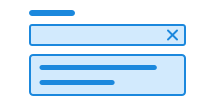
Suggestion is under development. If you find any errors or bugs, please report them on Github or Slack.
Unable to parse html
const PreviewEn = () => {
  const DATA_PLACES = ['Sogndal', 'Oslo', 'Brønnøysund'];
  return (
    <Field>
      <Label>Select a destination</Label>
      <EXPERIMENTAL_Suggestion>
        <EXPERIMENTAL_Suggestion.Input />
        <EXPERIMENTAL_Suggestion.Toggle />
        <EXPERIMENTAL_Suggestion.Clear />
        <EXPERIMENTAL_Suggestion.List>
          <EXPERIMENTAL_Suggestion.Empty>
            No results found
          </EXPERIMENTAL_Suggestion.Empty>
          {DATA_PLACES.map((place) => (
            <EXPERIMENTAL_Suggestion.Option
              key={place}
              label={place}
              value={place}
            >
              {place}
              <div>Municipality</div>
            </EXPERIMENTAL_Suggestion.Option>
          ))}
        </EXPERIMENTAL_Suggestion.List>
      </EXPERIMENTAL_Suggestion>
    </Field>
  );
};

render(<PreviewEn />)
Usage
Suggestion is based on open-ui's combobox pattern (open-ui.org) and uses u-combobox from u-elements (github.io) to provide core combobox functionality.
Use the class ds-suggestion on the custom element <ds-suggestion>.
Add <input class="ds-input" /> and <u-datalist> with <u-option> children to get a working suggestion.
For a valid form control, we recommend using <ds-suggestion> inside <ds-field> together with a <label>.
CSS variables and data attributes
Sizes are controlled with data-size and colors with data-color. The component will inherit from the closest parent where these are set.
Suggestion uses elements from u-elements and therefore supports many of the same custom elements, data attributes, and CSS variables.
You can read more about how to use these in the u-elements u-combobox documentation.
| Name | Value |
|---|---|
| --dsc-button-size | var(--dsc-suggestion-clear-size) |
| --dsc-search-clear-icon-url | var(--dsc-suggestion-clear-icon-url) |
| --dsc-search-clear-padding | var(--dsc-suggestion-clear-padding) |
| --dsc-search-clear-size | var(--dsc-suggestion-clear-size) |
| --dsc-search-magnifying-icon-size | var(--dsc-suggestion-search-icon-size) |
| --dsc-search-magnifying-icon-url | var(--dsc-suggestion-search-icon-url) |
| --dsc-search-padding-inline | var(--dsc-suggestion-clear-gap) |
| --dsc-suggestion-border-color | var(--ds-color-neutral-border-subtle) |
| --dsc-suggestion-border-style | solid |
| --dsc-suggestion-border-width | var(--ds-border-width-default) |
| --dsc-suggestion-chip-background | var(--ds-color-base-default) |
| --dsc-suggestion-chip-background--hover | var(--ds-color-base-hover) |
| --dsc-suggestion-chip-border-color | transparent |
| --dsc-suggestion-chip-border-radius | var(--ds-border-radius-full) |
| --dsc-suggestion-chip-border-style | solid |
| --dsc-suggestion-chip-border-width | var(--ds-border-width-default) |
| --dsc-suggestion-chip-color | var(--ds-color-base-contrast-default) |
| --dsc-suggestion-chip-font-size | var(--ds-body-sm-font-size) |
| --dsc-suggestion-chip-gap | var(--ds-size-1) |
| --dsc-suggestion-chip-height | var(--ds-size-8) |
| --dsc-suggestion-chip-icon-size | var(--ds-icon-size) |
| --dsc-suggestion-chip-icon-url | url("data:image/svg+xml;charset=utf-8,%3Csvg%20xmlns%3D%22http%3A%2F%2Fwww.w3.org%2F2000%2Fsvg%22%20width%3D%221em%22%20height%3D%221em%22%20fill%3D%22none%22%20viewBox%3D%220%200%2024%2024%22%3E%3Cpath%20fill%3D%22currentColor%22%20d%3D%22M6.53%205.47a.75.75%200%200%200-1.06%201.06L10.94%2012l-5.47%205.47a.75.75%200%201%200%201.06%201.06L12%2013.06l5.47%205.47a.75.75%200%201%200%201.06-1.06L13.06%2012l5.47-5.47a.75.75%200%200%200-1.06-1.06L12%2010.94z%22%2F%3E%3C%2Fsvg%3E") |
| --dsc-suggestion-chip-input-size | var(--ds-size-5) |
| --dsc-suggestion-chip-padding | 0 var(--ds-size-3) |
| --dsc-suggestion-chip-spacing | calc(.5 * (var(--dsc-suggestion-chip-height) - var(--dsc-suggestion-chip-input-size))) |
| --dsc-suggestion-clear-background--active | var(--ds-color-surface-active) |
| --dsc-suggestion-clear-background--hover | var(--ds-color-surface-hover) |
| --dsc-suggestion-clear-border-radius | var(--ds-border-radius-md) |
| --dsc-suggestion-clear-gap | var(--ds-size-2) |
| --dsc-suggestion-clear-icon-url | url("data:image/svg+xml;charset=utf-8,%3Csvg%20xmlns%3D%22http%3A%2F%2Fwww.w3.org%2F2000%2Fsvg%22%20width%3D%2224%22%20height%3D%2224%22%3E%3Cpath%20fill%3D%22currentColor%22%20d%3D%22M6.53%205.47a.75.75%200%200%200-1.06%201.06L10.94%2012l-5.47%205.47a.75.75%200%201%200%201.06%201.06L12%2013.06l5.47%205.47a.75.75%200%201%200%201.06-1.06L13.06%2012l5.47-5.47a.75.75%200%200%200-1.06-1.06L12%2010.94z%22%2F%3E%3C%2Fsvg%3E") |
| --dsc-suggestion-clear-padding | var(--ds-size-1) |
| --dsc-suggestion-clear-size | var(--ds-size-9) |
| --dsc-suggestion-create-icon-url | url("data:image/svg+xml;charset=utf-8,%3Csvg%20xmlns%3D%22http%3A%2F%2Fwww.w3.org%2F2000%2Fsvg%22%20width%3D%2224%22%20height%3D%2224%22%20viewBox%3D%220%200%2024%2024%22%3E%3Cpath%20d%3D%22M12.75%205.5a.75.75%200%200%200-1.5%200v5.75H5.5a.75.75%200%200%200%200%201.5h5.75v5.75a.75.75%200%200%200%201.5%200v-5.75h5.75a.75.75%200%200%200%200-1.5h-5.75z%22%2F%3E%3C%2Fsvg%3E") |
| --dsc-suggestion-create-text | 'Legg til "{value}"' |
| --dsc-suggestion-empty-text | "Tomt" |
| --dsc-suggestion-list-background | var(--ds-color-neutral-surface-default) |
| --dsc-suggestion-list-border-radius | var(--ds-border-radius-md) |
| --dsc-suggestion-list-box-shadow | var(--ds-shadow-md) |
| --dsc-suggestion-list-color | var(--ds-color-text-default) |
| --dsc-suggestion-list-gap | var(--ds-size-1) |
| --dsc-suggestion-list-offset | var(--ds-size-1) |
| --dsc-suggestion-list-padding | var(--ds-size-3) var(--ds-size-2) |
| --dsc-suggestion-list-placement | bottom |
| --dsc-suggestion-option-background--hover | var(--ds-color-surface-hover) |
| --dsc-suggestion-option-background--selected | var(--ds-color-surface-active) |
| --dsc-suggestion-option-border-radius | var(--ds-border-radius-md) |
| --dsc-suggestion-option-checkmark-border | max(2px, .125rem) |
| --dsc-suggestion-option-checkmark-border-color | var(--ds-color-neutral-border-default) |
| --dsc-suggestion-option-checkmark-size | var(--ds-size-6) |
| --dsc-suggestion-option-checkmark-url | url("data:image/svg+xml;charset=utf-8,%3Csvg%20xmlns%3D%22http%3A%2F%2Fwww.w3.org%2F2000%2Fsvg%22%20width%3D%221em%22%20height%3D%221em%22%20fill%3D%22none%22%20viewBox%3D%220%200%2024%2024%22%3E%3Cpath%20fill%3D%22currentColor%22%20fill-rule%3D%22evenodd%22%20d%3D%22M18.998%206.94a.75.75%200%200%201%20.063%201.058l-8%209a.75.75%200%200%201-1.091.032l-5-5a.75.75%200%201%201%201.06-1.06l4.438%204.437%207.471-8.405A.75.75%200%200%201%2019%206.939%22%20clip-rule%3D%22evenodd%22%2F%3E%3C%2Fsvg%3E") |
| --dsc-suggestion-option-gap | var(--ds-size-2) |
| --dsc-suggestion-option-padding | var(--ds-size-3) |
| --dsc-suggestion-search-icon-size | var(--ds-icon-size) |
| --dsc-suggestion-search-icon-spacing | var(--ds-size-3) |
| --dsc-suggestion-search-icon-url | url("data:image/svg+xml;charset=utf-8,%3Csvg%20xmlns%3D%22http%3A%2F%2Fwww.w3.org%2F2000%2Fsvg%22%20width%3D%2224%22%20height%3D%2224%22%3E%3Cpath%20d%3D%22M10.5%203.25a7.25%207.25%200%201%200%204.57%2012.88l5.41%205.41a.75.75%200%201%200%201.06-1.06l-5.41-5.41A7.25%207.25%200%200%200%2010.5%203.25M4.75%2010.5a5.75%205.75%200%201%201%2011.5%200%205.75%205.75%200%200%201-11.5%200%22%2F%3E%3C%2Fsvg%3E") |
| --dsc-suggestion-sr-added | "La til" |
| --dsc-suggestion-sr-clear | "Fjern tekst" |
| --dsc-suggestion-sr-empty | "Ingen valgte" |
| --dsc-suggestion-sr-found | "Naviger til venstre for å finne %d valgte" |
| --dsc-suggestion-sr-invalid | "Ugyldig valg" |
| --dsc-suggestion-sr-items | "Valgte" |
| --dsc-suggestion-sr-of | "av" |
| --dsc-suggestion-sr-plural | "%d forslag" |
| --dsc-suggestion-sr-remove | "Trykk for å fjerne" |
| --dsc-suggestion-sr-removed | "Fjernet" |
| --dsc-suggestion-sr-singular | "%d forslag" |
| --dsc-suggestion-sr-toggle | "Forslag" |
| --dsc-suggestion-toggle-icon-url | url("data:image/svg+xml;charset=utf-8,%3Csvg%20xmlns%3D%22http%3A%2F%2Fwww.w3.org%2F2000%2Fsvg%22%20viewBox%3D%220%200%2024%2024%22%3E%3Cpath%20d%3D%22M5.97%209.47a.75.75%200%200%201%201.06%200L12%2014.44l4.97-4.97a.75.75%200%201%201%201.06%201.06l-5.5%205.5a.75.75%200%200%201-1.06%200l-5.5-5.5a.75.75%200%200%201%200-1.06%22%2F%3E%3C%2Fsvg%3E") |
| Name | Value |
|---|---|
| data-creatable | |
| data-empty | |
| data-multiple | |
| data-overscroll | contain |
Examples
Check the u-combobox documentation for more examples of how you can use suggestion.
Multiple choice
To allow users to select multiple options, use data-multiple on suggestion.
Unable to parse html
const MultipleEn = () => {
  const DATA_PLACES = [
    'Sogndal',
    'Oslo',
    'Brønnøysund',
    'Stavanger',
    'Trondheim',
    'Bergen',
    'Lillestrøm',
  ];
  return (
    <Field>
      <Label>Select a destination</Label>
      <EXPERIMENTAL_Suggestion multiple>
        <EXPERIMENTAL_Suggestion.Input />
        <EXPERIMENTAL_Suggestion.Toggle />
        <EXPERIMENTAL_Suggestion.Clear />
        <EXPERIMENTAL_Suggestion.List>
          <EXPERIMENTAL_Suggestion.Empty>
            No results found
          </EXPERIMENTAL_Suggestion.Empty>
          {DATA_PLACES.map((place) => (
            <EXPERIMENTAL_Suggestion.Option key={place}>
              {place}
            </EXPERIMENTAL_Suggestion.Option>
          ))}
        </EXPERIMENTAL_Suggestion.List>
      </EXPERIMENTAL_Suggestion>
    </Field>
  );
};

render(<MultipleEn />)
Adding new options
With data-creatable on suggestion, a user can create new selected options by entering text in the input and pressing Enter.
Unable to parse html
const CreatableEn = () => {
  const DATA_PLACES = [
    'Sogndal',
    'Oslo',
    'Brønnøysund',
    'Stavanger',
    'Trondheim',
    'Bergen',
    'Lillestrøm',
  ];
  return (
    <Field>
      <Label>Select destination</Label>
      <EXPERIMENTAL_Suggestion creatable multiple>
        <EXPERIMENTAL_Suggestion.Input />
        <EXPERIMENTAL_Suggestion.Toggle />
        <EXPERIMENTAL_Suggestion.Clear />
        <EXPERIMENTAL_Suggestion.List>
          <EXPERIMENTAL_Suggestion.Empty data-empty='Add "%s"' />
          {DATA_PLACES.map((place) => (
            <EXPERIMENTAL_Suggestion.Option key={place}>
              {place}
            </EXPERIMENTAL_Suggestion.Option>
          ))}
        </EXPERIMENTAL_Suggestion.List>
      </EXPERIMENTAL_Suggestion>
    </Field>
  );
};

render(<CreatableEn />)
Clear selection
Add a button with type="reset" and aria-label to allow users to clear the selection.
Unable to parse html
const PreviewEn = () => {
  const DATA_PLACES = ['Sogndal', 'Oslo', 'Brønnøysund'];
  return (
    <Field>
      <Label>Select a destination</Label>
      <EXPERIMENTAL_Suggestion>
        <EXPERIMENTAL_Suggestion.Input />
        <EXPERIMENTAL_Suggestion.Toggle />
        <EXPERIMENTAL_Suggestion.Clear />
        <EXPERIMENTAL_Suggestion.List>
          <EXPERIMENTAL_Suggestion.Empty>
            No results found
          </EXPERIMENTAL_Suggestion.Empty>
          {DATA_PLACES.map((place) => (
            <EXPERIMENTAL_Suggestion.Option
              key={place}
              label={place}
              value={place}
            >
              {place}
              <div>Municipality</div>
            </EXPERIMENTAL_Suggestion.Option>
          ))}
        </EXPERIMENTAL_Suggestion.List>
      </EXPERIMENTAL_Suggestion>
    </Field>
  );
};

render(<PreviewEn />)
Toggle list
Add a button with type="button" aria-expanded="false" and aria-label to allow users to toggle the list.
Unable to parse html
const PreviewEn = () => {
  const DATA_PLACES = ['Sogndal', 'Oslo', 'Brønnøysund'];
  return (
    <Field>
      <Label>Select a destination</Label>
      <EXPERIMENTAL_Suggestion>
        <EXPERIMENTAL_Suggestion.Input />
        <EXPERIMENTAL_Suggestion.Toggle />
        <EXPERIMENTAL_Suggestion.Clear />
        <EXPERIMENTAL_Suggestion.List>
          <EXPERIMENTAL_Suggestion.Empty>
            No results found
          </EXPERIMENTAL_Suggestion.Empty>
          {DATA_PLACES.map((place) => (
            <EXPERIMENTAL_Suggestion.Option
              key={place}
              label={place}
              value={place}
            >
              {place}
              <div>Municipality</div>
            </EXPERIMENTAL_Suggestion.Option>
          ))}
        </EXPERIMENTAL_Suggestion.List>
      </EXPERIMENTAL_Suggestion>
    </Field>
  );
};

render(<PreviewEn />)
With external data
Unable to parse html
const FetchExternal = () => {
  const empty = 'Search for recipes';
  const [options, setOptions] = useState<string[] | string>(empty); // Store results
  const timer = useRef<ReturnType<typeof setTimeout> | number>(0);
  const latestValue = useRef('');

  const getRecipes = async (value: string) => {
    if (!value) return setOptions(empty);
    const api = `https://dummyjson.com/recipes/search?q=${value}`;
    const data = await (await fetch(api)).json();
    if (latestValue.current !== value) return;
    setOptions(
      Array.isArray(data.recipes)
        ? data.recipes.map(({ name }: { name: string }) => name)
        : [],
    );
  };

  const handleInput = (event: React.InputEvent<HTMLInputElement>) => {
    const value = encodeURIComponent(event.currentTarget.value.trim());
    latestValue.current = value;
    setOptions(value ? 'Loading...' : empty);
    clearTimeout(timer.current);
    timer.current = setTimeout(getRecipes, 500, value); // Debounce API call
  };

  return (
    <Field lang='en'>
      <Label>Search for recipes (in English)</Label>
      <EXPERIMENTAL_Suggestion filter={false}>
        <EXPERIMENTAL_Suggestion.Input
          type='search'
          onInput={handleInput} // Note: using onInput, not onChange
        />
        <EXPERIMENTAL_Suggestion.Toggle />
        <EXPERIMENTAL_Suggestion.Clear />
        <EXPERIMENTAL_Suggestion.List>
          {Array.isArray(options) ? (
            options.map((option) => (
              <EXPERIMENTAL_Suggestion.Option key={option}>
                {option}
              </EXPERIMENTAL_Suggestion.Option>
            ))
          ) : (
            <EXPERIMENTAL_Suggestion.Empty>
              {options}
            </EXPERIMENTAL_Suggestion.Empty>
          )}
        </EXPERIMENTAL_Suggestion.List>
      </EXPERIMENTAL_Suggestion>
    </Field>
  );
};

render(<FetchExternal />)
With dynamic suggestions
Unable to parse html
const EmailSuggestionsEn = () => {
  const [options, setOptions] = useState<string[]>([]); // Store results
  const vendora = ['gmail.com', 'yahoo.com', 'outlook.com', 'icloud.com'];

  const handleInput = (event: React.InputEvent<HTMLInputElement>) => {
    const value = event.currentTarget.value.trim();
    const name = value.split('@')[0];
    setOptions(value ? vendora.map((vendor) => `${name}@${vendor}`) : []);
  };

  return (
    <Field>
      <Label>Enter your email</Label>
      <EXPERIMENTAL_Suggestion creatable>
        <EXPERIMENTAL_Suggestion.Input
          onInput={handleInput} // Note: using onInput, not onChange
        />
        <EXPERIMENTAL_Suggestion.Toggle />
        <EXPERIMENTAL_Suggestion.Clear />
        <EXPERIMENTAL_Suggestion.List>
          <EXPERIMENTAL_Suggestion.Empty />
          {options.map((option) => (
            <EXPERIMENTAL_Suggestion.Option key={option} value={option}>
              {option}
            </EXPERIMENTAL_Suggestion.Option>
          ))}
        </EXPERIMENTAL_Suggestion.List>
      </EXPERIMENTAL_Suggestion>
    </Field>
  );
};

render(<EmailSuggestionsEn />)
Click to navigate
Unable to parse html
const ClickToNavigateEn = () => {
  const handleSelect = (item: SuggestionItem | null) => {
    const href = item?.value;
    if (href) window.location.href = href;
  };

  return (
    <Field>
      <Label>Click to navigate</Label>
      <EXPERIMENTAL_Suggestion onSelectedChange={handleSelect}>
        <EXPERIMENTAL_Suggestion.Input />
        <EXPERIMENTAL_Suggestion.Toggle />
        <EXPERIMENTAL_Suggestion.Clear />
        <EXPERIMENTAL_Suggestion.List>
          <EXPERIMENTAL_Suggestion.Option value='https://www.designsystemet.no/'>
            Designsystemet
          </EXPERIMENTAL_Suggestion.Option>
          <EXPERIMENTAL_Suggestion.Option value='https://www.digdir.no/'>
            Digdir
          </EXPERIMENTAL_Suggestion.Option>
          <EXPERIMENTAL_Suggestion.Option value='https://www.uutilsynet.no/'>
            UU-tilsynet
          </EXPERIMENTAL_Suggestion.Option>
        </EXPERIMENTAL_Suggestion.List>
      </EXPERIMENTAL_Suggestion>
    </Field>
  );
};

render(<ClickToNavigateEn />)
React
Suggestion
- filter
- Description
Filter options; boolean or a custom callback. See {@link Filter} for the callback signature.
- Type
boolean | Filter- Default
true
- creatable
- Description
Allows the user to create new items
- Type
boolean- Default
false
- onBeforeMatch
- Description
Callback when matching input value against options
- Type
((event: EventBeforeMatch) => void)
- name
- Description
The name of the associated form control
- Type
string- Default
undefined
- renderSelected
- Description
Change how the selected options are rendered inside the `Chip`.
- Type
((args: { label: string; value: string; }) => ReactNode)- Default
({ label }) => label
- multiple
- Description
Allows the user to select multiple items
- Type
boolean- Default
false
- selected
- Description
The selected item of the Suggestion. If `label` and `value` are the same, each item can be a `string`. Otherwise, each item must be a `SuggestionItem`. Using this makes the component controlled and it must be used in combination with `onSelectedChange`.
- Type
string | SuggestionItem | (string | SuggestionItem)[] | null
- defaultSelected
- Description
Default selected item when uncontrolled
- Type
string | SuggestionItem | (string | SuggestionItem)[]
- onSelectedChange
- Description
Callback when selected items changes
- Type
((value: SuggestionItem | null) => void) | ((value: SuggestionItem[]) => void)
| Name | Type | Default | Description |
|---|---|---|---|
| filter | boolean | Filter | true | Filter options; boolean or a custom callback. See {@link Filter} for the callback signature. |
| creatable | boolean | false | Allows the user to create new items |
| onBeforeMatch | ((event: EventBeforeMatch) => void) | - | Callback when matching input value against options |
| name | string | undefined | The name of the associated form control |
| renderSelected | ((args: { label: string; value: string; }) => ReactNode) | ({ label }) => label | Change how the selected options are rendered inside the `Chip`. |
| multiple | boolean | false | Allows the user to select multiple items |
| selected | string | SuggestionItem | (string | SuggestionItem)[] | null | - | The selected item of the Suggestion. If `label` and `value` are the same, each item can be a `string`. Otherwise, each item must be a `SuggestionItem`. Using this makes the component controlled and it must be used in combination with `onSelectedChange`. |
| defaultSelected | string | SuggestionItem | (string | SuggestionItem)[] | - | Default selected item when uncontrolled |
| onSelectedChange | ((value: SuggestionItem | null) => void) | ((value: SuggestionItem[]) => void) | - | Callback when selected items changes |
SuggestionClear
- aria-label
- Description
Aria label for the clear button @deprecated Please use `--dsc-suggestion-sr-clear` or `data-sr-clear` on Suggestion to set label.
- Type
string
| Name | Type | Default | Description |
|---|---|---|---|
| aria-label | string | - | Aria label for the clear button @deprecated Please use `--dsc-suggestion-sr-clear` or `data-sr-clear` on Suggestion to set label. |
SuggestionEmpty
- data-empty
- Description
Optionally the text to display when the suggestion list is empty. If <Suggestion> has `data-creatable`, use `%s` to replace with the current input value.
- Type
string
| Name | Type | Default | Description |
|---|---|---|---|
| data-empty | string | - | Optionally the text to display when the suggestion list is empty. If <Suggestion> has `data-creatable`, use `%s` to replace with the current input value. |
SuggestionInput
- type
- Description
Supported `input` types
- Type
"number" | "hidden" | "color" | "checkbox" | "date" | "datetime-local" | "email" | "file" | "month" | "password" | "radio" | "search" | "tel" | "text" | "time" | "url" | "week"- Default
'text'
- disabled
- Description
Disables element @note Avoid using if possible for accessibility purposes
- Type
boolean
- readOnly
- Description
Toggle `readOnly`
- Type
boolean
- size
- Description
Defines the width of `Input` in count of characters.
- Type
number
| Name | Type | Default | Description |
|---|---|---|---|
| type | "number" | "hidden" | "color" | "checkbox" | "date" | "datetime-local" | "email" | "file" | "month" | "password" | "radio" | "search" | "tel" | "text" | "time" | "url" | "week" | 'text' | Supported `input` types |
| disabled | boolean | - | Disables element @note Avoid using if possible for accessibility purposes |
| readOnly | boolean | - | Toggle `readOnly` |
| size | number | - | Defines the width of `Input` in count of characters. |
SuggestionList
- singular
- Description
The screen reader announcement for singular Suggestion, where %d is the number of Suggestions @deprecated Please use `data-sr-singular` on `<Suggestion>` instead
- Type
string
- plural
- Description
The screen reader announcement for plural Suggestions, where %d is the number of Suggestions @deprecated Please use `data-sr-plural` on `<Suggestion>` instead
- Type
string
- autoPlacement
- Description
Whether to enable auto placement.
- Type
boolean- Default
true
| Name | Type | Default | Description |
|---|---|---|---|
| singular | string | - | The screen reader announcement for singular Suggestion, where %d is the number of Suggestions @deprecated Please use `data-sr-singular` on `<Suggestion>` instead |
| plural | string | - | The screen reader announcement for plural Suggestions, where %d is the number of Suggestions @deprecated Please use `data-sr-plural` on `<Suggestion>` instead |
| autoPlacement | boolean | true | Whether to enable auto placement. |
SuggestionToggle
- aria-label
- Description
Aria label for the toggle button
- Type
string- Default
Valg
| Name | Type | Default | Description |
|---|---|---|---|
| aria-label | string | Valg | Aria label for the toggle button |
Controlled multiple choice example
If you need to control which options are selected, you can use selected and onSelectedChange on Suggestion.
Unable to parse html
const ControlledMultipleEn = () => {
  const DATA_PLACES = [
    'Sogndal',
    'Oslo',
    'Brønnøysund',
    'Stavanger',
    'Trondheim',
    'Bergen',
    'Lillestrøm',
  ];
  const [selected, setSelected] = useState<string[]>(['Oslo']);

  return (
    <>
      <Field>
        <Label>Select destinations</Label>
        <EXPERIMENTAL_Suggestion
          multiple
          selected={selected}
          onSelectedChange={(items) =>
            setSelected(items.map((item) => item.value))
          }
        >
          <EXPERIMENTAL_Suggestion.Input />
          <EXPERIMENTAL_Suggestion.Toggle />
          <EXPERIMENTAL_Suggestion.Clear />
          <EXPERIMENTAL_Suggestion.List>
            <EXPERIMENTAL_Suggestion.Empty>
              No results found
            </EXPERIMENTAL_Suggestion.Empty>
            {DATA_PLACES.map((place) => (
              <EXPERIMENTAL_Suggestion.Option
                key={place}
                label={place}
                value={place}
              >
                {place}
                <div>Municipality</div>
              </EXPERIMENTAL_Suggestion.Option>
            ))}
          </EXPERIMENTAL_Suggestion.List>
        </EXPERIMENTAL_Suggestion>
      </Field>
      <Divider style={{ marginTop: 'var(--ds-size-4)' }} />

      <Paragraph style={{ margin: 'var(--ds-size-2) 0' }}>
        Selected destinations: {selected.join(', ')}
      </Paragraph>

      <Button
        onClick={() => {
          setSelected(['Sogndal', 'Stavanger']);
        }}
      >
        Set destinations to Sogndal, Stavanger
      </Button>
    </>
  );
};

render(<ControlledMultipleEn />)
Filter
Filter is enabled by default, and the filter searches based on the text in the input. You can pass your own filter. The example below shows how to turn the filter off entirely.
Unable to parse html
const Filter = () => {
  const DATA_PLACES = [
    'Sogndal',
    'Oslo',
    'Brønnøysund',
    'Stavanger',
    'Trondheim',
    'Bergen',
    'Lillestrøm',
  ];
  return (
    <Field>
      <Label>Skriv inn et tall mellom 1-6</Label>
      <EXPERIMENTAL_Suggestion filter={false}>
        <EXPERIMENTAL_Suggestion.Input />
        <EXPERIMENTAL_Suggestion.Toggle />
        <EXPERIMENTAL_Suggestion.Clear />
        <EXPERIMENTAL_Suggestion.List>
          <EXPERIMENTAL_Suggestion.Empty>
            Ingen treff
          </EXPERIMENTAL_Suggestion.Empty>
          {DATA_PLACES.map((label) => (
            <EXPERIMENTAL_Suggestion.Option
              key={label}
              value={label.toLowerCase()}
            >
              {label}
            </EXPERIMENTAL_Suggestion.Option>
          ))}
        </EXPERIMENTAL_Suggestion.List>
      </EXPERIMENTAL_Suggestion>
    </Field>
  );
};

render(<Filter />)