Components
Details
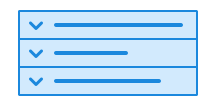
Details is a collapsible component that allows the user to show or hide content.
Unable to parse html
const PreviewEn = () => {
  return (
    <Details>
      <Details.Summary>
        Who can register in the Volunteer Register?
      </Details.Summary>
      <Details.Content>
        To be registered in the Volunteer Register, the organization must
        conduct voluntary activities. Only associations, foundations, and
        limited companies can be registered. The business cannot distribute
        funds to individuals. The business must have a board.
      </Details.Content>
    </Details>
  );
};

render(<PreviewEn />)
Usage
Details is a native <details> element.
We polyfill a bug in Firefox when used with Android Talkback screen reader to announce state and role correctly.
CSS variables and data attributes
Sizes are controlled with data-size and colors with data-color. The component will inherit from the closest parent where these are set.
| Name | Value |
|---|---|
| --dsc-details-background | var(--ds-color-surface-default) |
| --dsc-details-border-block-style | solid |
| --dsc-details-border-block-wdith | var( --ds-border-width-default ) |
| --dsc-details-border-block-width | var(--dsc-details-border-block-wdith) |
| --dsc-details-border-color | var(--ds-color-border-subtle) |
| --dsc-details-icon-gap | var(--ds-size-2) |
| --dsc-details-icon-size | var(--ds-icon-size) |
| --dsc-details-icon-url | url("data:image/svg+xml;charset=utf-8,%3Csvg%20xmlns%3D%22http%3A%2F%2Fwww.w3.org%2F2000%2Fsvg%22%20viewBox%3D%220%200%2024%2024%22%3E%3Cpath%20d%3D%22M5.97%209.47a.75.75%200%200%201%201.06%200L12%2014.44l4.97-4.97a.75.75%200%201%201%201.06%201.06l-5.5%205.5a.75.75%200%200%201-1.06%200l-5.5-5.5a.75.75%200%200%201%200-1.06%22%2F%3E%3C%2Fsvg%3E") |
| --dsc-details-padding | var(--ds-size-4) |
| --dsc-details-size | var(--ds-size-14) |
| --dsc-details-summary-background | var(--ds-color-surface-default) |
| --dsc-details-summary-background--hover | var(--ds-color-surface-tinted) |
| --dsc-details-summary-background--open | var(--ds-color-surface-tinted) |
| --dsc-details-summary-color | var(--ds-color-text-default) |
| Name | Value |
|---|---|
| data-variant | default, tinted |
React
Controlled example
Details keeps track of whether it is open or closed, but this can also be controlled externally.
Unable to parse html
const Controlled = () => {
  const [open1, setOpen1] = useState(false);
  const [open2, setOpen2] = useState(false);
  const isOpen = [open1, open2].every(Boolean);
  const toggleOpen = () => {
    setOpen1(!isOpen);
    setOpen2(!isOpen);
  };

  return (
    <>
      <Button variant='tertiary' onClick={toggleOpen} data-size='sm'>
        {isOpen ? (
          <>
            <ChevronDownUpIcon aria-hidden />
            Close both
          </>
        ) : (
          <>
            <ChevronUpDownIcon aria-hidden />
            Open both
          </>
        )}
      </Button>
      <br />

      <Details open={open1} onToggle={() => setOpen1(!open1)}>
        <Details.Summary>Enkeltpersonforetak</Details.Summary>
        <Details.Content>
          Skal du starte for deg selv? Enkeltpersonforetak er ofte den enkleste
          måten å etablere bedrift på. Denne organisasjonsformen har både
          fordeler og ulemper. Det gir deg stor grad av frihet, men kan også gi
          betydelig risiko fordi du har personlig ansvar for økonomien.
        </Details.Content>
      </Details>
      <Details open={open2} onToggle={() => setOpen2(!open2)}>
        <Details.Summary>Aksjeselskap (AS)</Details.Summary>
        <Details.Content>
          Planlegger du å starte næringsvirksomhet alene eller sammen med andre?
          Innebærer næringsvirksomheten en økonomisk risiko? Vil du ha
          rettigheter som arbeidstaker og muligheten til at andre kan investere
          i selskapet ditt? Da kan aksjeselskap være en hensiktsmessig
          organisasjonsform.
        </Details.Content>
      </Details>
    </>
  );
};

render(<Controlled />)
Details
- variant
- Description
Change the background color of the details.
- Type
"default" | "tinted"- Default
'default'
- open
- Description
Controls open-state. Using this removes automatic control of open-state
- Type
boolean- Default
undefined
- defaultOpen
- Description
Defaults the details to open if not controlled
- Type
boolean- Default
false
- onToggle
- Description
Callback function when Details toggles due to click on summary or find in page-search
- Type
(((event: Event) => void) & ((event: Event) => void)) | (((event: Event) => void) & ((event: Event) => void))
- children
- Description
Content should be one `<Details.Summary>` and `<Details.Content>`
- Type
ReactNode
| Name | Type | Default | Description |
|---|---|---|---|
| variant | "default" | "tinted" | 'default' | Change the background color of the details. |
| open | boolean | undefined | Controls open-state. Using this removes automatic control of open-state |
| defaultOpen | boolean | false | Defaults the details to open if not controlled |
| onToggle | (((event: Event) => void) & ((event: Event) => void)) | (((event: Event) => void) & ((event: Event) => void)) | - | Callback function when Details toggles due to click on summary or find in page-search |
| children | ReactNode | - | Content should be one `<Details.Summary>` and `<Details.Content>` |
DetailsSummary
- children
- Description
Heading text
- Type
ReactNode
| Name | Type | Default | Description |
|---|---|---|---|
| children | ReactNode | - | Heading text |