Components
Tabs
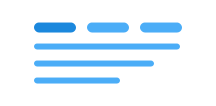
Tabs allow users to navigate between related sections of content, with only one section visible at a time. This is an effective way to organize and present related content on the same page.
What you need to verify yourself
Each tab must have a unique and accessible name
Make sure each individual tab has a clear, accessible, and meaningful name.
Avoid using icons alone without text
Try to avoid using icon-only tabs. If icon-only tabs are necessary, make sure each tab has an accessible, meaningful name. Ensure that the content is accessible, for example through an accessible tooltip. If you use icons alongside text, ensure they are marked as decorative or have their own accessible title.
Test with a keyboard
Verify that you can:
- reach the tab using Tab
- use the arrow keys to navigate between tabs
- move focus to the first tab using Home
- move focus to the last tab using End
- activate the tab using both Space and Enter
- navigate to the content (
tabpanel) using Tab
WCAG: 2.1.1 Keyboard (W3C)
Handled by the design system
- Correct roles on all elements with
role="tab",role="tablist", androle="tabpanel". - Correct state on all elements with
aria-selected. - Correct linking between elements with
aria-controlsandaria-labelledby. - Color contrast is handled by the design system's color system. If you deviate from the recommended color tokens, verify that the combination of text and background colors meets the contrast requirements for the tabs.
- Sizing and scaling are handled by the design system's sizing system. If you deviate from it, verify that tabs remain usable when text is resized or when screen magnification is used, without loss of information or functionality.