Components
Switch
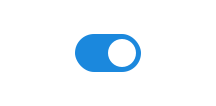
Switch allows users to choose between two options by turning something on or off.
Unable to parse html
const Preview = () => {
  return <Switch label='Switch' />;
};

render(<Preview />)
Use switch when
- users need to turn a feature or setting on or off
- you want the action to take immediate effect
Avoid switch when
- users are answering questions in forms, use radio or checkbox instead
- users are switching between different content views, such as list and graph, use toggleGroup instead
- content needs to be filtered, use chip instead
Example
Grouping
Use fieldset to group multiple switch components together.
Unable to parse html
const Group = () => {
  return (
    <Fieldset>
      <Fieldset.Legend>Skru av/på lys</Fieldset.Legend>
      <Switch label='Stue' checked />
      <Switch label='Kjøkken' />
      <Switch label='Bad' />
      <Switch
        label='Soverom'
        description='Får ikke kontakt med lyspærene'
        readOnly
      />
    </Fieldset>
  );
};

render(<Group />)
Outline
The outline variant adds extra padding and a border around the selection, increasing the clickable area.
Unable to parse html
const Outline = () => {
  return (
    <Fieldset>
      <Fieldset.Legend>Aktiver varslinger</Fieldset.Legend>
      <Switch variant='outline' label='Driftsmeldinger' checked />
      <Switch variant='outline' label='Påminnelser' />
      <Switch variant='outline' label='Nyhetsoppdateringer' />
      <Switch
        label='SMS-varsler'
        description='Mangler gyldig telefonnummer i profilen'
        variant='outline'
        readOnly
      />
    </Fieldset>
  );
};

render(<Outline />)
Right-aligned
Sometimes it can be useful to right-align a switch, for example when it is placed in a table or a fixed layout.
Unable to parse html
const RightAligned2En = () => (
  <div
    style={{
      flexDirection: 'column',
      width: '100%',
      maxWidth: '380px',
    }}
  >
    <Divider />

    <Field
      position='end'
      style={{
        alignItems: 'center',
        padding: 'var(--ds-size-2) 0',
      }}
    >
      <Label>Airplane mode</Label>
      <Input type='checkbox' role='switch' />
    </Field>

    <Divider />

    <Field
      position='end'
      style={{
        alignItems: 'center',
        padding: 'var(--ds-size-2) 0',
      }}
    >
      <Label>Silent mode</Label>
      <Input type='checkbox' role='switch' />
    </Field>

    <Divider />
  </div>
);

render(<RightAligned2En />)
Guidelines
Whether the switch is shown as on or off depends on the context.
Text
The label for a switch should be short and precise, often just one or two words.
The text should make sense when you read it aloud and add an on/off switch at the end.
The label should describe what the feature is about, not whether it is on or off.
Do
Don't
If you have multiple switches in a group, make sure the labels are written in a consistent way. The example below shows consistent wording when there are several switches in the same group.
Do
Don't
Where should the label be placed?
As a rule, the switch is placed on the left and the label on the right. This makes it easy to see which label belongs to which switch.
In some cases, switches are fixed on the right side of the interface. In those situations, it is best to place the label on the left, so all switches align neatly on the right.
Edit this page on github.com (opens in a new tab)