Components
Suggestion
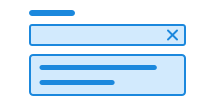
Suggestion is a searchable "select" with support for multiple selections.
Suggestion is under development. If you find any issues or missing functionality, please report them on Github or in Slack.
Unable to parse html
const PreviewEn = () => {
  const DATA_PLACES = ['Sogndal', 'Oslo', 'Brønnøysund'];
  return (
    <Field>
      <Label>Select a destination</Label>
      <EXPERIMENTAL_Suggestion>
        <EXPERIMENTAL_Suggestion.Input />
        <EXPERIMENTAL_Suggestion.Toggle />
        <EXPERIMENTAL_Suggestion.Clear />
        <EXPERIMENTAL_Suggestion.List>
          <EXPERIMENTAL_Suggestion.Empty>
            No results found
          </EXPERIMENTAL_Suggestion.Empty>
          {DATA_PLACES.map((place) => (
            <EXPERIMENTAL_Suggestion.Option
              key={place}
              label={place}
              value={place}
            >
              {place}
              <div>Municipality</div>
            </EXPERIMENTAL_Suggestion.Option>
          ))}
        </EXPERIMENTAL_Suggestion.List>
      </EXPERIMENTAL_Suggestion>
    </Field>
  );
};

render(<PreviewEn />)
Use suggestion when
- users need to choose one or several options from a large list
- it is helpful that the list is filtered based on what the user types
- searching is faster than scrolling
Avoid suggestion when
- users need to choose between only a few options — use radio or checkbox instead
- users expect an operating-system-native experience — in that case, use a native
<select>element
Example
Multiple selection
You can allow users to select several options. Removable chips will appear after the <label> and before the input field.
Unable to parse html
const MultipleEn = () => {
  const DATA_PLACES = [
    'Sogndal',
    'Oslo',
    'Brønnøysund',
    'Stavanger',
    'Trondheim',
    'Bergen',
    'Lillestrøm',
  ];
  return (
    <Field>
      <Label>Select a destination</Label>
      <EXPERIMENTAL_Suggestion multiple>
        <EXPERIMENTAL_Suggestion.Input />
        <EXPERIMENTAL_Suggestion.Toggle />
        <EXPERIMENTAL_Suggestion.Clear />
        <EXPERIMENTAL_Suggestion.List>
          <EXPERIMENTAL_Suggestion.Empty>
            No results found
          </EXPERIMENTAL_Suggestion.Empty>
          {DATA_PLACES.map((place) => (
            <EXPERIMENTAL_Suggestion.Option key={place}>
              {place}
            </EXPERIMENTAL_Suggestion.Option>
          ))}
        </EXPERIMENTAL_Suggestion.List>
      </EXPERIMENTAL_Suggestion>
    </Field>
  );
};

render(<MultipleEn />)
Guidelines
Suggestion works best when users need to find the right option within a large list. The strength of the component lies in its ability to filter as the user types, making it easier to navigate many choices.
Text
Use a clear label that explains what the user is expected to choose.
Do
Don't
Each option should be short — ideally one word or a brief phrase. If no results are found, show a concise message such as “No results”.
Edit this page on github.com (opens in a new tab)