Components
Details
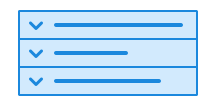
Details is a collapsible component that allows the user to show or hide content.
Unable to parse html
const Preview = () => {
  return (
    <Details>
      <Details.Summary>
        Hvem kan registrere seg i Frivillighetsregisteret?
      </Details.Summary>
      <Details.Content>
        For å kunne bli registrert i Frivillighetsregisteret, må organisasjonen
        drive frivillig virksomhet. Det er bare foreninger, stiftelser og
        aksjeselskap som kan registreres. Virksomheten kan ikke dele ut midler
        til fysiske personer. Virksomheten må ha et styre.
      </Details.Content>
    </Details>
  );
};

render(<Preview />)
Use details when
- you want to provide information that is only relevant to some users
- you want to give examples or answer frequently asked questions
- it should be up to the user whether they choose to read the content
Avoid details when
- you need to show important content that everyone should see
- you need to display an action button
- you need to summarise error messages, use error summary instead
Details is the same pattern that many know as an accordion. The name comes from the built-in HTML <details> element, which provides good accessibility and semantics without additional JavaScript.
Example
You can use details inside a card to give the content a framed appearance. This works well when details does not span the full width of the page, or when it contains only a single line.
Unable to parse html
const InCardWithColorEn = () => {
  return (
    <>
      <Card data-color='brand3' data-variant='tinted'>
        <Details>
          <Details.Summary>
            How do I get assigned a hunter number?
          </Details.Summary>
          <Details.Content>
            You will automatically be assigned a hunter number and registered in
            the Hunter Register when you have passed the hunter's exam.
          </Details.Content>
        </Details>
        <Details>
          <Details.Summary>
            I have forgotten my hunter number. Where can I find it?
          </Details.Summary>
          <Details.Content>
            <Paragraph>
              You can find this by logging in to{' '}
              <Link href='https://minjegerside.brreg.no/'>My Page</Link>
            </Paragraph>
          </Details.Content>
        </Details>
      </Card>
      <br />
      <Card data-color='brand1'>
        <Details>
          <Details.Summary>Attachments</Details.Summary>
          <Details.Content>
            Attachment 1, attachment 2, attachment 3
          </Details.Content>
        </Details>
      </Card>
    </>
  );
};

render(<InCardWithColorEn />)
Guidelines
Large amounts of text can be demanding for many users. Details allows users to decide for themselves what is relevant to read. However, you should not use details to hide content just to make the page look tidier. When content is hidden, there is a risk that users will not notice it at all. Carefully consider whether the content really needs to be hidden, and be clear about why you are doing so.
Avoid nested lists
Do not place one details inside another. Nested lists can make it difficult for users to understand what is open and what is closed, especially when several levels can be expanded at once.
Text
Make sure the heading clearly describes what the details contains. Headings can strongly influence whether users find what they need, whether the content is read, and whether it is considered accessible to all.
“Show more” or “Read more here” are not good enough headings. If you have many expandable sections, consider adding a main heading or thematic heading above the entire list.
Keep the content inside details short so it is easy to relate to the heading. If the content is too long, divide it into several details. For very large amounts of content, it may be better to create separate pages.
Edit this page on github.com (opens in a new tab)