Components
Card
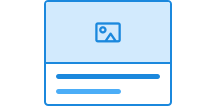
Card highlight information or tasks that are related. The component comes in two variants and can contain text, images, text fields, buttons, and links.
Unable to parse html
const Preview = () => {
  return (
    <Card style={{ maxWidth: '320px' }} data-color='neutral'>
      <Heading>Lykkeland Barneskole</Heading>
      <Paragraph>
        Lykkeland Barneskole er ein trygg og inkluderande nærskule der leik,
        læring og nysgjerrigheit går hand i hand.
      </Paragraph>
      <Paragraph data-size='sm'>Solslett kommune</Paragraph>
    </Card>
  );
};

render(<Preview />)
Use Card when
- content should be grouped
- functionality should be separated from the rest of the content
Avoid Card when
- long text blocks or detailed explanations need to be displayed
- important messages should be presented as alerts (use Alert instead)
Examples
Colours and variants
Card is available in all theme colours, and in the default and tinted variants.
Unable to parse html
const Variants = () => {
  const colorVariants = ['accent'];
  const variants = ['default', 'tinted'];

  return (
    <>
      {variants.map((variant) =>
        colorVariants.map((color) => (
          <Card
            key={`${variant}-${color}`}
            data-variant={variant as 'default' | 'tinted'}
            data-color={color as CardProps['data-color']}
          >
            <Card.Block>
              <Paragraph>{variant}</Paragraph>
            </Card.Block>
          </Card>
        )),
      )}
    </>
  );
};

render(<Variants />)
With sections
You can divide the card into sections. These get dividers between them and may include images or video that extend to the edge.
Unable to parse html
const MediaEn = () => {
  return (
    <Card data-color='neutral' style={{ maxWidth: '380px' }}>
      <Card.Block>
        <video controls preload='metadata' width='100%'>
          <source
            src='/videos/designsystemet/designsystemet-info.mp4'
            type='video/mp4'
          />
          <track
            label='Norwegian'
            kind='subtitles'
            srcLang='nb'
            src='/videos/designsystemet/designsystemet-info-no.vtt'
            default
          />
          <track
            label='English'
            kind='subtitles'
            srcLang='en'
            src='/videos/designsystemet/designsystemet-info-en.vtt'
          />
          Your browser does not support the video tag.
        </video>
      </Card.Block>
      <Card.Block>
        <Heading>About Designsystemet</Heading>
        <Paragraph>
          The video above provides a brief introduction to what Designsystemet
          is and how it can be used in the development of digital services.
        </Paragraph>
      </Card.Block>
    </Card>
  );
};

render(<MediaEn />)
Link card
Card can be used as a navigation card to take users to another page. Developers must ensure it is used correctly. This is documented in the code examples.
Unable to parse html
const WithLinkEn = () => {
  return (
    <Card data-color='neutral'>
      <Card.Block>
        <Heading>
          <Link
            href='https://designsystemet.no'
            target='_blank'
            rel='noopener noreferrer'
          >
            Myrkheim Museum
          </Link>
        </Heading>
        <Paragraph>
          The Myrkheim Museum lies in the valley between the old mountain peaks
          and displays exhibitions from the time when the first travelling
          companies crossed the land. Here you can explore ancient maps, tools
          from the great wanderings, and tales preserved by the wardens of the
          forests.
        </Paragraph>
        <Paragraph data-size='sm'>
          Myrkheim Council for Cultural Heritage
        </Paragraph>
      </Card.Block>
    </Card>
  );
};

render(<WithLinkEn />)
Card as a button
In this example, Card renders as a button. This is useful when the card contains little text and should open a dialogue or perform another action on the same page.
When the card is a button, the content inside loses all semantics, so use this carefully.
Unable to parse html
const AsButtonEn = () => {
  return (
    <Card asChild data-color='neutral'>
      <button type='button'>
        <Card.Block>
          <Heading>Settings and privacy</Heading>
        </Card.Block>
        <Card.Block>
          <Paragraph>
            This opens a dialogue where you can update your privacy choices,
            adjust settings, and customise how the service handles your
            information. You can review your changes before saving.
          </Paragraph>
        </Card.Block>
      </button>
    </Card>
  );
};

render(<AsButtonEn />)
Horizontal
You can change the display mode of the card so that it appears horizontally instead of vertically.
Unable to parse html
const AsGrid = () => {
  return (
    <Card
      data-color='neutral'
      style={{ display: 'grid', gridTemplateColumns: '1fr 1fr' }}
    >
      <Card.Block>
        <Heading>Vandrefeber</Heading>
      </Card.Block>
      <Card.Block>
        <Paragraph>
          Symptomer kan være uro i kroppen, skjerpet årvåkenhet og en tendens
          til å stadig se seg over skulderen. Tilstanden går vanligvis over
          etter et godt måltid og et trygt sted å hvile.
        </Paragraph>
      </Card.Block>
    </Card>
  );
};

render(<AsGrid />)
Guidelines
Card is a flexible component used to structure and present content in a clear and visually distinct way. The card can contain different types of content, such as text, media and links, and is often used in overviews, navigation or to highlight individual topics.
Text
The text in a card should be clear, relevant and give the user enough information to understand what the card is about.
How you shape the text depends on the context. The card can be an entry point to a new page, a choice in a process or part of an information overview. The text should reflect that.
Avoid unnecessary details, and ensure that the title and description belong together and make sense in relation to the rest of the content.
Edit this page on github.com (opens in a new tab)