Components
Field
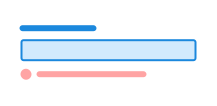
Field is a helper component to automatically associate a field with label, description, validation message and character count.
Unable to parse html
const PreviewEn = () => {
  return (
    <Field>
      <Label>Last name</Label>
      <Field.Description>Last name cannot contain spaces</Field.Description>
      <Input defaultValue='Smith Washington' />
      <ValidationMessage>
        You cannot have spaces in your last name
      </ValidationMessage>
    </Field>
  );
};

render(<PreviewEn />)
Use field when
- you need to ensure that label, description, validation message and character count are correctly associated with a field
Avoid field when
- you need to semantically group multiple fields; use fieldset instead
Example
Prefix/Suffix
Prefixes and suffixes are useful for showing units, currency or other types of information relevant to the field. You should not use these on their own, as screen readers do not announce them. It is important that the same information shown in the prefix or suffix is also included in the label.
Unable to parse html
const AffixEn = () => (
  <Field>
    <Label>How many pounds does it cost per month?</Label>
    <Field.Affixes>
      <Field.Affix>GBP</Field.Affix>
      <Input />
      <Field.Affix>per month</Field.Affix>
    </Field.Affixes>
  </Field>
);

render(<AffixEn />)
Character count
Show users how many characters they have left to type.
Unable to parse html
const CounterEn = () => (
  <Field>
    <Label>Add a description</Label>
    <Textarea rows={2} />
    <Field.Counter limit={10} />
  </Field>
);

render(<CounterEn />)
Placement
When you use field together with choice components such as switch, you can place the label either before or after the control. This makes it easy to adapt the component to the context.
Unable to parse html
const PositionEn = () => (
  <>
    <Field position='end'>
      <Label>Airplane mode</Label>
      <Input type='checkbox' role='switch' />
    </Field>
  </>
);

render(<PositionEn />)
Guidelines
Field helps you structure form fields in an accessible and consistent way. It automatically links label, description, validation message and character count to the relevant field, so that assistive technology like screen readers reads them as one unit.
Edit this page on github.com (opens in a new tab)