Components
Dropdown
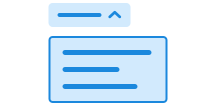
Dropdown is a generic dropdown list. It lays the foundation for building menus and lists.
Press Enter to start editing
Unable to parse html
const Preview = () => {
  return (
    <>
      <Button popovertarget='dropdown'>Dropdown</Button>
      <Dropdown id='dropdown'>
        <Dropdown.List>
          <Dropdown.Item>
            <Dropdown.Button>Item 1</Dropdown.Button>
          </Dropdown.Item>
          <Dropdown.Item>
            <Dropdown.Button>Item 2</Dropdown.Button>
          </Dropdown.Item>
        </Dropdown.List>
      </Dropdown>
    </>
  );
};

render(<Preview />)
Use dropdown when
- you want to offer multiple options without taking up much space in the interface
- the options are secondary but should still be easily accessible
Avoid dropdown when
- an action is primary or frequently used; use a visible button instead
- there is only one option, as a dropdown adds unnecessary complexity
Example
With icons
You can use icons together with text in the dropdown items:
Press Enter to start editing
Unable to parse html
const Icons = () => {
  return (
    <>
      <Button popovertarget='dropdown-icons'>Dropdown</Button>
      <Dropdown id='dropdown-icons'>
        <Dropdown.List>
          <Dropdown.Item>
            <Dropdown.Button asChild>
              <a
                href='https://github.com/digdir/designsystemet'
                target='_blank'
                rel='noreferrer'
              >
                <LinkIcon aria-hidden />
                Github
              </a>
            </Dropdown.Button>
          </Dropdown.Item>
          <Dropdown.Item>
            <Dropdown.Button asChild>
              <a
                href='https://designsystemet.no'
                target='_blank'
                rel='noreferrer'
              >
                <LinkIcon aria-hidden />
                Designsystemet.no
              </a>
            </Dropdown.Button>
          </Dropdown.Item>
        </Dropdown.List>
      </Dropdown>
    </>
  );
};

render(<Icons />)
With groupings
You can use headings to group related items in the dropdown:
Press Enter to start editing
Unable to parse html
const Headings = () => {
  return (
    <>
      <Button popovertarget='dropdown-headings'>Dropdown</Button>
      <Dropdown id='dropdown-headings'>
        <Dropdown.Heading>First heading</Dropdown.Heading>
        <Dropdown.List>
          <Dropdown.Item>
            <Dropdown.Button>Button 1.1</Dropdown.Button>
          </Dropdown.Item>
          <Dropdown.Item>
            <Dropdown.Button>Button 1.2</Dropdown.Button>
          </Dropdown.Item>
        </Dropdown.List>
        <Dropdown.Heading>Second heading</Dropdown.Heading>
        <Dropdown.List>
          <Dropdown.Item>
            <Dropdown.Button>Button 2.1</Dropdown.Button>
          </Dropdown.Item>
          <Dropdown.Item>
            <Dropdown.Button>Button 2.2</Dropdown.Button>
          </Dropdown.Item>
        </Dropdown.List>
      </Dropdown>
    </>
  );
};

render(<Headings />)
Guidelines
Dropdown does not create a semantic menu, but provides the foundation for building one yourself. Read the "Menu and Menubar Pattern" on w3.org for more information on how to create accessible menus.
- Use Dropdown for actions or navigation that do not need to be visible at all times
- Keep the number of items manageable
- Use headings to group related items
- Avoid multiple levels of dropdowns (nested menus)