Komponenter
Suggestion
Suggestion er en søkbar "select" med mulighet for å velge flere alternativer.
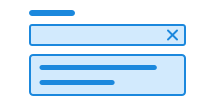
Suggestion er under utvikling. Finner du feil eller mangler, meld fra på Github eller Slack.
Unable to parse html
const Preview = () => {
  const DATA_PLACES = ['Sogndal', 'Oslo', 'Brønnøysund'];
  return (
    <Field>
      <Label>Velg en destinasjon</Label>
      <EXPERIMENTAL_Suggestion>
        <EXPERIMENTAL_Suggestion.Input />
        <EXPERIMENTAL_Suggestion.Toggle />
        <EXPERIMENTAL_Suggestion.Clear />
        <EXPERIMENTAL_Suggestion.List>
          <EXPERIMENTAL_Suggestion.Empty>
            Ingen treff
          </EXPERIMENTAL_Suggestion.Empty>
          {DATA_PLACES.map((place) => (
            <EXPERIMENTAL_Suggestion.Option
              key={place}
              label={place}
              value={place}
            >
              {place}
              <div>Kommune</div>
            </EXPERIMENTAL_Suggestion.Option>
          ))}
        </EXPERIMENTAL_Suggestion.List>
      </EXPERIMENTAL_Suggestion>
    </Field>
  );
};

render(<Preview />)
Bruk
Suggestion baserer seg på open-ui sitt combobox mønster (open-ui.org) og bruker u-combobox fra u-elements (github.io) for å oppfylle grunnleggende funksjonalitet fra combobox mønsteret.
Bruk klassen ds-suggestion på custom elementet <ds-suggestion>.
Legg til <input class="ds-input" /> og <u-datalist> med <u-option> som barn for å få en fungerende suggestion.
For et gyldig skjemaelement anbefaler vi å bruke <ds-suggestion> i <ds-field> sammen med en <label>.
CSS variabler og data-attributter
Størrelser styres med data-size og farger med data-color. Komponenten vil arve nærmeste forelder med disse satt.
Suggestion bruker elementer fra u-elements og har derfor mange av de samme custom elementer, data-attributter og CSS variabler.
Du kan lese mer om hvordan du bruker disse i u-elements sin u-combobox dokumentasjon.
| Navn | Verdi |
|---|---|
| --dsc-button-size | var(--dsc-suggestion-clear-size) |
| --dsc-search-clear-icon-url | var(--dsc-suggestion-clear-icon-url) |
| --dsc-search-clear-padding | var(--dsc-suggestion-clear-padding) |
| --dsc-search-clear-size | var(--dsc-suggestion-clear-size) |
| --dsc-search-magnifying-icon-size | var(--dsc-suggestion-search-icon-size) |
| --dsc-search-magnifying-icon-url | var(--dsc-suggestion-search-icon-url) |
| --dsc-search-padding-inline | var(--dsc-suggestion-clear-gap) |
| --dsc-suggestion-border-color | var(--ds-color-neutral-border-subtle) |
| --dsc-suggestion-border-style | solid |
| --dsc-suggestion-border-width | var(--ds-border-width-default) |
| --dsc-suggestion-chip-background | var(--ds-color-base-default) |
| --dsc-suggestion-chip-background--hover | var(--ds-color-base-hover) |
| --dsc-suggestion-chip-border-color | transparent |
| --dsc-suggestion-chip-border-radius | var(--ds-border-radius-full) |
| --dsc-suggestion-chip-border-style | solid |
| --dsc-suggestion-chip-border-width | var(--ds-border-width-default) |
| --dsc-suggestion-chip-color | var(--ds-color-base-contrast-default) |
| --dsc-suggestion-chip-font-size | var(--ds-body-sm-font-size) |
| --dsc-suggestion-chip-gap | var(--ds-size-1) |
| --dsc-suggestion-chip-height | var(--ds-size-8) |
| --dsc-suggestion-chip-icon-size | var(--ds-icon-size) |
| --dsc-suggestion-chip-icon-url | url("data:image/svg+xml;charset=utf-8,%3Csvg%20xmlns%3D%22http%3A%2F%2Fwww.w3.org%2F2000%2Fsvg%22%20width%3D%221em%22%20height%3D%221em%22%20fill%3D%22none%22%20viewBox%3D%220%200%2024%2024%22%3E%3Cpath%20fill%3D%22currentColor%22%20d%3D%22M6.53%205.47a.75.75%200%200%200-1.06%201.06L10.94%2012l-5.47%205.47a.75.75%200%201%200%201.06%201.06L12%2013.06l5.47%205.47a.75.75%200%201%200%201.06-1.06L13.06%2012l5.47-5.47a.75.75%200%200%200-1.06-1.06L12%2010.94z%22%2F%3E%3C%2Fsvg%3E") |
| --dsc-suggestion-chip-input-size | var(--ds-size-5) |
| --dsc-suggestion-chip-padding | 0 var(--ds-size-3) |
| --dsc-suggestion-chip-spacing | calc(.5 * (var(--dsc-suggestion-chip-height) - var(--dsc-suggestion-chip-input-size))) |
| --dsc-suggestion-clear-background--active | var(--ds-color-surface-active) |
| --dsc-suggestion-clear-background--hover | var(--ds-color-surface-hover) |
| --dsc-suggestion-clear-border-radius | var(--ds-border-radius-md) |
| --dsc-suggestion-clear-gap | var(--ds-size-2) |
| --dsc-suggestion-clear-icon-url | url("data:image/svg+xml;charset=utf-8,%3Csvg%20xmlns%3D%22http%3A%2F%2Fwww.w3.org%2F2000%2Fsvg%22%20width%3D%2224%22%20height%3D%2224%22%3E%3Cpath%20fill%3D%22currentColor%22%20d%3D%22M6.53%205.47a.75.75%200%200%200-1.06%201.06L10.94%2012l-5.47%205.47a.75.75%200%201%200%201.06%201.06L12%2013.06l5.47%205.47a.75.75%200%201%200%201.06-1.06L13.06%2012l5.47-5.47a.75.75%200%200%200-1.06-1.06L12%2010.94z%22%2F%3E%3C%2Fsvg%3E") |
| --dsc-suggestion-clear-padding | var(--ds-size-1) |
| --dsc-suggestion-clear-size | var(--ds-size-9) |
| --dsc-suggestion-create-icon-url | url("data:image/svg+xml;charset=utf-8,%3Csvg%20xmlns%3D%22http%3A%2F%2Fwww.w3.org%2F2000%2Fsvg%22%20width%3D%2224%22%20height%3D%2224%22%20viewBox%3D%220%200%2024%2024%22%3E%3Cpath%20d%3D%22M12.75%205.5a.75.75%200%200%200-1.5%200v5.75H5.5a.75.75%200%200%200%200%201.5h5.75v5.75a.75.75%200%200%200%201.5%200v-5.75h5.75a.75.75%200%200%200%200-1.5h-5.75z%22%2F%3E%3C%2Fsvg%3E") |
| --dsc-suggestion-create-text | 'Legg til "{value}"' |
| --dsc-suggestion-empty-text | "Tomt" |
| --dsc-suggestion-list-background | var(--ds-color-neutral-surface-default) |
| --dsc-suggestion-list-border-radius | var(--ds-border-radius-md) |
| --dsc-suggestion-list-box-shadow | var(--ds-shadow-md) |
| --dsc-suggestion-list-color | var(--ds-color-text-default) |
| --dsc-suggestion-list-gap | var(--ds-size-1) |
| --dsc-suggestion-list-offset | var(--ds-size-1) |
| --dsc-suggestion-list-padding | var(--ds-size-3) var(--ds-size-2) |
| --dsc-suggestion-list-placement | bottom |
| --dsc-suggestion-option-background--hover | var(--ds-color-surface-hover) |
| --dsc-suggestion-option-background--selected | var(--ds-color-surface-active) |
| --dsc-suggestion-option-border-radius | var(--ds-border-radius-md) |
| --dsc-suggestion-option-checkmark-border | max(2px, .125rem) |
| --dsc-suggestion-option-checkmark-border-color | var(--ds-color-neutral-border-default) |
| --dsc-suggestion-option-checkmark-size | var(--ds-size-6) |
| --dsc-suggestion-option-checkmark-url | url("data:image/svg+xml;charset=utf-8,%3Csvg%20xmlns%3D%22http%3A%2F%2Fwww.w3.org%2F2000%2Fsvg%22%20width%3D%221em%22%20height%3D%221em%22%20fill%3D%22none%22%20viewBox%3D%220%200%2024%2024%22%3E%3Cpath%20fill%3D%22currentColor%22%20fill-rule%3D%22evenodd%22%20d%3D%22M18.998%206.94a.75.75%200%200%201%20.063%201.058l-8%209a.75.75%200%200%201-1.091.032l-5-5a.75.75%200%201%201%201.06-1.06l4.438%204.437%207.471-8.405A.75.75%200%200%201%2019%206.939%22%20clip-rule%3D%22evenodd%22%2F%3E%3C%2Fsvg%3E") |
| --dsc-suggestion-option-gap | var(--ds-size-2) |
| --dsc-suggestion-option-padding | var(--ds-size-3) |
| --dsc-suggestion-search-icon-size | var(--ds-icon-size) |
| --dsc-suggestion-search-icon-spacing | var(--ds-size-3) |
| --dsc-suggestion-search-icon-url | url("data:image/svg+xml;charset=utf-8,%3Csvg%20xmlns%3D%22http%3A%2F%2Fwww.w3.org%2F2000%2Fsvg%22%20width%3D%2224%22%20height%3D%2224%22%3E%3Cpath%20d%3D%22M10.5%203.25a7.25%207.25%200%201%200%204.57%2012.88l5.41%205.41a.75.75%200%201%200%201.06-1.06l-5.41-5.41A7.25%207.25%200%200%200%2010.5%203.25M4.75%2010.5a5.75%205.75%200%201%201%2011.5%200%205.75%205.75%200%200%201-11.5%200%22%2F%3E%3C%2Fsvg%3E") |
| --dsc-suggestion-sr-added | "La til" |
| --dsc-suggestion-sr-clear | "Fjern tekst" |
| --dsc-suggestion-sr-empty | "Ingen valgte" |
| --dsc-suggestion-sr-found | "Naviger til venstre for å finne %d valgte" |
| --dsc-suggestion-sr-invalid | "Ugyldig valg" |
| --dsc-suggestion-sr-items | "Valgte" |
| --dsc-suggestion-sr-of | "av" |
| --dsc-suggestion-sr-plural | "%d forslag" |
| --dsc-suggestion-sr-remove | "Trykk for å fjerne" |
| --dsc-suggestion-sr-removed | "Fjernet" |
| --dsc-suggestion-sr-singular | "%d forslag" |
| --dsc-suggestion-sr-toggle | "Forslag" |
| --dsc-suggestion-toggle-icon-url | url("data:image/svg+xml;charset=utf-8,%3Csvg%20xmlns%3D%22http%3A%2F%2Fwww.w3.org%2F2000%2Fsvg%22%20viewBox%3D%220%200%2024%2024%22%3E%3Cpath%20d%3D%22M5.97%209.47a.75.75%200%200%201%201.06%200L12%2014.44l4.97-4.97a.75.75%200%201%201%201.06%201.06l-5.5%205.5a.75.75%200%200%201-1.06%200l-5.5-5.5a.75.75%200%200%201%200-1.06%22%2F%3E%3C%2Fsvg%3E") |
| Navn | Verdi |
|---|---|
| data-creatable | |
| data-empty | |
| data-multiple | |
| data-overscroll | contain |
Eksempel
Sjekk ut u-combobox sin dokumentasjon for flere eksempler på hvordan du kan bruke suggestion.
Flervalg
For å tillate at brukeren kan velge flere alternativer, bruk data-multiple på suggestion.
Unable to parse html
const Multiple = () => {
  const DATA_PLACES = [
    'Sogndal',
    'Oslo',
    'Brønnøysund',
    'Stavanger',
    'Trondheim',
    'Bergen',
    'Lillestrøm',
  ];
  return (
    <Field>
      <Label>Velg en destinasjon</Label>
      <EXPERIMENTAL_Suggestion multiple>
        <EXPERIMENTAL_Suggestion.Input />
        <EXPERIMENTAL_Suggestion.Toggle />
        <EXPERIMENTAL_Suggestion.Clear />
        <EXPERIMENTAL_Suggestion.List>
          <EXPERIMENTAL_Suggestion.Empty>
            Ingen treff
          </EXPERIMENTAL_Suggestion.Empty>
          {DATA_PLACES.map((place) => (
            <EXPERIMENTAL_Suggestion.Option key={place}>
              {place}
            </EXPERIMENTAL_Suggestion.Option>
          ))}
        </EXPERIMENTAL_Suggestion.List>
      </EXPERIMENTAL_Suggestion>
    </Field>
  );
};

render(<Multiple />)
Legge til nye alternativer
Med data-creatable på suggestion kan en bruker opprette nye valgte alternativer ved å skrive inn tekst i input og trykke Enter.
Unable to parse html
const Creatable = () => {
  const DATA_PLACES = [
    'Sogndal',
    'Oslo',
    'Brønnøysund',
    'Stavanger',
    'Trondheim',
    'Bergen',
    'Lillestrøm',
  ];
  return (
    <Field>
      <Label>Velg destinasjon</Label>
      <EXPERIMENTAL_Suggestion creatable multiple>
        <EXPERIMENTAL_Suggestion.Input />
        <EXPERIMENTAL_Suggestion.Toggle />
        <EXPERIMENTAL_Suggestion.Clear />
        <EXPERIMENTAL_Suggestion.List>
          <EXPERIMENTAL_Suggestion.Empty data-empty='Legg til "%s"' />
          {DATA_PLACES.map((place) => (
            <EXPERIMENTAL_Suggestion.Option key={place}>
              {place}
            </EXPERIMENTAL_Suggestion.Option>
          ))}
        </EXPERIMENTAL_Suggestion.List>
      </EXPERIMENTAL_Suggestion>
    </Field>
  );
};

render(<Creatable />)
Tøm valget
Legg til en knapp med type="reset" og aria-label for å la brukeren tømme valget.
Unable to parse html
const Preview = () => {
  const DATA_PLACES = ['Sogndal', 'Oslo', 'Brønnøysund'];
  return (
    <Field>
      <Label>Velg en destinasjon</Label>
      <EXPERIMENTAL_Suggestion>
        <EXPERIMENTAL_Suggestion.Input />
        <EXPERIMENTAL_Suggestion.Toggle />
        <EXPERIMENTAL_Suggestion.Clear />
        <EXPERIMENTAL_Suggestion.List>
          <EXPERIMENTAL_Suggestion.Empty>
            Ingen treff
          </EXPERIMENTAL_Suggestion.Empty>
          {DATA_PLACES.map((place) => (
            <EXPERIMENTAL_Suggestion.Option
              key={place}
              label={place}
              value={place}
            >
              {place}
              <div>Kommune</div>
            </EXPERIMENTAL_Suggestion.Option>
          ))}
        </EXPERIMENTAL_Suggestion.List>
      </EXPERIMENTAL_Suggestion>
    </Field>
  );
};

render(<Preview />)
Åpne og lukk liste
Legg til en knapp med type="button" aria-expanded="false" og aria-label for å la brukeren åpne og lukke listen.
Med ekstern data
Unable to parse html
const FetchExternal = () => {
  const empty = 'Search for recipes';
  const [options, setOptions] = useState<string[] | string>(empty); // Store results
  const timer = useRef<ReturnType<typeof setTimeout> | number>(0);
  const latestValue = useRef('');

  const getRecipes = async (value: string) => {
    if (!value) return setOptions(empty);
    const api = `https://dummyjson.com/recipes/search?q=${value}`;
    const data = await (await fetch(api)).json();
    if (latestValue.current !== value) return;
    setOptions(
      Array.isArray(data.recipes)
        ? data.recipes.map(({ name }: { name: string }) => name)
        : [],
    );
  };

  const handleInput = (event: React.InputEvent<HTMLInputElement>) => {
    const value = encodeURIComponent(event.currentTarget.value.trim());
    latestValue.current = value;
    setOptions(value ? 'Loading...' : empty);
    clearTimeout(timer.current);
    timer.current = setTimeout(getRecipes, 500, value); // Debounce API call
  };

  return (
    <Field lang='en'>
      <Label>Search for recipes (in English)</Label>
      <EXPERIMENTAL_Suggestion filter={false}>
        <EXPERIMENTAL_Suggestion.Input
          type='search'
          onInput={handleInput} // Note: using onInput, not onChange
        />
        <EXPERIMENTAL_Suggestion.Toggle />
        <EXPERIMENTAL_Suggestion.Clear />
        <EXPERIMENTAL_Suggestion.List>
          {Array.isArray(options) ? (
            options.map((option) => (
              <EXPERIMENTAL_Suggestion.Option key={option}>
                {option}
              </EXPERIMENTAL_Suggestion.Option>
            ))
          ) : (
            <EXPERIMENTAL_Suggestion.Empty>
              {options}
            </EXPERIMENTAL_Suggestion.Empty>
          )}
        </EXPERIMENTAL_Suggestion.List>
      </EXPERIMENTAL_Suggestion>
    </Field>
  );
};

render(<FetchExternal />)
Med dynamiske forslag
Unable to parse html
const EmailSuggestions = () => {
  const [options, setOptions] = useState<string[]>([]); // Store results
  const vendora = ['gmail.com', 'yahoo.com', 'outlook.com', 'icloud.com'];

  const handleInput = (event: React.InputEvent<HTMLInputElement>) => {
    const value = event.currentTarget.value.trim();
    const name = value.split('@')[0];
    setOptions(value ? vendora.map((vendor) => `${name}@${vendor}`) : []);
  };

  return (
    <Field>
      <Label>Fyll inn din e-post</Label>
      <EXPERIMENTAL_Suggestion creatable>
        <EXPERIMENTAL_Suggestion.Input
          onInput={handleInput} // Note: using onInput, not onChange
        />
        <EXPERIMENTAL_Suggestion.Toggle />
        <EXPERIMENTAL_Suggestion.Clear />
        <EXPERIMENTAL_Suggestion.List>
          <EXPERIMENTAL_Suggestion.Empty />
          {options.map((option) => (
            <EXPERIMENTAL_Suggestion.Option key={option} value={option}>
              {option}
            </EXPERIMENTAL_Suggestion.Option>
          ))}
        </EXPERIMENTAL_Suggestion.List>
      </EXPERIMENTAL_Suggestion>
    </Field>
  );
};

render(<EmailSuggestions />)
Klikk for å navigere
Unable to parse html
const ClickToNavigate = () => {
  const handleSelect = (item: SuggestionItem | null) => {
    const href = item?.value;
    if (href) window.location.href = href;
  };

  return (
    <Field>
      <Label>Klikk for å navigere</Label>
      <EXPERIMENTAL_Suggestion onSelectedChange={handleSelect}>
        <EXPERIMENTAL_Suggestion.Input />
        <EXPERIMENTAL_Suggestion.Toggle />
        <EXPERIMENTAL_Suggestion.Clear />
        <EXPERIMENTAL_Suggestion.List>
          <EXPERIMENTAL_Suggestion.Option value='https://www.designsystemet.no/'>
            Designsystemet
          </EXPERIMENTAL_Suggestion.Option>
          <EXPERIMENTAL_Suggestion.Option value='https://www.digdir.no/'>
            Digdir
          </EXPERIMENTAL_Suggestion.Option>
          <EXPERIMENTAL_Suggestion.Option value='https://www.uutilsynet.no/'>
            UU-tilsynet
          </EXPERIMENTAL_Suggestion.Option>
        </EXPERIMENTAL_Suggestion.List>
      </EXPERIMENTAL_Suggestion>
    </Field>
  );
};

render(<ClickToNavigate />)
React
Suggestion
- filter
- Description
Filter options; boolean or a custom callback. See {@link Filter} for the callback signature.
- Type
boolean | Filter- Default
true
- creatable
- Description
Allows the user to create new items
- Type
boolean- Default
false
- onBeforeMatch
- Description
Callback when matching input value against options
- Type
((event: EventBeforeMatch) => void)
- name
- Description
The name of the associated form control
- Type
string- Default
undefined
- renderSelected
- Description
Change how the selected options are rendered inside the `Chip`.
- Type
((args: { label: string; value: string; }) => ReactNode)- Default
({ label }) => label
- multiple
- Description
Allows the user to select multiple items
- Type
boolean- Default
false
- selected
- Description
The selected item of the Suggestion. If `label` and `value` are the same, each item can be a `string`. Otherwise, each item must be a `SuggestionItem`. Using this makes the component controlled and it must be used in combination with `onSelectedChange`.
- Type
string | SuggestionItem | (string | SuggestionItem)[] | null
- defaultSelected
- Description
Default selected item when uncontrolled
- Type
string | SuggestionItem | (string | SuggestionItem)[]
- onSelectedChange
- Description
Callback when selected items changes
- Type
((value: SuggestionItem | null) => void) | ((value: SuggestionItem[]) => void)
| Name | Type | Default | Description |
|---|---|---|---|
| filter | boolean | Filter | true | Filter options; boolean or a custom callback. See {@link Filter} for the callback signature. |
| creatable | boolean | false | Allows the user to create new items |
| onBeforeMatch | ((event: EventBeforeMatch) => void) | - | Callback when matching input value against options |
| name | string | undefined | The name of the associated form control |
| renderSelected | ((args: { label: string; value: string; }) => ReactNode) | ({ label }) => label | Change how the selected options are rendered inside the `Chip`. |
| multiple | boolean | false | Allows the user to select multiple items |
| selected | string | SuggestionItem | (string | SuggestionItem)[] | null | - | The selected item of the Suggestion. If `label` and `value` are the same, each item can be a `string`. Otherwise, each item must be a `SuggestionItem`. Using this makes the component controlled and it must be used in combination with `onSelectedChange`. |
| defaultSelected | string | SuggestionItem | (string | SuggestionItem)[] | - | Default selected item when uncontrolled |
| onSelectedChange | ((value: SuggestionItem | null) => void) | ((value: SuggestionItem[]) => void) | - | Callback when selected items changes |
SuggestionClear
- aria-label
- Description
Aria label for the clear button @deprecated Please use `--dsc-suggestion-sr-clear` or `data-sr-clear` on Suggestion to set label.
- Type
string
| Name | Type | Default | Description |
|---|---|---|---|
| aria-label | string | - | Aria label for the clear button @deprecated Please use `--dsc-suggestion-sr-clear` or `data-sr-clear` on Suggestion to set label. |
SuggestionEmpty
- data-empty
- Description
Optionally the text to display when the suggestion list is empty. If <Suggestion> has `data-creatable`, use `%s` to replace with the current input value.
- Type
string
| Name | Type | Default | Description |
|---|---|---|---|
| data-empty | string | - | Optionally the text to display when the suggestion list is empty. If <Suggestion> has `data-creatable`, use `%s` to replace with the current input value. |
SuggestionInput
- type
- Description
Supported `input` types
- Type
"number" | "hidden" | "color" | "checkbox" | "date" | "datetime-local" | "email" | "file" | "month" | "password" | "radio" | "search" | "tel" | "text" | "time" | "url" | "week"- Default
'text'
- disabled
- Description
Disables element @note Avoid using if possible for accessibility purposes
- Type
boolean
- readOnly
- Description
Toggle `readOnly`
- Type
boolean
- size
- Description
Defines the width of `Input` in count of characters.
- Type
number
| Name | Type | Default | Description |
|---|---|---|---|
| type | "number" | "hidden" | "color" | "checkbox" | "date" | "datetime-local" | "email" | "file" | "month" | "password" | "radio" | "search" | "tel" | "text" | "time" | "url" | "week" | 'text' | Supported `input` types |
| disabled | boolean | - | Disables element @note Avoid using if possible for accessibility purposes |
| readOnly | boolean | - | Toggle `readOnly` |
| size | number | - | Defines the width of `Input` in count of characters. |
SuggestionList
- singular
- Description
The screen reader announcement for singular Suggestion, where %d is the number of Suggestions @deprecated Please use `data-sr-singular` on `<Suggestion>` instead
- Type
string
- plural
- Description
The screen reader announcement for plural Suggestions, where %d is the number of Suggestions @deprecated Please use `data-sr-plural` on `<Suggestion>` instead
- Type
string
- autoPlacement
- Description
Whether to enable auto placement.
- Type
boolean- Default
true
| Name | Type | Default | Description |
|---|---|---|---|
| singular | string | - | The screen reader announcement for singular Suggestion, where %d is the number of Suggestions @deprecated Please use `data-sr-singular` on `<Suggestion>` instead |
| plural | string | - | The screen reader announcement for plural Suggestions, where %d is the number of Suggestions @deprecated Please use `data-sr-plural` on `<Suggestion>` instead |
| autoPlacement | boolean | true | Whether to enable auto placement. |
SuggestionToggle
- aria-label
- Description
Aria label for the toggle button
- Type
string- Default
Valg
| Name | Type | Default | Description |
|---|---|---|---|
| aria-label | string | Valg | Aria label for the toggle button |
Eksempel på kontrollert flervalg
Har du behov for å kontrollere hvilke alternativer som er valgt, kan du bruke selected og onSelectedChange på Suggestion.
Unable to parse html
const ControlledMultiple = () => {
  const DATA_PLACES = [
    'Sogndal',
    'Oslo',
    'Brønnøysund',
    'Stavanger',
    'Trondheim',
    'Bergen',
    'Lillestrøm',
  ];
  const [selected, setSelected] = useState<string[]>(['Oslo']);

  return (
    <>
      <Field>
        <Label>Velg destinasjoner</Label>
        <EXPERIMENTAL_Suggestion
          multiple
          selected={selected}
          onSelectedChange={(items) =>
            setSelected(items.map((item) => item.value))
          }
        >
          <EXPERIMENTAL_Suggestion.Input />
          <EXPERIMENTAL_Suggestion.Toggle />
          <EXPERIMENTAL_Suggestion.Clear />
          <EXPERIMENTAL_Suggestion.List>
            <EXPERIMENTAL_Suggestion.Empty>
              Ingen treff
            </EXPERIMENTAL_Suggestion.Empty>
            {DATA_PLACES.map((place) => (
              <EXPERIMENTAL_Suggestion.Option
                key={place}
                label={place}
                value={place}
              >
                {place}
                <div>Kommune</div>
              </EXPERIMENTAL_Suggestion.Option>
            ))}
          </EXPERIMENTAL_Suggestion.List>
        </EXPERIMENTAL_Suggestion>
      </Field>
      <Divider style={{ marginTop: 'var(--ds-size-4)' }} />

      <Paragraph style={{ margin: 'var(--ds-size-2) 0' }}>
        Valgte reisemål: {selected.join(', ')}
      </Paragraph>

      <Button
        onClick={() => {
          setSelected(['Sogndal', 'Stavanger']);
        }}
      >
        Sett reisemål til Sogndal, Stavanger
      </Button>
    </>
  );
};

render(<ControlledMultiple />)
Filter
Filter er som standard på, og filteret ser etter teksten i input. Du kan sende inn ditt eget filter. Under vises et eksempel som skrur av filteret helt.
Unable to parse html
const Filter = () => {
  const DATA_PLACES = [
    'Sogndal',
    'Oslo',
    'Brønnøysund',
    'Stavanger',
    'Trondheim',
    'Bergen',
    'Lillestrøm',
  ];
  return (
    <Field>
      <Label>Skriv inn et tall mellom 1-6</Label>
      <EXPERIMENTAL_Suggestion filter={false}>
        <EXPERIMENTAL_Suggestion.Input />
        <EXPERIMENTAL_Suggestion.Toggle />
        <EXPERIMENTAL_Suggestion.Clear />
        <EXPERIMENTAL_Suggestion.List>
          <EXPERIMENTAL_Suggestion.Empty>
            Ingen treff
          </EXPERIMENTAL_Suggestion.Empty>
          {DATA_PLACES.map((label) => (
            <EXPERIMENTAL_Suggestion.Option
              key={label}
              value={label.toLowerCase()}
            >
              {label}
            </EXPERIMENTAL_Suggestion.Option>
          ))}
        </EXPERIMENTAL_Suggestion.List>
      </EXPERIMENTAL_Suggestion>
    </Field>
  );
};

render(<Filter />)