Komponenter
Dialog
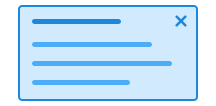
Det er to typer dialoger, en modal og en ikke-modal. En modal dialog tvinger brukerne til å ta stilling til noe før de kan fortsette å bruke siden. En ikke-modal dialog lar brukerne fortsette å bruke siden, selv om dialogen er åpen.
Unable to parse html
const Preview = () => {
  return (
    <>
      <Button command='show-modal' commandfor='my-dialog-preview'>
        Open Dialog
      </Button>
      <Dialog id='my-dialog-preview'>
        <Heading style={{ marginBottom: 'var(--ds-size-2)' }}>
          Dialog header
        </Heading>
        <Paragraph style={{ marginBottom: 'var(--ds-size-2)' }}>
          Lorem ipsum dolor sit, amet consectetur adipisicing elit. Blanditiis
          doloremque obcaecati assumenda odio ducimus sunt et.
        </Paragraph>
      </Dialog>
    </>
  );
};

render(<Preview />)
Bruk
Dialog har to klassenavn du kan bruke.
ds-dialog: Hovedklassen til bruk på<dialog>-elementet.ds-dialog__block: Klassen som brukes for hver seksjon i dialogen.
Åpne og lukke dialogen
Bruk command og commandfor for å koble <dialog>-elementet til en trigger.
Benytt verdiene command="show-modal" eller command="--show-non-modal" for modal med eller uten bakgrunnsdimming og commandfor="DIALOG-ID" for å koble triggeren til dialogen.
Attributtet aria-haspopup="dialog" bør legges til på elementet som åpner dialogen, for å gjøre det tydelig for brukere av skjermlesere at det vil åpne en dialog. Vi gjør dette automatisk for deg når du bruker @digdir/designsystemet-web eller @digdir/designsystemet-react.
Polyfill
Dialog er avhengig av attributtene command og commandfor (mozilla.org), som er en relativt ny del av webstandarden og lar button utføre handlinger på andre elementer deklarativt. Vi legger automatisk til invokers-polyfill (npmjs.com) for å støtte eldre nettlesere ved behov.
Vi legger også til en polyfill for closedby="any" for å støtte eldre Safari, som ikke støtter dette nativt.
CSS variabler og data-attributter
Størrelser styres med data-size og farger med data-color. Komponenten vil arve nærmeste forelder med disse satt.
Alle CSS variabler brukt av ds-dialog__block er satt på ds-dialog.
| Navn | Verdi |
|---|---|
| --dsc-dialog-backdrop-background | rgba(0,0,0,.5) |
| --dsc-dialog-background | var(--ds-color-neutral-surface-default) |
| --dsc-dialog-border-color | var(--ds-color-neutral-border-subtle) |
| --dsc-dialog-border-style | solid |
| --dsc-dialog-border-width | var(--ds-border-width-default) |
| --dsc-dialog-color | var(--ds-color-neutral-text-default) |
| --dsc-dialog-divider-border-color | var(--ds-color-neutral-border-subtle) |
| --dsc-dialog-divider-border-style | solid |
| --dsc-dialog-divider-border-width | var(--ds-border-width-default) |
| --dsc-dialog-icon-size | var(--ds-icon-size) |
| --dsc-dialog-icon-spacing | var(--ds-size-3) |
| --dsc-dialog-icon-url | url("data:image/svg+xml;charset=utf-8,%3Csvg%20xmlns%3D%22http%3A%2F%2Fwww.w3.org%2F2000%2Fsvg%22%20width%3D%221em%22%20height%3D%221em%22%20fill%3D%22none%22%20viewBox%3D%220%200%2024%2024%22%3E%3Cpath%20fill%3D%22currentColor%22%20d%3D%22M6.53%205.47a.75.75%200%200%200-1.06%201.06L10.94%2012l-5.47%205.47a.75.75%200%201%200%201.06%201.06L12%2013.06l5.47%205.47a.75.75%200%201%200%201.06-1.06L13.06%2012l5.47-5.47a.75.75%200%200%200-1.06-1.06L12%2010.94z%22%2F%3E%3C%2Fsvg%3E") |
| --dsc-dialog-max-height | 80vh |
| --dsc-dialog-max-width | 40rem |
| --dsc-dialog-placement-block-max-width | 100% |
| --dsc-dialog-placement-inline-max-width | 40rem |
| --dsc-dialog-spacing | var(--ds-size-6) |
| --dsc-dialog-transition-duration | 300ms |
| Navn | Verdi |
|---|---|
| data-command | close |
| data-placement | bottom, top, left, right, center |
Eksempel
Med skjema og fokus
Dersom du vil at et felt i et skjema inni dialogen skal få fokus når dialogen åpnes, kan du bruke native autofocus-attributtet på input-elementet.
Når du bruker dette med React, må du skrive det med små bokstaver som autofocus, ikke autoFocus.
Denne prop-en eksistere ikke i React sine typedefinisjoner, så vi har ignorert feilen med en @ts-expect-error-kommentar i eksempelet under.
Unable to parse html
const WithForm = () => {
  const [input, setInput] = useState('');

  return (
    <>
      <Button command='show-modal' commandfor='my-dialog-form'>
        Open Dialog with command
      </Button>
      <Dialog onClose={() => setInput('')} closedby='any' id='my-dialog-form'>
        <Heading style={{ marginBottom: 'var(--ds-size-2)' }}>
          Dialog med skjema
        </Heading>
        <Textfield
          label='Navn'
          value={input}
          onChange={(e) => setInput(e.target.value)}
          // @ts-expect-error We want the native "autofocus" and Reacts onMount smartness (see https://react.dev/reference/react-dom/components/input#input)
          autofocus='true'
        />
        <div
          style={{
            display: 'flex',
            gap: 'var(--ds-size-4)',
            marginTop: 'var(--ds-size-4)',
          }}
        >
          <Button
            command='close'
            commandfor='my-dialog-form'
            onClick={() => alert(`Du har sendt inn skjema med navn: ${input}`)}
          >
            Send inn skjema
          </Button>
          <Button
            variant='secondary'
            data-color='danger'
            command='close'
            commandfor='my-dialog-form'
          >
            Avbryt
          </Button>
        </div>
      </Dialog>
    </>
  );
};

render(<WithForm />)
Med seksjoner
Bruk flere ds-dialog__block hvis du vil dele opp dialogen med skillelinjer til for eksempel topp- og bunn-område.
Merk at innhold ikke kan plasseres direkte i dialog dersom du bruker ds-dialog__block; da burde alt innholdet være inni en av dialogens ds-dialog__block-seksjoner.
Unable to parse html
const WithBlocks = () => (
  <>
    <Button command='show-modal' commandfor='my-dialog-blocks'>
      Open Dialog with command
    </Button>
    <Dialog id='my-dialog-blocks'>
      <Dialog.Block>
        <Paragraph data-size='sm'>Dialog subtitle</Paragraph>
        <Heading>Dialog with dividers</Heading>
      </Dialog.Block>
      <Dialog.Block>
        <Paragraph>
          Lorem ipsum dolor sit amet, consectetur adipiscing elit. Curabitur
          sodales eros justo.
        </Paragraph>
      </Dialog.Block>
      <Dialog.Block>
        <Button
          variant='secondary'
          command='close'
          commandfor='my-dialog-blocks'
        >
          Lukk
        </Button>
      </Dialog.Block>
    </Dialog>
  </>
);

render(<WithBlocks />)
Lukk ved klikk utenfor
Bruk closedby="any" for å lukke dialogen når brukeren klikker utenfor.
Vi legger til polyfill så closedby="any" også fungerer i eldre Safari.
Unable to parse html
const CloseWithClickOutside = () => (
  <>
    <Button command='show-modal' commandfor='my-dialog-close-outside'>
      Open Dialog with command
    </Button>
    <Dialog id='my-dialog-close-outside' closedby='any'>
      <Heading>Click outside to close</Heading>
    </Dialog>
  </>
);

render(<CloseWithClickOutside />)
Lukk med knapp
For å legge til egen lukkeknapp, kan du enten bruke command="close" commandfor="DIALOG-ID" eller ref og Dialog.close() på en knapp du lager selv.
Dersom knappen er tom vil den få et ikon.
Dersom knappen er direkte barn av dialogen og første element, vil den flyte til topp høyre.
React
TriggerContext
Bruk Dialog.TriggerContext og Dialog.Trigger sammen, så kan Dialog kommunisere uten å måtte bruke id og commandfor.
Unable to parse html
const TriggerContext = () => {
  return (
    <Dialog.TriggerContext>
      <Dialog.Trigger>Open Dialog</Dialog.Trigger>
      <Dialog>
        <Heading style={{ marginBottom: 'var(--ds-size-2)' }}>
          Dialog header
        </Heading>
        <Paragraph style={{ marginBottom: 'var(--ds-size-2)' }}>
          Lorem ipsum dolor sit, amet consectetur adipisicing elit. Blanditiis
          doloremque obcaecati assumenda odio ducimus sunt et.
        </Paragraph>
        <Paragraph data-size='sm'>Dialog footer</Paragraph>
      </Dialog>
    </Dialog.TriggerContext>
  );
};

render(<TriggerContext />)
Med ref og uten context
Dersom du ikke vil bruke Dialog.TriggerContext, kan du bruke ref for å åpne dialogen fra en ekstern trigger.
Du bruker da native metoder på <dialog>-elementet, som showModal() eller show().
Unable to parse html
const WithRef = () => {
  const dialogRef = useRef<HTMLDialogElement>(null);

  return (
    <>
      <Button
        aria-haspopup='dialog'
        onClick={() => dialogRef.current?.showModal()}
      >
        Open Dialog with ref
      </Button>
      <Dialog ref={dialogRef}>
        <Heading style={{ marginBottom: 'var(--ds-size-2)' }}>
          Dialog header
        </Heading>
        <Paragraph style={{ marginBottom: 'var(--ds-size-2)' }}>
          Lorem ipsum dolor sit, amet consectetur adipisicing elit. Blanditiis
          doloremque obcaecati assumenda odio ducimus sunt et.
        </Paragraph>
      </Dialog>
    </>
  );
};

render(<WithRef />)
Props
Dialog
Dialog
- closeButton
- Description
Screen reader label of close button. Set false to hide the close button.
- Type
string | false- Default
Lukk dialogvindu
- closedby
- Description
Light dismiss behavior, allowing to close on backdrop click by setting `closedby="any"`. @see [mdn closedBy](https://developer.mozilla.org/en-US/docs/Web/API/HTMLDialogElement/closedBy)
- Type
"none" | "closerequest" | "any"- Default
'closerequest'
- placement
- Description
When not center, displays dialog as a "drawer" from the specified side.
- Type
"center" | "left" | "right" | "top" | "bottom"- Default
center
- modal
- Description
Toogle modal and non-modal dialog. @see [mdn modal dialog](https://developer.mozilla.org/en-US/docs/Web/HTML/Element/dialog#creating_a_modal_dialog)
- Type
boolean- Default
true
- open
- Description
@note Unlike standard html, where the open attribute always opens a non-modal dialog, Dialog's open prop uses the `modal` prop to determine whether the Dialog is modal or non-modal
- Type
boolean
- onClose
- Description
Callback that is called when the dialog is closed.
- Type
((event: Event) => void)
- asChild
- Description
Change the default rendered element for the one passed as a child, merging their props and behavior. @deprecated Will be removed in the next major version. Should always be a `<dialog>` element
- Type
boolean- Default
false
| Name | Type | Default | Description |
|---|---|---|---|
| closeButton | string | false | Lukk dialogvindu | Screen reader label of close button. Set false to hide the close button. |
| closedby | "none" | "closerequest" | "any" | 'closerequest' | Light dismiss behavior, allowing to close on backdrop click by setting `closedby="any"`. @see [mdn closedBy](https://developer.mozilla.org/en-US/docs/Web/API/HTMLDialogElement/closedBy) |
| placement | "center" | "left" | "right" | "top" | "bottom" | center | When not center, displays dialog as a "drawer" from the specified side. |
| modal | boolean | true | Toogle modal and non-modal dialog. @see [mdn modal dialog](https://developer.mozilla.org/en-US/docs/Web/HTML/Element/dialog#creating_a_modal_dialog) |
| open | boolean | - | @note Unlike standard html, where the open attribute always opens a non-modal dialog, Dialog's open prop uses the `modal` prop to determine whether the Dialog is modal or non-modal |
| onClose | ((event: Event) => void) | - | Callback that is called when the dialog is closed. |
| asChild | boolean | false | Change the default rendered element for the one passed as a child, merging their props and behavior. @deprecated Will be removed in the next major version. Should always be a `<dialog>` element |
DialogBlock
- asChild
- Description
Change the default rendered element for the one passed as a child, merging their props and behavior.
- Type
boolean- Default
false
| Name | Type | Default | Description |
|---|---|---|---|
| asChild | boolean | false | Change the default rendered element for the one passed as a child, merging their props and behavior. |
DialogTrigger
- type
- Description
Specify the type of button. Unset when `asChild` is true
- Type
"submit" | "reset" | "button"- Default
'button'
- variant
- Description
Specify which variant to use
- Type
"primary" | "secondary" | "tertiary"- Default
'primary'
- icon
- Description
Toggle icon only styling, pass icon as children When combined with loading, the loading-icon will be shown instead of the icon.
- Type
boolean- Default
false
- loading
- Description
Toggle loading state. Pass an element if you want to display a custom loader.
- Type
ReactNode- Default
false
- asChild
- Description
Change the default rendered element for the one passed as a child, merging their props and behavior.
- Type
boolean- Default
false
| Name | Type | Default | Description |
|---|---|---|---|
| type | "submit" | "reset" | "button" | 'button' | Specify the type of button. Unset when `asChild` is true |
| variant | "primary" | "secondary" | "tertiary" | 'primary' | Specify which variant to use |
| icon | boolean | false | Toggle icon only styling, pass icon as children When combined with loading, the loading-icon will be shown instead of the icon. |
| loading | ReactNode | false | Toggle loading state. Pass an element if you want to display a custom loader. |
| asChild | boolean | false | Change the default rendered element for the one passed as a child, merging their props and behavior. |