Patterns
Representation and signing in on behalf of others
Many people who sign in to public digital services do so to carry out tasks on behalf of others, perhaps as part of their job, or in the role of guardian, parent or chairperson.


The user’s understanding of signing in and representation
It must be easy for users to see who they are signed in as, and how they can change who they are acting on behalf of. To ensure a good and safe experience, there are several things users need to understand.
1. Do users understand that they are signed in?
Users should receive clear confirmation as soon as they have signed in, for example by seeing that the interface changes, or through a clear message saying: “You are signed in as [name]”. It must always be clear that the user is signed in, and who the user may be acting on behalf of. This information should be easy to spot and consistently placed throughout the user journey.
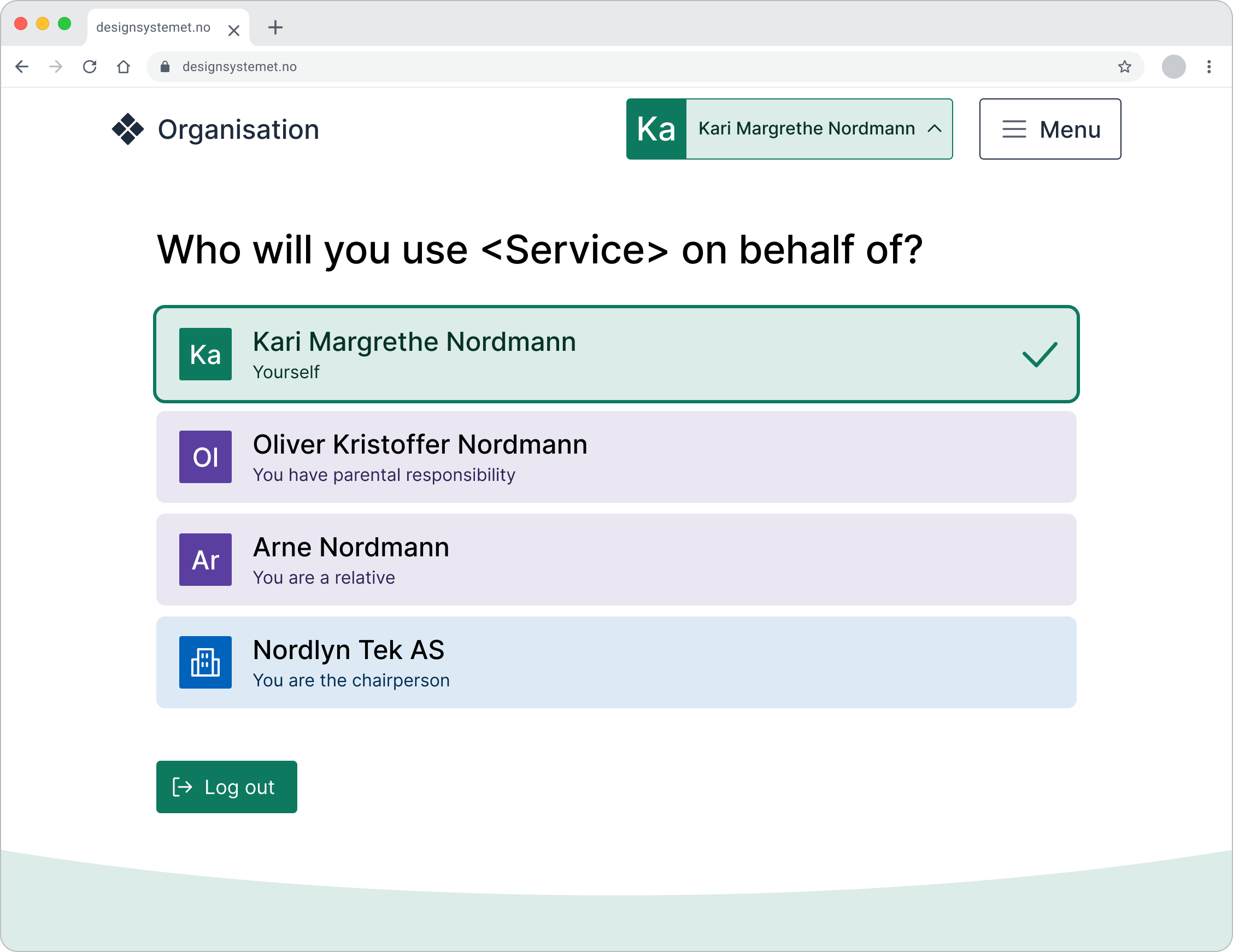
If we send users to another website as part of the same journey, we should carry over both sign-in and representation where possible and appropriate. This requires consideration of privacy, particularly when the journey involves different organisations.
2. Do users understand who they can act on behalf of?
The ability to represent someone else may be based on, for example, roles in the Central Coordinating Register for Legal Entities (managing director, signing authority), or relationships in the National Population Register (parent, guardian). Authorisations and other rights in individual services may also provide a basis for representing others. Clearly explain why users can act on behalf of someone else.
Use explanatory labels such as:
- You have parental responsibility
- You are next of kin
- You are the chairperson
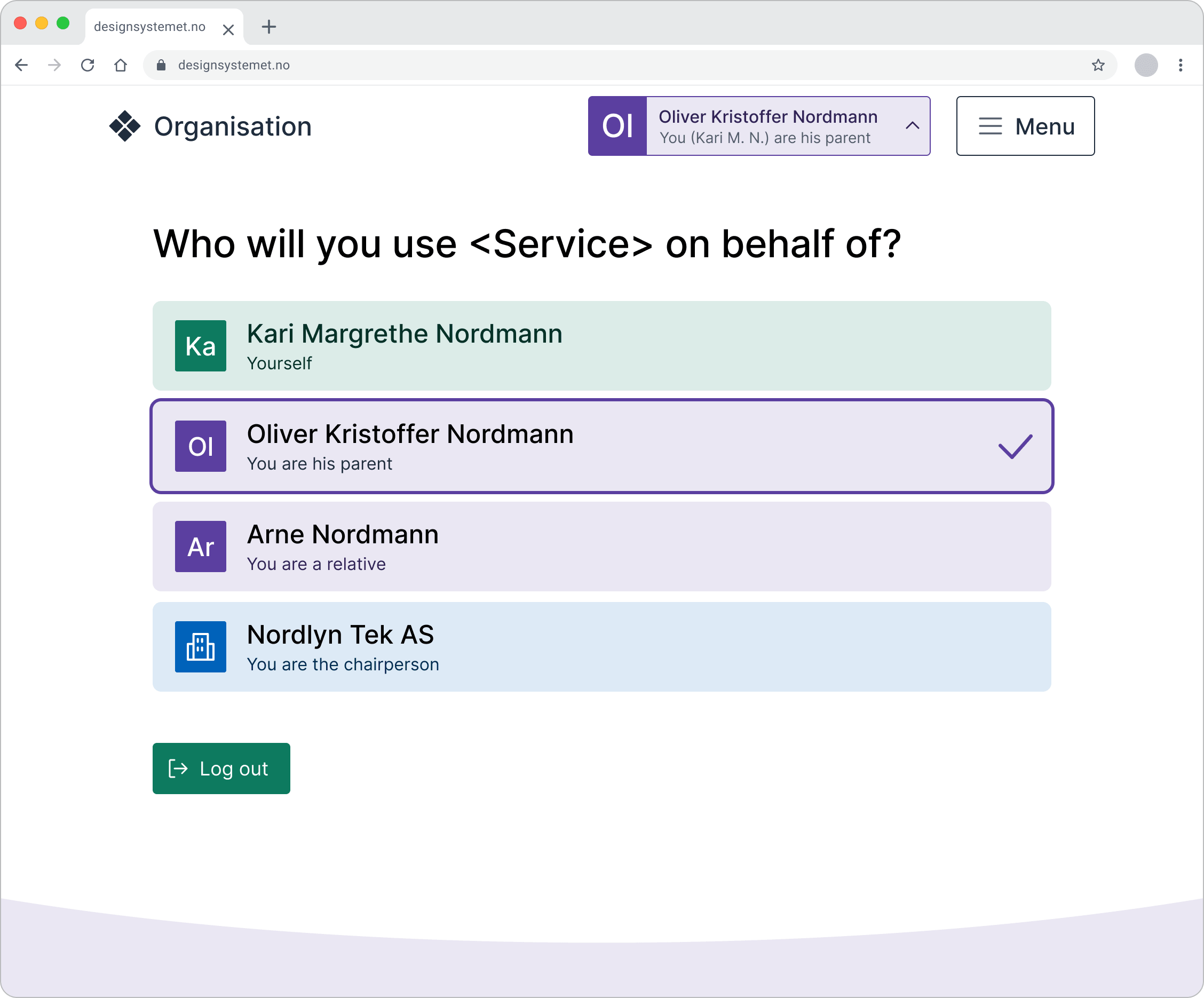
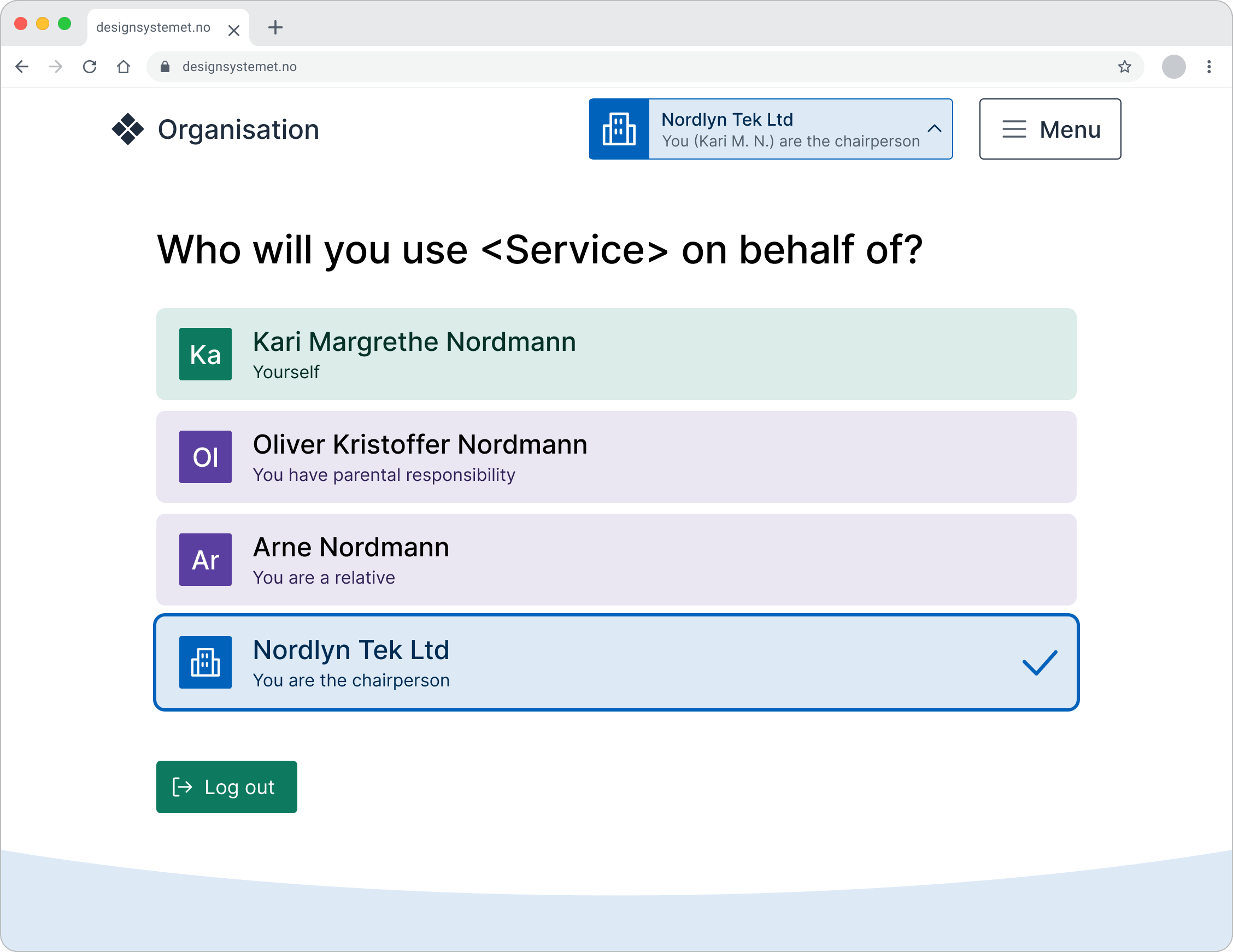
If the right to represent is time-limited, it should be clear when it expires. If the context makes the details unnecessary, you may omit them. Use judgement.
3. Do users understand how to choose who they are acting on behalf of?
If a user needs to act on behalf of someone else, the choice should come immediately after signing in. If users can only act on their own behalf, they do not need to choose, but it must still be clear that they are signed in.
Consider whether:
- it is easy to distinguish between people or organisations with similar names
- there is a need to display date of birth, organisation number or relationship
- users should be able to add nicknames or mark favourites
- search and filtering functions are needed, especially for users with many rights
4. Do users understand who they are acting on behalf of?
It must always be clear who users are representing, not just who they are signed in as. In some services, users may see content from several of those they represent. For example, if accountants can view messages for multiple businesses in the same inbox, it must be clearly shown in context who they are acting on behalf of.
5. Do users understand how to change who they are acting on behalf of?
Users should be able to switch who they represent easily, for example from a menu at the top. At the same time, it should be clear when switching is not possible, and why. If the person or organisation the user represents is changed automatically (for example because they came from another service), they should be informed of this.
6. Do users understand who can act on their behalf – and what has been done on their behalf?
It should be easy to get an overview of who has the right to act on the user’s behalf and what they can do. It is helpful to explain why someone has access, for example because they have been granted authorisation, or because the person is registered with a role.
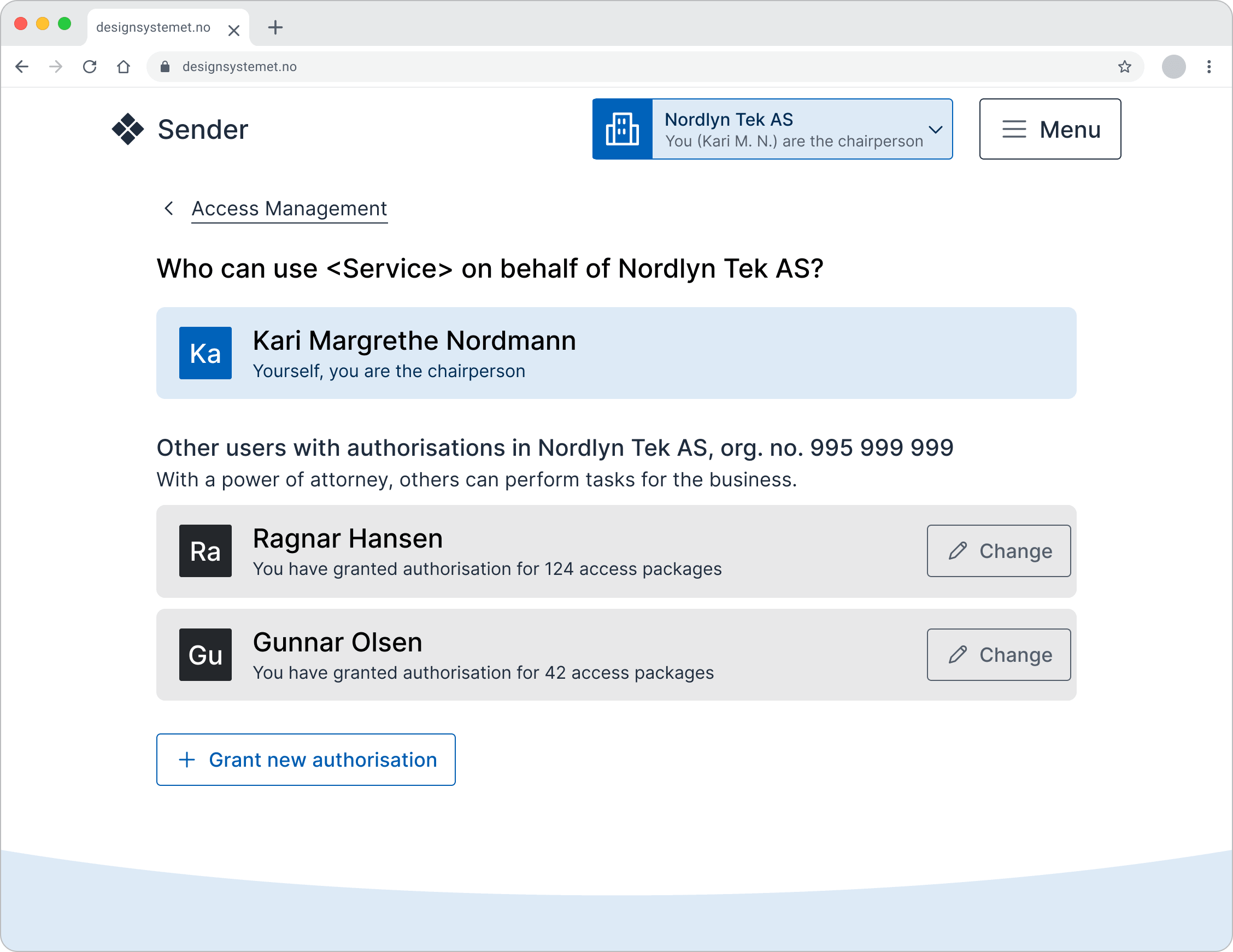
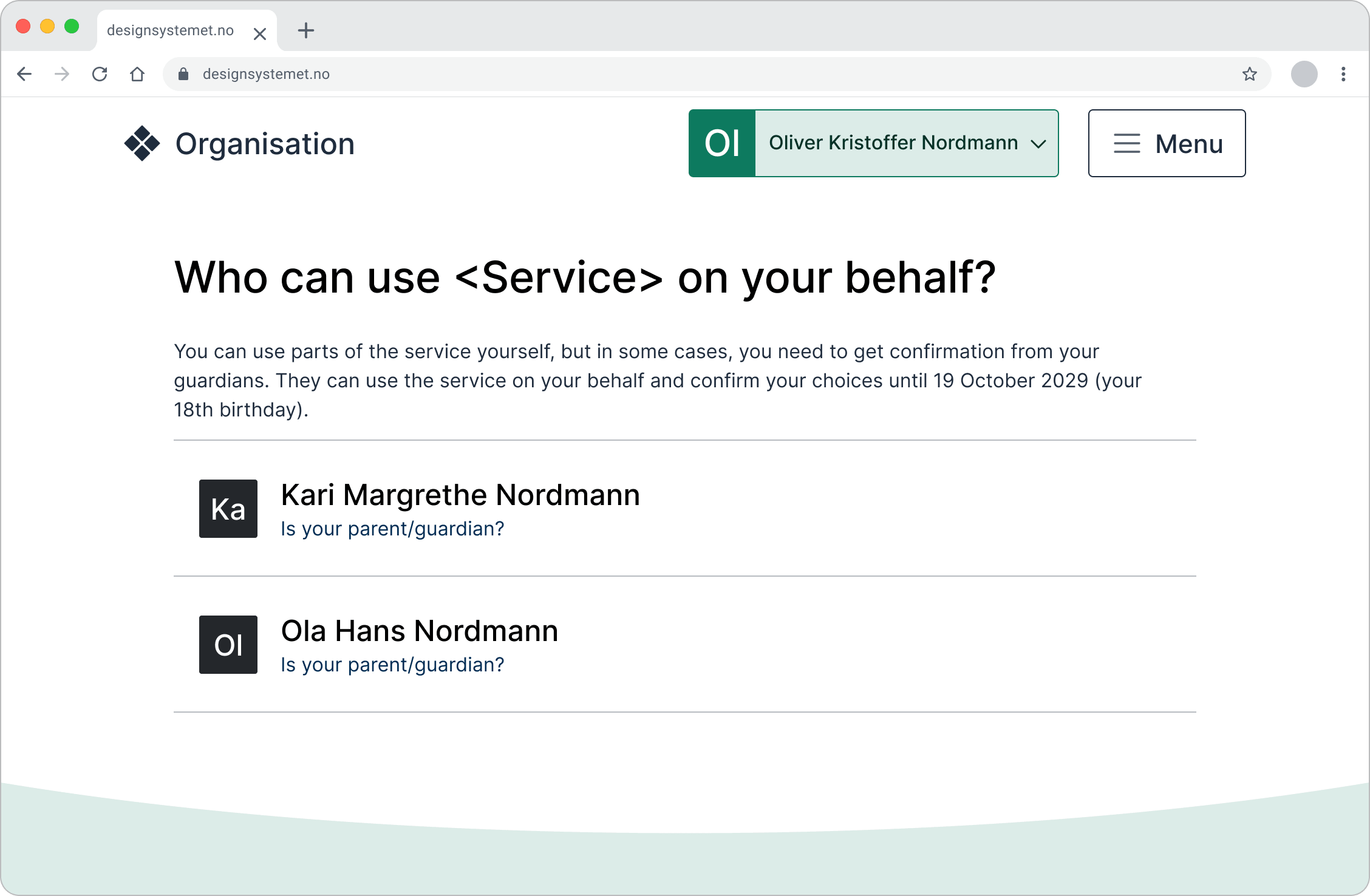
Users should also be able to see what others have done on their behalf, particularly when actions have consequences. It should be clear who did something, what was done, and when it was done.
In some cases, notifications may also be needed, for example when someone is granted or uses an authorisation.
Language and terminology
If we use the same terms across public digital services, it becomes easier for users to understand both what they should do and the consequences of their actions. Sometimes we need to use different terms in the user interface than those used internally in public administration.
Use these terms
This part of the article, covering terminology and language usage, has not yet been translated into English. You can view the Norwegian version here: Representasjon og innlogging på vegne av andre - Språk og begreper
My page, your page, or someone else’s page?
Users may become confused when multiple public services use the same or similar names for signed-in areas, such as “My page” and “Your page”. Some may struggle to remember where they did what: “I found it on My page, but was that with the Tax Administration or Altinn?” In addition, we risk creating an inconsistent user experience. What feels like one type of page may vary in content, structure and purpose from service to service.
Also consider whether the name of the signed-in page may be confusing when users are representing someone else. Example: If a user signs in on behalf of their mother, how does it work if the page is called “My page”?
Consider whether the signed-in pages need a title at all. It often works well simply to use the name of the signed-in user, or the name of the person or organisation they are signed in on behalf of.
If a title is needed, we recommend being specific about where the user is. Be consistent if you choose a title with “My” or “Your”. Avoid combinations such as “Track your case” and “About me” on the same page.
We have reviewed signed-in pages from several public and private organisations and found that inconsistent terminology is more common on pages that use a title with “my”. It is easier to remain consistent where “your” is used. In addition, addressing the user with “your”, “you” and “yourself” creates a more conversational tone.
More insight wanted
Do you have insights about representation and signing in on behalf of others? Please contribute in the related discussion thread on github.com.
