Getting started
Variables in Figma
How variables are used in Figma and how to find the right variable.
When you create new components in Figma, connect sizes, spacing and colours to the correct variables. This makes the components work as expected across different sizes, and ensures that colours follow the selected theme and work in both light and dark mode.
Size Variables
Size variables are used to set both spacing and sizes.
Sizes can define the width and height of an element, while spacing defines the space between different elements. You set spacing under "Auto Layout" in Figma. There you can define spacing above, below, beside, or between elements.
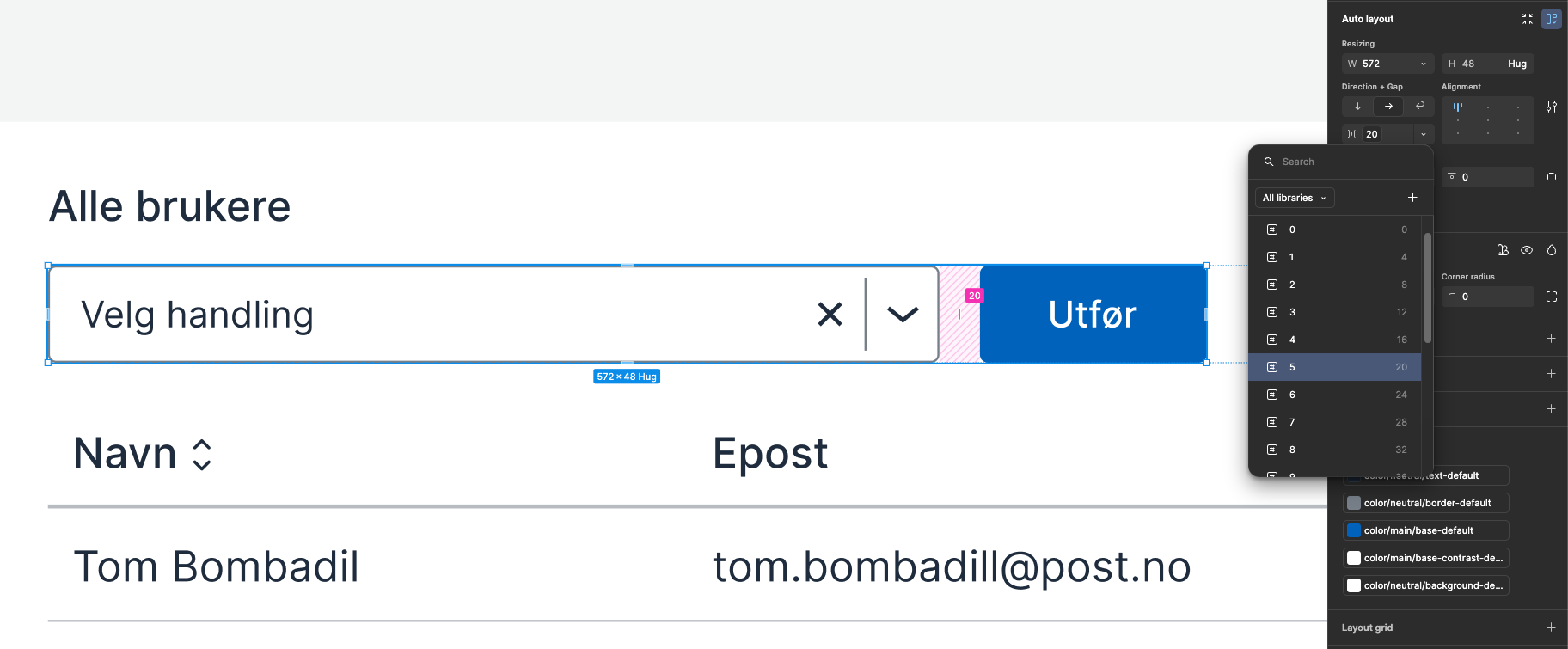
Color Variables in Figma
Color variables are named based on what they are intended to be used for: background, surface, border and text.
- If you're looking for a
bordercolor, it can be efficient to search for "border" to see all available colors. - If you're looking for a
fillcolor on an element, it can be efficient to search for "surface" to see all available colors. - If you're looking for a color for text or icon, it can be efficient to search for "text" to see all available colors.
Read more about color tokens and what they are used for.
To set up your own color variables, see the guide "Design System with Custom Theme"
What is the Color mode?
The Color mode in Figma simulates the functionality of data-color from code. It only exists in Figma and allows you to control which color a component should use, based on context.
Read more about how it is used in modes in Figma
This gives you two important advantages:
- You can use custom names for the colors
If you had used the color variables directly in the components, it would have caused errors every time someone imported or replaced colors. By using the Color mode, the components refer to an abstract color, and you can change the content without affecting the structure. - You don't have to create one variant per color
Instead of creating separate components for blue, red, green, etc., the same component can change color based on which color mode is set. This provides less maintenance and makes it easier to keep the file organized.
Colors in Figma Dev Mode
In Figma Dev Mode, colors are displayed in two ways:
- Color: Used for flexible colors, equivalent to data-color in code. You set a color mode (for example
accent), and the component inherits the correct color. This makes it easier to reuse components without creating new variants. The modes are cascading - you can set them on page, frame or element. - Explicit color: Used when a color should always be the same, regardless of mode. The display in Dev Mode will then show a specific variable, just as in code.