
Use tokens to colour graphics
With Designsystemet, you can colour graphics using tokens.

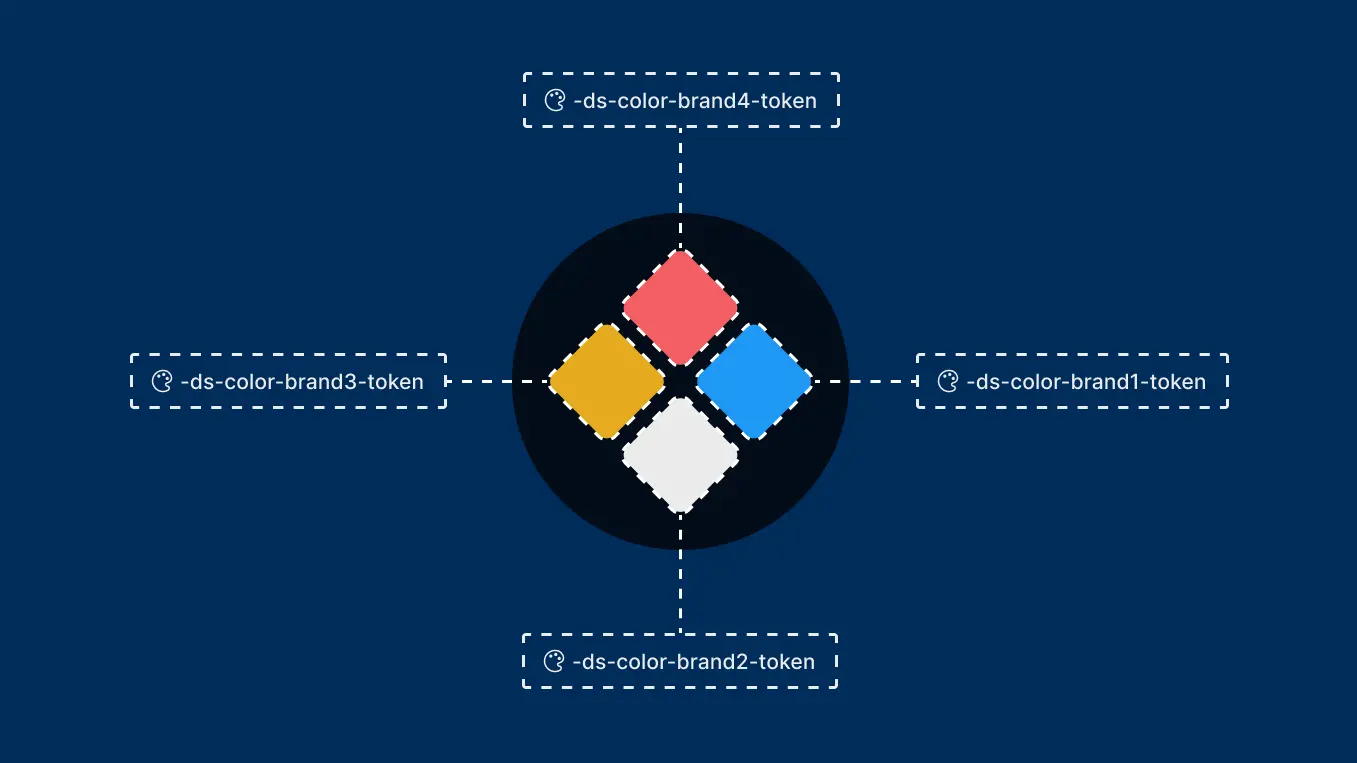
Graphics are an important part of the user experience, but they are often created with static colors that need to be updated manually whenever the visual identity changes. In addition, the same graphic is frequently used in both light and dark themes, which does not always produce optimal results. By using design tokens in SVG graphics, illustrations, icons, and other graphical elements can follow the same color system as the rest of the solution. This makes graphics easier to maintain, improves consistency across products, and simplifies the management of themes, branding updates, and accessibility requirements. In this article, we take a high-level look at why using tokens to color graphics is beneficial and how you can get started. The approach described here, wrapping the graphics using symbol elements within SVG files, can also serve as a foundation for providing multiple illustrations within a single SVG file.
Why use tokens to control colours in graphics?
There are three main benefits to using design tokens for color management:
- Maintaining consistent use of brand colors
- Supporting both light and dark themes
- Making graphics easier to maintain over time
The methods described in this article are not relevant if your graphics should look exactly the same in both light and dark themes and use the colors defined in the design tool.
How to use colour tokens for graphics
If you want to control colours and scaling through code, for example by using design tokens, your graphics need to be added as SVGs and structured in a way that allows them to be styled with CSS.
There are two main approaches:
- Embedding SVG markup inline in the HTML
- Referencing SVG graphic with
<use>and<symbol>for reuse
Both approaches work well. Using <use> together with <symbol> is useful when the same graphic needs to be reused in multiple places without duplicating code, while inline SVG provides full control and is often simpler when the graphic is only used in a single location.
When SVG is used inline or through <use>, both colours and sizing can be controlled with CSS. This requires the SVG to be set up correctly, including a viewBox attribute.
Other ways of using graphics in frontend applications, such as <img src="...svg">, canvas, CSS-generated graphics, or icon fonts, do not provide the same level of control over colours through design tokens. These approaches are therefore outside the scope of this article.
Basic setup
For an SVG to be reusable and easy to style, a few prerequisites should be in place.
When using graphics as an external file with <use>:
- The graphic should be wrapped in a
<symbol>element - The symbol should have an ID
- The graphic should be referenced using
<use>together with the file path and symbol ID
When using graphics either inline or as an external file:
- A viewBox attribute should be defined on the
<svg>or<symbol>element
Practival examples
Using SVG Symbols for Reuse
Wrap the graphic in a <symbol> element and give it a unique ID:
The graphic can then be referenced in HTML using <use>:
Preview SVGs with symbols in design and editing tools
Many design and editing tools cannot specify which symbol to display when previewing an SVG file. As a result, the graphic may appear empty even though the SVG is set up correctly.
To make the graphic visible, add a use element at the end of the SVG file:
Tip: You can include multiple symbols or icons in the same file by wrapping each one in a symbol element and giving it a unique ID. You can then use the technique above to choose which symbol should be displayed when previewing the file.
Alternatively, Embed the Graphic Inline
Using <use> makes it possible to reuse the same SVG without duplicating the markup in multiple places. If the graphic is only used once on a page, however, embedding the SVG inline is often the simpler option. When used inline, the example above does not require a <symbol> element or an ID:
Tip: Scaling SVGs
SVGs scale most easily when:
- A
viewBoxis defined on the<symbol>element when referenced as a file, or on the<svg>element when embedded inline - The size is controlled through the
widthandheightattributes of the outer element - The aspect ratio is defined correctly
Coouring graphics
What you need to do next depends on the result you want to achieve.
Single-colour graphics
Many logos and icons consist of a single colour. For these graphics, colours can either be inherited from the current text colour or controlled through a class or ID.
Using the Current Text Colour
If you want SVG graphics to use the current text colour by default, you can use currentColor. Remove any hard-coded colours from the SVG and set fill="currentColor". Depending on the graphic, you may need to do the same for stroke.
If you do not want to apply this rule to all SVGs, you can instead set currentColor directly on the fill and/or stroke attributes within the SVG. This is the approach used for icons in the design system, for example in buttons.
The example below shows a graphic embedded inline and coloured using currentColor:
Unable to parse html
const WithCurrentColor = () => {
  return (
    <svg
      width='64'
      height='64'
      viewBox='0 0 24 24'
      fill='none'
      xmlns='http://www.w3.org/2000/svg'
      aria-hidden='true'
    >
      <path
        fill='currentColor'
        fill-rule='evenodd'
        clip-rule='evenodd'
        d='M6.29369 2.47455C7.27231 1.63573 8.70223 1.58915 9.73337 2.3625L10.0841 2.62552C11.3043 2.08754 12.6955 2.08754 13.9157 2.62552L14.1622 2.44065C15.257 1.61953 16.7891 1.72841 17.7568 2.69611L17.8996 2.83897C19.0388 3.97817 18.9524 5.83446 17.7499 6.86725V7.26383C17.7499 8.4908 17.3748 9.66074 16.7092 10.6368L16.9037 10.5287C17.9442 9.95065 19.2556 10.3018 19.8679 11.3224C20.5099 12.3923 20.1379 13.7812 19.0473 14.3871L18.3705 14.7631C18.7948 14.8976 19.1941 15.1332 19.5306 15.4697C20.6519 16.591 20.6519 18.409 19.5306 19.5303L18.5306 20.5303C17.4092 21.6516 15.5912 21.6516 14.4699 20.5303C14.3822 20.4427 14.3014 20.3507 14.2275 20.2552C13.5509 20.5726 12.7955 20.75 12 20.75C11.2046 20.75 10.4494 20.5727 9.77287 20.2554C9.69894 20.3508 9.61817 20.4427 9.53056 20.5303C8.40924 21.6516 6.59122 21.6516 5.4699 20.5303L4.4699 19.5303C3.34857 18.409 3.34858 16.591 4.4699 15.4697C4.80626 15.1333 5.2053 14.8978 5.62942 14.7633L4.95231 14.3871C3.86165 13.7812 3.48975 12.3923 4.13166 11.3224C4.74403 10.3018 6.05543 9.95065 7.09589 10.5287L7.29074 10.6369C6.62505 9.66087 6.24989 8.49087 6.24989 7.26383V6.90686C4.86826 5.86881 4.76888 3.78153 6.11862 2.62461L6.29369 2.47455ZM15.5306 17.5303L16.5306 16.5303C17.0661 15.9948 17.9344 15.9948 18.4699 16.5303C19.0054 17.0658 19.0054 17.9341 18.4699 18.4697L17.4699 19.4697C16.9344 20.0052 16.0661 20.0052 15.5306 19.4697C15.0438 18.9829 14.9995 18.2212 15.3976 17.6844C15.4375 17.6306 15.4818 17.5791 15.5306 17.5303ZM15.7203 15.025C15.7289 15.0929 15.7356 15.1615 15.7405 15.2307C15.6583 15.2946 15.5788 15.3636 15.5024 15.4377L15.4867 15.453L15.4699 15.4697L14.4699 16.4697C14.3303 16.6093 14.2081 16.7597 14.1033 16.9181C13.7167 17.5026 13.5664 18.1973 13.6524 18.8675C13.1543 19.1124 12.5939 19.25 12 19.25C11.4063 19.25 10.846 19.1125 10.348 18.8677C10.4438 18.1223 10.2471 17.3465 9.7582 16.7258C9.68831 16.6371 9.61243 16.5515 9.53056 16.4697L8.53056 15.4697C8.44414 15.3832 8.35357 15.3035 8.25951 15.2304C8.2644 15.1613 8.27115 15.0929 8.27971 15.0251C8.32499 14.6661 8.10752 14.326 7.76269 14.2164C7.71876 14.2025 7.67509 14.1838 7.6322 14.16L5.68078 13.0759C5.33141 12.8818 5.21228 12.4369 5.4179 12.0942C5.61406 11.7672 6.03413 11.6548 6.36742 11.8399L8.31884 12.924C8.33846 12.9349 8.3572 12.9465 8.37509 12.9587C8.6744 13.1626 9.07666 13.1235 9.33108 12.8657C9.51476 12.6797 9.71766 12.5127 9.93647 12.3682C10.151 12.2265 10.278 11.9847 10.273 11.7277C10.2679 11.4706 10.1315 11.234 9.91156 11.1008C8.57722 10.293 7.74989 8.84116 7.74989 7.26383V6.4999C7.74989 6.23645 7.61167 5.99232 7.38576 5.85678L7.26518 5.78443C6.53357 5.34546 6.44701 4.31875 7.09481 3.76349L7.26988 3.61343C7.7147 3.23215 8.36467 3.21098 8.83337 3.56251L9.54989 4.0999C9.77715 4.27035 10.0812 4.29776 10.3353 4.17072L10.5464 4.06515C11.4614 3.60766 12.5384 3.60766 13.4533 4.06515L13.6645 4.17072C13.9186 4.29776 14.2226 4.27035 14.4499 4.0999L15.0622 3.64065C15.5599 3.26742 16.2562 3.3169 16.6961 3.75677L16.839 3.89963C17.3768 4.43751 17.3136 5.3271 16.7051 5.78351L16.5499 5.8999C16.361 6.04154 16.2499 6.26383 16.2499 6.4999V7.26383C16.2499 8.84112 15.4226 10.2929 14.0883 11.1008C13.8684 11.2339 13.732 11.4705 13.7269 11.7276C13.7219 11.9847 13.8489 12.2264 14.0634 12.3682C14.2822 12.5127 14.4851 12.6795 14.6688 12.8656C14.9232 13.1233 15.3253 13.1624 15.6246 12.9586C15.6425 12.9465 15.6612 12.9349 15.6808 12.924L17.6322 11.8399C17.9655 11.6548 18.3855 11.7672 18.5817 12.0942C18.7873 12.4369 18.6682 12.8818 18.3188 13.0758L16.3674 14.16C16.3246 14.1838 16.281 14.2024 16.2371 14.2163C15.8924 14.326 15.675 14.666 15.7203 15.025ZM5.53056 16.5303C6.06609 15.9948 6.93436 15.9948 7.4699 16.5303L8.4699 17.5303C8.53934 17.5998 8.59982 17.6748 8.65129 17.7541C8.99643 18.2855 8.93596 19.0036 8.4699 19.4697C7.93436 20.0052 7.06609 20.0052 6.53056 19.4697L5.53056 18.4697C4.99502 17.9341 4.99502 17.0658 5.53056 16.5303ZM10.5 6.75C10.0858 6.75 9.75 7.08579 9.75 7.5C9.75 7.91421 10.0858 8.25 10.5 8.25H10.51C10.9242 8.25 11.26 7.91421 11.26 7.5C11.26 7.08579 10.9242 6.75 10.51 6.75H10.5ZM10.9697 8.96967C11.2527 8.68668 11.7055 8.67711 12 8.94096C12.2945 8.67711 12.7473 8.68668 13.0303 8.96967C13.3232 9.26256 13.3232 9.73744 13.0303 10.0303L12.5303 10.5303C12.2374 10.8232 11.7626 10.8232 11.4697 10.5303L10.9697 10.0303C10.6768 9.73744 10.6768 9.26256 10.9697 8.96967ZM12.75 7.5C12.75 7.08579 13.0858 6.75 13.5 6.75H13.51C13.9242 6.75 14.26 7.08579 14.26 7.5C14.26 7.91421 13.9242 8.25 13.51 8.25H13.5C13.0858 8.25 12.75 7.91421 12.75 7.5Z'
      />
    </svg>
  );
};

render(<WithCurrentColor />)
Using a Colour Token
If you need more control over the colour, you can assign a class or ID to the surrounding SVG element. Remove any hard-coded colours from the graphic and add a class to the outer SVG element:
Then use a design token to define the colour:
Single-colour Graphics Controlled by data-color and data-color-scheme
The same graphic may need to be reused in different contexts. At the same time, it should follow the colour and colour mode defined for the section of the page where it is displayed.
In these situations, you can use generic design tokens that inherit data-color and data-color-scheme values from the nearest parent element.
In the examples below, the SVG itself only uses the --ds-color-base-default token, while the surrounding cards define data-color and data-color-scheme values that control the graphic's colour and colour mode. This allows the same SVG graphic to be reused in different contexts while automatically adapting to the colour settings of the area in which it is displayed.
Unable to parse html
const WithDataColor = () => {
  return (
    <div style={{ display: 'flex', gap: '1rem' }}>
      <Card data-color='success' data-color-scheme='light'>
        <Card.Block>
          <svg
            width='64'
            height='64'
            viewBox='0 0 24 24'
            fill='none'
            xmlns='http://www.w3.org/2000/svg'
            aria-hidden='true'
          >
            <path
              fill='var(--ds-color-base-default)'
              fill-rule='evenodd'
              clip-rule='evenodd'
              d='M6.29369 2.47455C7.27231 1.63573 8.70223 1.58915 9.73337 2.3625L10.0841 2.62552C11.3043 2.08754 12.6955 2.08754 13.9157 2.62552L14.1622 2.44065C15.257 1.61953 16.7891 1.72841 17.7568 2.69611L17.8996 2.83897C19.0388 3.97817 18.9524 5.83446 17.7499 6.86725V7.26383C17.7499 8.4908 17.3748 9.66074 16.7092 10.6368L16.9037 10.5287C17.9442 9.95065 19.2556 10.3018 19.8679 11.3224C20.5099 12.3923 20.1379 13.7812 19.0473 14.3871L18.3705 14.7631C18.7948 14.8976 19.1941 15.1332 19.5306 15.4697C20.6519 16.591 20.6519 18.409 19.5306 19.5303L18.5306 20.5303C17.4092 21.6516 15.5912 21.6516 14.4699 20.5303C14.3822 20.4427 14.3014 20.3507 14.2275 20.2552C13.5509 20.5726 12.7955 20.75 12 20.75C11.2046 20.75 10.4494 20.5727 9.77287 20.2554C9.69894 20.3508 9.61817 20.4427 9.53056 20.5303C8.40924 21.6516 6.59122 21.6516 5.4699 20.5303L4.4699 19.5303C3.34857 18.409 3.34858 16.591 4.4699 15.4697C4.80626 15.1333 5.2053 14.8978 5.62942 14.7633L4.95231 14.3871C3.86165 13.7812 3.48975 12.3923 4.13166 11.3224C4.74403 10.3018 6.05543 9.95065 7.09589 10.5287L7.29074 10.6369C6.62505 9.66087 6.24989 8.49087 6.24989 7.26383V6.90686C4.86826 5.86881 4.76888 3.78153 6.11862 2.62461L6.29369 2.47455ZM15.5306 17.5303L16.5306 16.5303C17.0661 15.9948 17.9344 15.9948 18.4699 16.5303C19.0054 17.0658 19.0054 17.9341 18.4699 18.4697L17.4699 19.4697C16.9344 20.0052 16.0661 20.0052 15.5306 19.4697C15.0438 18.9829 14.9995 18.2212 15.3976 17.6844C15.4375 17.6306 15.4818 17.5791 15.5306 17.5303ZM15.7203 15.025C15.7289 15.0929 15.7356 15.1615 15.7405 15.2307C15.6583 15.2946 15.5788 15.3636 15.5024 15.4377L15.4867 15.453L15.4699 15.4697L14.4699 16.4697C14.3303 16.6093 14.2081 16.7597 14.1033 16.9181C13.7167 17.5026 13.5664 18.1973 13.6524 18.8675C13.1543 19.1124 12.5939 19.25 12 19.25C11.4063 19.25 10.846 19.1125 10.348 18.8677C10.4438 18.1223 10.2471 17.3465 9.7582 16.7258C9.68831 16.6371 9.61243 16.5515 9.53056 16.4697L8.53056 15.4697C8.44414 15.3832 8.35357 15.3035 8.25951 15.2304C8.2644 15.1613 8.27115 15.0929 8.27971 15.0251C8.32499 14.6661 8.10752 14.326 7.76269 14.2164C7.71876 14.2025 7.67509 14.1838 7.6322 14.16L5.68078 13.0759C5.33141 12.8818 5.21228 12.4369 5.4179 12.0942C5.61406 11.7672 6.03413 11.6548 6.36742 11.8399L8.31884 12.924C8.33846 12.9349 8.3572 12.9465 8.37509 12.9587C8.6744 13.1626 9.07666 13.1235 9.33108 12.8657C9.51476 12.6797 9.71766 12.5127 9.93647 12.3682C10.151 12.2265 10.278 11.9847 10.273 11.7277C10.2679 11.4706 10.1315 11.234 9.91156 11.1008C8.57722 10.293 7.74989 8.84116 7.74989 7.26383V6.4999C7.74989 6.23645 7.61167 5.99232 7.38576 5.85678L7.26518 5.78443C6.53357 5.34546 6.44701 4.31875 7.09481 3.76349L7.26988 3.61343C7.7147 3.23215 8.36467 3.21098 8.83337 3.56251L9.54989 4.0999C9.77715 4.27035 10.0812 4.29776 10.3353 4.17072L10.5464 4.06515C11.4614 3.60766 12.5384 3.60766 13.4533 4.06515L13.6645 4.17072C13.9186 4.29776 14.2226 4.27035 14.4499 4.0999L15.0622 3.64065C15.5599 3.26742 16.2562 3.3169 16.6961 3.75677L16.839 3.89963C17.3768 4.43751 17.3136 5.3271 16.7051 5.78351L16.5499 5.8999C16.361 6.04154 16.2499 6.26383 16.2499 6.4999V7.26383C16.2499 8.84112 15.4226 10.2929 14.0883 11.1008C13.8684 11.2339 13.732 11.4705 13.7269 11.7276C13.7219 11.9847 13.8489 12.2264 14.0634 12.3682C14.2822 12.5127 14.4851 12.6795 14.6688 12.8656C14.9232 13.1233 15.3253 13.1624 15.6246 12.9586C15.6425 12.9465 15.6612 12.9349 15.6808 12.924L17.6322 11.8399C17.9655 11.6548 18.3855 11.7672 18.5817 12.0942C18.7873 12.4369 18.6682 12.8818 18.3188 13.0758L16.3674 14.16C16.3246 14.1838 16.281 14.2024 16.2371 14.2163C15.8924 14.326 15.675 14.666 15.7203 15.025ZM5.53056 16.5303C6.06609 15.9948 6.93436 15.9948 7.4699 16.5303L8.4699 17.5303C8.53934 17.5998 8.59982 17.6748 8.65129 17.7541C8.99643 18.2855 8.93596 19.0036 8.4699 19.4697C7.93436 20.0052 7.06609 20.0052 6.53056 19.4697L5.53056 18.4697C4.99502 17.9341 4.99502 17.0658 5.53056 16.5303ZM10.5 6.75C10.0858 6.75 9.75 7.08579 9.75 7.5C9.75 7.91421 10.0858 8.25 10.5 8.25H10.51C10.9242 8.25 11.26 7.91421 11.26 7.5C11.26 7.08579 10.9242 6.75 10.51 6.75H10.5ZM10.9697 8.96967C11.2527 8.68668 11.7055 8.67711 12 8.94096C12.2945 8.67711 12.7473 8.68668 13.0303 8.96967C13.3232 9.26256 13.3232 9.73744 13.0303 10.0303L12.5303 10.5303C12.2374 10.8232 11.7626 10.8232 11.4697 10.5303L10.9697 10.0303C10.6768 9.73744 10.6768 9.26256 10.9697 8.96967ZM12.75 7.5C12.75 7.08579 13.0858 6.75 13.5 6.75H13.51C13.9242 6.75 14.26 7.08579 14.26 7.5C14.26 7.91421 13.9242 8.25 13.51 8.25H13.5C13.0858 8.25 12.75 7.91421 12.75 7.5Z'
            />
          </svg>
        </Card.Block>
      </Card>
      <Card data-color='success' data-color-scheme='dark'>
        <Card.Block>
          <svg
            width='64'
            height='64'
            viewBox='0 0 24 24'
            fill='none'
            xmlns='http://www.w3.org/2000/svg'
            aria-hidden='true'
          >
            <path
              fill='var(--ds-color-base-default)'
              fill-rule='evenodd'
              clip-rule='evenodd'
              d='M6.29369 2.47455C7.27231 1.63573 8.70223 1.58915 9.73337 2.3625L10.0841 2.62552C11.3043 2.08754 12.6955 2.08754 13.9157 2.62552L14.1622 2.44065C15.257 1.61953 16.7891 1.72841 17.7568 2.69611L17.8996 2.83897C19.0388 3.97817 18.9524 5.83446 17.7499 6.86725V7.26383C17.7499 8.4908 17.3748 9.66074 16.7092 10.6368L16.9037 10.5287C17.9442 9.95065 19.2556 10.3018 19.8679 11.3224C20.5099 12.3923 20.1379 13.7812 19.0473 14.3871L18.3705 14.7631C18.7948 14.8976 19.1941 15.1332 19.5306 15.4697C20.6519 16.591 20.6519 18.409 19.5306 19.5303L18.5306 20.5303C17.4092 21.6516 15.5912 21.6516 14.4699 20.5303C14.3822 20.4427 14.3014 20.3507 14.2275 20.2552C13.5509 20.5726 12.7955 20.75 12 20.75C11.2046 20.75 10.4494 20.5727 9.77287 20.2554C9.69894 20.3508 9.61817 20.4427 9.53056 20.5303C8.40924 21.6516 6.59122 21.6516 5.4699 20.5303L4.4699 19.5303C3.34857 18.409 3.34858 16.591 4.4699 15.4697C4.80626 15.1333 5.2053 14.8978 5.62942 14.7633L4.95231 14.3871C3.86165 13.7812 3.48975 12.3923 4.13166 11.3224C4.74403 10.3018 6.05543 9.95065 7.09589 10.5287L7.29074 10.6369C6.62505 9.66087 6.24989 8.49087 6.24989 7.26383V6.90686C4.86826 5.86881 4.76888 3.78153 6.11862 2.62461L6.29369 2.47455ZM15.5306 17.5303L16.5306 16.5303C17.0661 15.9948 17.9344 15.9948 18.4699 16.5303C19.0054 17.0658 19.0054 17.9341 18.4699 18.4697L17.4699 19.4697C16.9344 20.0052 16.0661 20.0052 15.5306 19.4697C15.0438 18.9829 14.9995 18.2212 15.3976 17.6844C15.4375 17.6306 15.4818 17.5791 15.5306 17.5303ZM15.7203 15.025C15.7289 15.0929 15.7356 15.1615 15.7405 15.2307C15.6583 15.2946 15.5788 15.3636 15.5024 15.4377L15.4867 15.453L15.4699 15.4697L14.4699 16.4697C14.3303 16.6093 14.2081 16.7597 14.1033 16.9181C13.7167 17.5026 13.5664 18.1973 13.6524 18.8675C13.1543 19.1124 12.5939 19.25 12 19.25C11.4063 19.25 10.846 19.1125 10.348 18.8677C10.4438 18.1223 10.2471 17.3465 9.7582 16.7258C9.68831 16.6371 9.61243 16.5515 9.53056 16.4697L8.53056 15.4697C8.44414 15.3832 8.35357 15.3035 8.25951 15.2304C8.2644 15.1613 8.27115 15.0929 8.27971 15.0251C8.32499 14.6661 8.10752 14.326 7.76269 14.2164C7.71876 14.2025 7.67509 14.1838 7.6322 14.16L5.68078 13.0759C5.33141 12.8818 5.21228 12.4369 5.4179 12.0942C5.61406 11.7672 6.03413 11.6548 6.36742 11.8399L8.31884 12.924C8.33846 12.9349 8.3572 12.9465 8.37509 12.9587C8.6744 13.1626 9.07666 13.1235 9.33108 12.8657C9.51476 12.6797 9.71766 12.5127 9.93647 12.3682C10.151 12.2265 10.278 11.9847 10.273 11.7277C10.2679 11.4706 10.1315 11.234 9.91156 11.1008C8.57722 10.293 7.74989 8.84116 7.74989 7.26383V6.4999C7.74989 6.23645 7.61167 5.99232 7.38576 5.85678L7.26518 5.78443C6.53357 5.34546 6.44701 4.31875 7.09481 3.76349L7.26988 3.61343C7.7147 3.23215 8.36467 3.21098 8.83337 3.56251L9.54989 4.0999C9.77715 4.27035 10.0812 4.29776 10.3353 4.17072L10.5464 4.06515C11.4614 3.60766 12.5384 3.60766 13.4533 4.06515L13.6645 4.17072C13.9186 4.29776 14.2226 4.27035 14.4499 4.0999L15.0622 3.64065C15.5599 3.26742 16.2562 3.3169 16.6961 3.75677L16.839 3.89963C17.3768 4.43751 17.3136 5.3271 16.7051 5.78351L16.5499 5.8999C16.361 6.04154 16.2499 6.26383 16.2499 6.4999V7.26383C16.2499 8.84112 15.4226 10.2929 14.0883 11.1008C13.8684 11.2339 13.732 11.4705 13.7269 11.7276C13.7219 11.9847 13.8489 12.2264 14.0634 12.3682C14.2822 12.5127 14.4851 12.6795 14.6688 12.8656C14.9232 13.1233 15.3253 13.1624 15.6246 12.9586C15.6425 12.9465 15.6612 12.9349 15.6808 12.924L17.6322 11.8399C17.9655 11.6548 18.3855 11.7672 18.5817 12.0942C18.7873 12.4369 18.6682 12.8818 18.3188 13.0758L16.3674 14.16C16.3246 14.1838 16.281 14.2024 16.2371 14.2163C15.8924 14.326 15.675 14.666 15.7203 15.025ZM5.53056 16.5303C6.06609 15.9948 6.93436 15.9948 7.4699 16.5303L8.4699 17.5303C8.53934 17.5998 8.59982 17.6748 8.65129 17.7541C8.99643 18.2855 8.93596 19.0036 8.4699 19.4697C7.93436 20.0052 7.06609 20.0052 6.53056 19.4697L5.53056 18.4697C4.99502 17.9341 4.99502 17.0658 5.53056 16.5303ZM10.5 6.75C10.0858 6.75 9.75 7.08579 9.75 7.5C9.75 7.91421 10.0858 8.25 10.5 8.25H10.51C10.9242 8.25 11.26 7.91421 11.26 7.5C11.26 7.08579 10.9242 6.75 10.51 6.75H10.5ZM10.9697 8.96967C11.2527 8.68668 11.7055 8.67711 12 8.94096C12.2945 8.67711 12.7473 8.68668 13.0303 8.96967C13.3232 9.26256 13.3232 9.73744 13.0303 10.0303L12.5303 10.5303C12.2374 10.8232 11.7626 10.8232 11.4697 10.5303L10.9697 10.0303C10.6768 9.73744 10.6768 9.26256 10.9697 8.96967ZM12.75 7.5C12.75 7.08579 13.0858 6.75 13.5 6.75H13.51C13.9242 6.75 14.26 7.08579 14.26 7.5C14.26 7.91421 13.9242 8.25 13.51 8.25H13.5C13.0858 8.25 12.75 7.91421 12.75 7.5Z'
            />
          </svg>
        </Card.Block>
      </Card>
    </div>
  );
};

render(<WithDataColor />)
Multi-colour graphics
Multi-colour graphics are commonly used for brand assets, illustrations, and other visual elements that rely on more than one colour.
For graphics with multiple colours, you can control the colours directly through the fill and stroke attributes of each path in the SVG. These values can reference design system colours directly, or use dedicated illustration tokens if your design system provides them.
Unable to parse html
const WithMultiColorUse = () => {
  return (
    <svg height='3rem' width='3rem'>
      <title>Multi coloured graphic with four colours.</title>
      <use href='/img/blog/colorsvg/component-graphic.svg#component-icon'></use>
    </svg>
  );
};

render(<WithMultiColorUse />)
The SVG file used in the example above looks like this:
Multi-colour Graphics Embedded Inline
The same approach can also be used when embedding the SVG inline rather than referencing it with <use>.
Unable to parse html
const WithMultiColorInline = () => {
  return (
    <svg
      width='64'
      height='64'
      viewBox='0 0 24 24'
      fill='none'
      xmlns='http://www.w3.org/2000/svg'
      aria-hidden='true'
    >
      <path
        d='M19 9.25C19.9665 9.25 20.75 10.0335 20.75 11V15H20C20.75 15 20.75 15.0006 20.75 15.001V15.0205C20.7498 15.0303 20.7495 15.0432 20.749 15.0586C20.748 15.0894 20.7458 15.1315 20.7422 15.1826C20.7349 15.2845 20.7211 15.4251 20.6934 15.5918C20.6383 15.9221 20.5263 16.3741 20.2959 16.835C20.1615 17.1037 19.9829 17.3789 19.75 17.6357V20C19.75 20.9665 18.9665 21.75 18 21.75H6C5.0335 21.75 4.25 20.9665 4.25 20V14.1787C3.93686 13.925 3.72276 13.6223 3.5791 13.335C3.41122 12.9991 3.33044 12.6721 3.29102 12.4355C3.27106 12.3157 3.26119 12.2142 3.25586 12.1396C3.2532 12.1024 3.25176 12.0713 3.25098 12.0479C3.25058 12.0361 3.25013 12.0255 3.25 12.0176V12.001C3.25 12.0006 3.25 12 4 12H3.25V11C3.25 10.0335 4.0335 9.25 5 9.25H19ZM5 10.75C4.86193 10.75 4.75 10.8619 4.75 11V12C4.75024 12.0064 4.75089 12.0173 4.75195 12.0322C4.75444 12.067 4.76025 12.122 4.77148 12.1895C4.79456 12.3278 4.83898 12.5012 4.9209 12.665C5.00139 12.8259 5.11044 12.9639 5.25977 13.0635C5.40452 13.16 5.63124 13.25 6 13.25C6.36876 13.25 6.59548 13.16 6.74023 13.0635C6.88956 12.9639 6.99861 12.8259 7.0791 12.665C7.16102 12.5012 7.20544 12.3278 7.22852 12.1895C7.23975 12.122 7.24556 12.067 7.24805 12.0322C7.24926 12.0151 7.24981 12.0028 7.25 11.9971C7.25007 11.9948 7.25 11.9932 7.25 11.9932C7.25367 11.5821 7.58807 11.25 8 11.25C8.41421 11.25 8.75 11.5858 8.75 12H8C8.75 12 8.75 12.0006 8.75 12.001V12.0176C8.74987 12.0255 8.74942 12.0361 8.74902 12.0479C8.74824 12.0713 8.7468 12.1024 8.74414 12.1396C8.73881 12.2142 8.72894 12.3157 8.70898 12.4355C8.66956 12.6721 8.58878 12.9991 8.4209 13.335C8.25141 13.6739 7.98532 14.0362 7.57227 14.3115C7.15452 14.59 6.63124 14.75 6 14.75C5.91467 14.75 5.83139 14.746 5.75 14.7402V20C5.75 20.1381 5.86193 20.25 6 20.25H18C18.1381 20.25 18.25 20.1381 18.25 20V18.5742C17.8784 18.6865 17.4631 18.75 17 18.75C16.1188 18.75 15.408 18.5275 14.8496 18.1553C14.7349 18.0788 14.6299 17.9955 14.5313 17.9102C14.4798 18.0777 14.4189 18.2421 14.3408 18.3984C14.1511 18.7781 13.8684 19.1292 13.4561 19.3799C13.0451 19.6297 12.5555 19.75 12 19.75C11.4274 19.75 10.9254 19.6235 10.5078 19.3604C10.0893 19.0965 9.80971 18.7295 9.62695 18.3379C9.2797 17.5935 9.25001 16.6866 9.25 16C9.2502 15.586 9.58591 15.25 10 15.25C10.4141 15.25 10.7498 15.586 10.75 16C10.75 16.7016 10.7961 17.295 10.9863 17.7031C11.0724 17.8877 11.1782 18.0102 11.3076 18.0918C11.4383 18.1741 11.6486 18.25 12 18.25C12.3381 18.25 12.5452 18.1776 12.6768 18.0977C12.8067 18.0186 12.9122 17.9012 12.999 17.7275C13.19 17.345 13.25 16.7785 13.25 16.1025V14C13.25 13.5858 13.5858 13.25 14 13.25C14.4142 13.25 14.75 13.5858 14.75 14V15.0088C14.7504 15.0219 14.7517 15.0445 14.7539 15.0752C14.7583 15.1373 14.7681 15.2314 14.7871 15.3457C14.8258 15.5778 14.9015 15.8762 15.0459 16.165C15.1889 16.4509 15.3917 16.7139 15.6816 16.9072C15.967 17.0975 16.3812 17.25 17 17.25C17.6188 17.25 18.033 17.0975 18.3184 16.9072C18.6083 16.7139 18.8111 16.4509 18.9541 16.165C19.0985 15.8762 19.1742 15.5778 19.2129 15.3457C19.2319 15.2314 19.2417 15.1373 19.2461 15.0752C19.2483 15.0445 19.2496 15.0219 19.25 15.0088V11C19.25 10.8619 19.1381 10.75 19 10.75H5Z'
        fill='var(--ds-color-info-border-default)'
      />
      <path
        d='M12.0049 1.75C12.2184 1.75042 12.4225 1.84142 12.5645 2.00098L13.9746 3.58691L13.9717 3.58789C14.4886 4.12071 14.7499 4.81058 14.75 5.5C14.7499 6.2025 14.4811 6.90858 13.9443 7.44531C12.8705 8.51864 11.1295 8.51857 10.0557 7.44531C9.51892 6.90857 9.25008 6.20252 9.25 5.5C9.25008 4.81027 9.51094 4.11984 10.0283 3.58691L10.0264 3.58594L11.4443 2C11.5868 1.8407 11.7911 1.74973 12.0049 1.75ZM11.1445 4.58496C11.1353 4.59528 11.126 4.60641 11.1162 4.61621C10.8722 4.86032 10.7501 5.17913 10.75 5.5C10.7501 5.82086 10.8722 6.13968 11.1162 6.38379C11.6043 6.87167 12.3957 6.87172 12.8838 6.38379C13.1278 6.13969 13.2499 5.82085 13.25 5.5C13.2499 5.17916 13.1278 4.86031 12.8838 4.61621C12.8736 4.606 12.8641 4.59476 12.8545 4.58398L12.002 3.62598L11.1445 4.58496Z'
        fill='var(--ds-color-warning-border-default)'
      />
    </svg>
  );
};

render(<WithMultiColorInline />)
Accessibility
To ensure that graphics are accessible to everyone, a few attributes should be added to the outer <svg> element:
- Use
aria-hiddenfor decorative graphics - Use
aria-labeltogether withrole="img"for meaningful graphics
Decorative graphics
If a graphic is purely decorative, it should be hidden from assistive technologies by marking it as presentational and setting it to be hidden.
Meaningful graphics
If a graphic conveys information, it should be given the image role and a descriptive text alternative.
For more complex graphics, more detailed descriptions may be needed. There are several ways to provide richer descriptions directly within SVG graphics, but those techniques are outside the scope of this article.
Troubleshooting
If your SVG does not behave as expected, these are the most common causes to investigate.
-
SVG has the wrong size
- Check that a
viewBoxattribute is defined - Check that
widthandheightare defined on the HTML element (useor if inlinesvg) or set through CSS
- Check that a
-
Colours do not change
- Check that the SVG is embedded inline in the DOM and not loaded through
<img> - Check that
fillandstrokeare not hard-coded to fixed colour values - Check that the CSS variables (
var(...)) are defined and available where the SVG is used
- Check that the SVG is embedded inline in the DOM and not loaded through
-
A Multi-colour graphic appears as a single colour
- Check whether
currentColoris applied to all paths - Check for global CSS rules that affect all SVG elements
- Check whether
-
Graphics does not show at all
- Check that the
hrefin<use>points to the correct file and symbol ID (file.svg#id) - Check that the SVG file contains a
<symbol>element with the expected ID
- Check that the
Sources and further reading
- SVG: Scalable Vector Graphics (MDN)
- <use> – SVG element (MDN)
- viewBox attribute (MDN)
- Fills and strokes (MDN)
- SVG 2 specification (W3C)
- 6 Common SVG Fails (and How to Fix Them) (CSS‑Tricks)